

Key Takeaway (TL;DR)
Interaction mapping, or stimulus–response compatibility, is a central principle in Norman's human factors framework concerning the spatial relationship between controls and their results. When the position and movement of physical or virtual controls closely match the arrangement and behavior of what they control, people can act instinctively without additional reasoning. This is natural mapping. JVDS emphasizes that excellent commercial software and digital products do not force users to memorize manuals. Spatial correspondence, action metaphors, and strong state feedback make the target and result of every control predictable before the finger lands.
1. Correspondence Between Space and Action: Physical Metaphors of Natural Mapping
Millions of years of evolution have given humans powerful spatial perception. The more closely a control action matches its physical result, the less mental energy it requires:
Four Experiential Dimensions of Natural Mapping
- Dimension One: Spatial Topology: The spatial arrangement of controls strictly matches that of the controlled objects, such as a two-by-two burner array paired with a two-by-two knob array, eliminating mental matrix conversion.
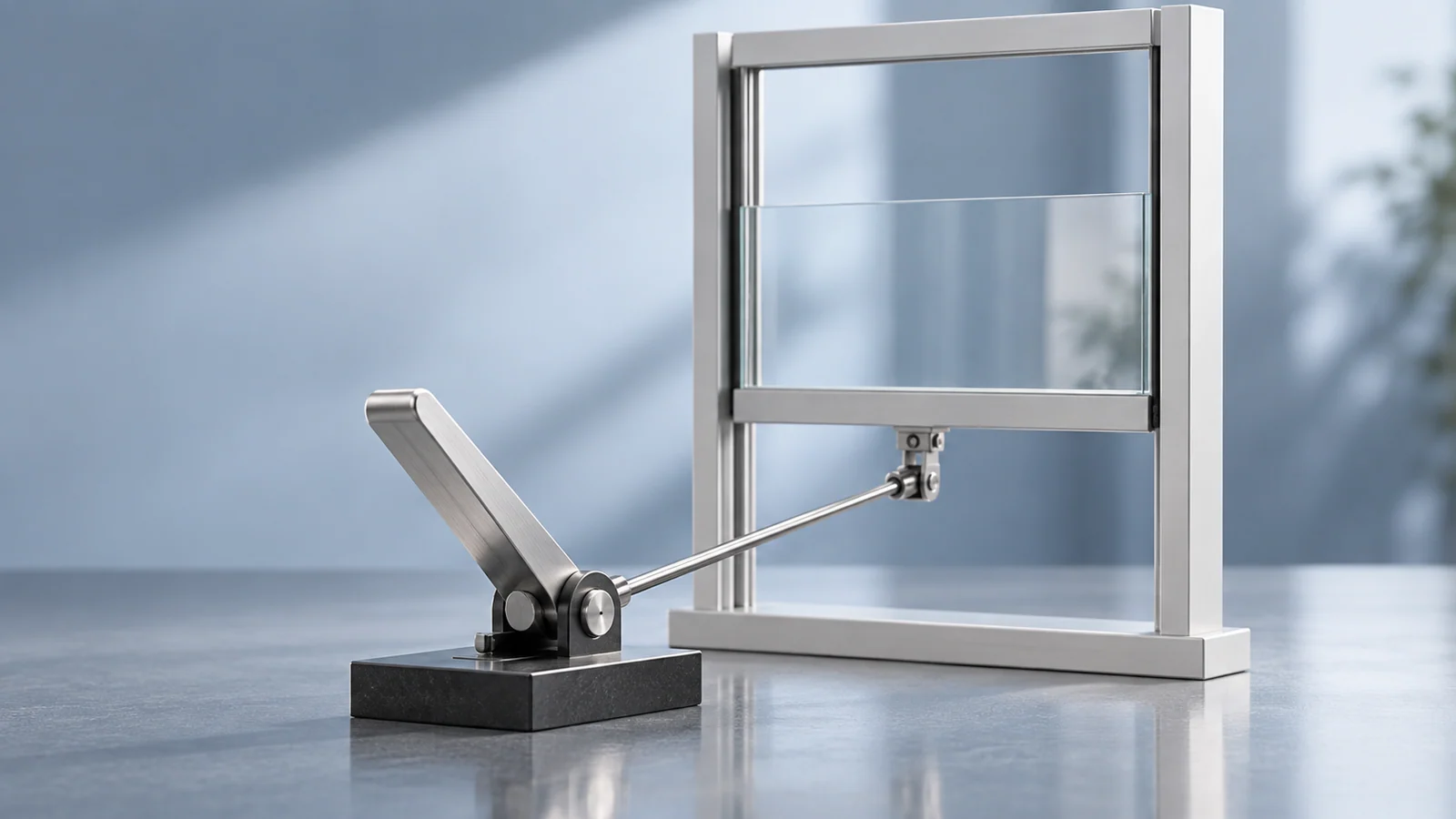
- Dimension Two: Motion Vectors: The direction of the action matches the direction of the result, such as pulling a switch upward to raise a window or turning clockwise to increase a value.
- Dimension Three: Cultural Metaphors: Draw seamlessly on established conventions, such as red for alarms and shutdown, green for normal operation, and gears for global settings.
- Dimension Four: Explicit Modes: For multifunction controls, prominently show the current mode at the center of or immediately beside the control, preventing hidden-mode traps.
- The Classic Stove-Knob Failure: Norman repeatedly examines this example in The Design of Everyday Things. Four gas burners occupy the corners of a square, but their four controls form a rigid horizontal row below. The one-dimensional control arrangement destroys the two-dimensional spatial correspondence, making it almost impossible to identify the correct knob intuitively. Awkward printed diagrams become necessary, and lighting the wrong burner can cause a fire. Arrange the four knobs in the same two-by-two matrix and errors immediately fall to zero, even without text labels.
- The Evolution of Car Window Switches: Some early models placed window switches horizontally on the armrest and used forward–backward movement. Does pushing forward raise or lower the glass? Modern ergonomic designs use vertical lifting switches: lift the control and the window rises; press down and it falls. Matching movement vectors produces natural mapping immediately.
- Three Types of Mapping:
- Spatial Form Mapping: The control layout corresponds one-to-one with physical objects, as in a room-and-floor array on a building's central air-conditioning screen.
- Movement Mapping: The direction of control follows the real-world change, such as a clockwise turn to increase a value or volume.
- Cultural Semantic Mapping: Use familiar shared conventions, such as red for alarms and shutdown, green for unobstructed operation, and gears for system settings.
2. Mapping Breakdowns and Counterintuitive Traps in Digital Interfaces
Teams that overlook human–machine mapping often create highly unnatural cognitive demands in digital and administrative interfaces:
2.1 Reversed Relationships Between Sliders and Steppers
Volume, brightness, and parameter interfaces sometimes make moving a slider right increase the value while the adjacent upward stepper decreases it. In a 3D model viewer, dragging upward may make the object tumble downward. This split between action and feedback direction produces strong disorientation and frustration.
2.2 Hidden Modes in Multifunction Controls
To save space, automotive displays or engineering consoles may assign several modes to one physical knob: zooming the map during navigation, changing tracks in media, and adjusting fan speed in climate control. Yet no prominent indicator or large label shows the current mode. An operator intending only to zoom a map may turn the knob and abruptly disconnect an ongoing hands-free meeting.
3. A Four-Dimensional Comparison Matrix for Interaction Mapping
To establish a natural, fluid relationship between controls and system behavior, we use this four-dimensional filtering matrix:
| Evaluation Dimension | High-Frequency Core Functions or Assets | Low-Frequency Essential Functions or Assets | Redundant Distractions, Pseudo-Functions, or Formalism |
|---|---|---|---|
| Spatial Correspondence | Match control geometry 100% to physical target positions, as in a matrix for selecting surveillance screens. | Use clear connecting lines or color guidance when severe space constraints prevent full spatial mapping. | Scatter interface elements arbitrarily and force users to perform complex matrix transformations mentally. |
| Consistency of Action and Value Change | Bind upward or rightward motion and clockwise rotation to increasing values, advancing progress, or raising volume. | Provide an explicit switch for rare industry-specific reverse conventions, such as pushing an aircraft control column to pitch down. | Mix directions and value changes unpredictably, with adjacent modules in one system following opposite logic. |
| Explicit State and Current Mode | Display the current mode prominently at the center of every multifunction control or within 10 px of it. | Accompany mode changes with subtle animation and sound to make the new mode noticeable. | Change modes substantially without any visible interface change, relying entirely on user memory. |
| Language and Regional Conventions | Research the target audience's culture, including downward-on switches in some British contexts and right-to-left Arabic reading. | Support one-click global RTL layout mirroring in international software. | Treat the development team's local habits as universal truth and impose counterintuitive operations on global buyers. |
4. JVDS's Engineering Practice for Effortless Prediction
In advanced digital control systems, complex commercial workspaces, and modern interaction design, JVDS aims to remove cognitive friction between control and outcome:
- Digital Twin Topology: In IoT energy monitoring, warehouse robot scheduling, and large manufacturing control projects, JVDS replaces traditional table-and-dropdown control methods. We reduce the real spatial arrangement of workshop equipment to a simple vector abstraction and project it onto the control display. Operators click the physical location corresponding to the machine they want to control, reducing equipment-finding time to zero.
- Immediate Feedback Through Direct Manipulation: JVDS standards require every slider, rotating handle, and drag gesture to provide smooth, zero-delay visual transformation and linked parameter updates throughout every millisecond of finger movement. Results must not jump abruptly only after release. Users should feel the system responding continuously during the gesture. Explore our design portfolio to experience the direct control enabled by industrial-grade natural mapping.
- Eyes-Free Prediction Testing: Before delivery, JVDS conducts a specialized usability review. With control labels covered, frontline operators infer what will happen from a control's shape, position, and motion direction. Mapping is approved only when more than 90% of users can predict the result without hesitation.

5. Frequently Asked Questions
Q1: Why was Apple's natural scrolling controversial at introduction but widespread later?
The metaphorical anchor shifted from the scrollbar to a physical sheet of paper. In the traditional mouse era, rolling upward effectively moved the scrollbar thumb upward while content moved down. After iPad touchscreens became widespread, people developed the physical intuition that pushing upward should move the page upward. Apple's adoption of natural scrolling on desktop disrupted existing PC muscle memory in the short term, but its correspondence with moving real paper ultimately made it dominant in touch gestures.
Q2: How can complex administrative tables establish clear mapping for batch editing?
Use a contextual floating toolbar. When users select several rows, the action bar should not remain isolated at the distant top of the screen. It should move smoothly into place directly above the selected rows or beside the selection boundary. Clearly state, for example, “3 items selected. Available actions: bulk delete, export, add tags.” Keep the action point physically close to the data being acted on.
Q3: How can deliberately breaking natural mapping protect users from destructive actions?
Use intentional friction to interrupt habitual behavior. Routine, frequent actions benefit from fluid one-click mapping. But for severe actions such as decommissioning a server or formatting a database, JVDS deliberately breaks the easy single-click relationship and requires a different action: manually typing “Confirm deletion of the production cluster” inside a red box, for example, or holding for five seconds and sliding to unlock. Interrupting unconscious muscle memory brings deliberate reasoning back into the decision.

















