
Key takeaway (TL;DR)
The aesthetic-usability effect describes a positive halo in human judgment: before using a product in depth, people often assume that a visually attractive, elegantly arranged design will be easier to use. JVDS notes that visual appeal can encourage positive emotions and increase tolerance for minor interaction difficulties. Yet beauty must not conceal usability defects. Durable digital products combine strong visual expression with rigorous usability engineering.
1. How visual intuition shapes judgments of functionality
In cognitive psychology and human-factors experiments, appearance and functionality are not independent. Visual perception influences users through three stages:
- Stage one: visual perception within 50 milliseconds. Careful whitespace, orderly grids and elegant neutral colors establish a strong aesthetic first impression almost immediately.
- Stage two: positive emotional response. Visual order prompts a small dopamine response and a sense of pleasure and safety, reducing resistance to an unfamiliar interface.
- Stage three: both tolerance and bias emerge.
- The positive effect: Users become more tolerant of occasional pauses or short waits and more willing to explore.
- The potential blind spot: Assuming that an attractive product must be capable can conceal deeper interaction problems.
- The 50-millisecond first impression: Participants' judgments of a website's aesthetic quality begin forming within 50 milliseconds. This unconscious assessment of order and color harmony can influence expectations of technical capability, security and smooth operation.
- A buffer against minor friction: Just as owners may tolerate limited storage in a beloved classic sports car, an attractive interface can encourage calm exploration during occasional loading delays or difficulties completing a form, rather than immediate abandonment or complaints.
- Lessons from Nokia's interchangeable covers and TiVo's audiovisual feedback:
- Nokia's personalized phone covers brought everyday warmth to communications devices in the feature-phone era. Their variety and rounded, ergonomic shapes created an emotional connection with the feel of the product before use.
- Early TiVo digital video recorders combined crisp button-feedback sounds with gentle menu highlighting, turning routine recording settings into a pleasant audiovisual experience.

2. Moving from attractive to usable requires systems work
Beauty's ability to soften usability judgments can be a double-edged sword over a product's lifetime:
- Short-term advantage: An attractive presentation can receive strong subjective Net Promoter Scores (NPS) at launches and in blind tests.
- Long-term backlash: If appearance is achieved by weakening information contrast, hiding frequent actions or complicating task paths, real high-pressure work will expose the shortcomings. Users may come to resent a product that is attractive but impractical.
- The practical agreement: Aesthetics attracts users and begins building trust; solid usability enables them to achieve business goals efficiently throughout the journey.
3. A four-dimensional matrix for the aesthetic-usability effect
To distinguish appearance from practical usefulness during UI/UX design and product reviews, consider four dimensions:
| Evaluation dimension | Frequent core features or assets | Infrequent but necessary features or assets | Redundant decoration, pseudo-features or formalism |
|---|---|---|---|
| Visual order and grid systems | A clear layout built on a disciplined 8px grid and a distinct type hierarchy, with a stable visual focus. | Adaptive contrast/color mapping specifications for dark mode and bright outdoor viewing. | Pale gray text on white purely to achieve a minimal style, making reading difficult even for users with typical vision. |
| Task paths and control affordances | Buttons have clear boundaries and subtle highlights or depth cues that communicate clickability. | Complex filters are organized in an advanced-filter drawer consistent with the main visual system. | Removing every button boundary and color distinction, forcing users to search and guess where to click. |
| Micro-feedback and audiovisual experience | Refined motion and proportionate sound confirmation reinforce successful actions. | Well-designed skeleton screens and determinate progress indicators for long background calculations. | Unrelated particle effects and 3D tours that overload the page and reduce frame rates. |
| Design review and usability testing | Task time and error-rate testing based on actual workflows, with decisions grounded in efficiency. | Immediate post-task subjective satisfaction scores (SUS/CSAT) and follow-up questions about difficulties. | Letting a leader's comment that the colors look more fashionable determine core interaction logic. |
4. JVDS's combined approach to aesthetics and performance
In product-experience redesign work, JVDS follows a combined principle: use aesthetics to establish trust and structure to protect efficiency.
- Audit aesthetic quality alongside task performance: During prototype walkthroughs, do not separate visual review from usability testing. Each module should meet usability standards, including WCAG 2.1 AA accessibility, while professional art direction refines typographic rhythm, whitespace and distinctive brand elements.
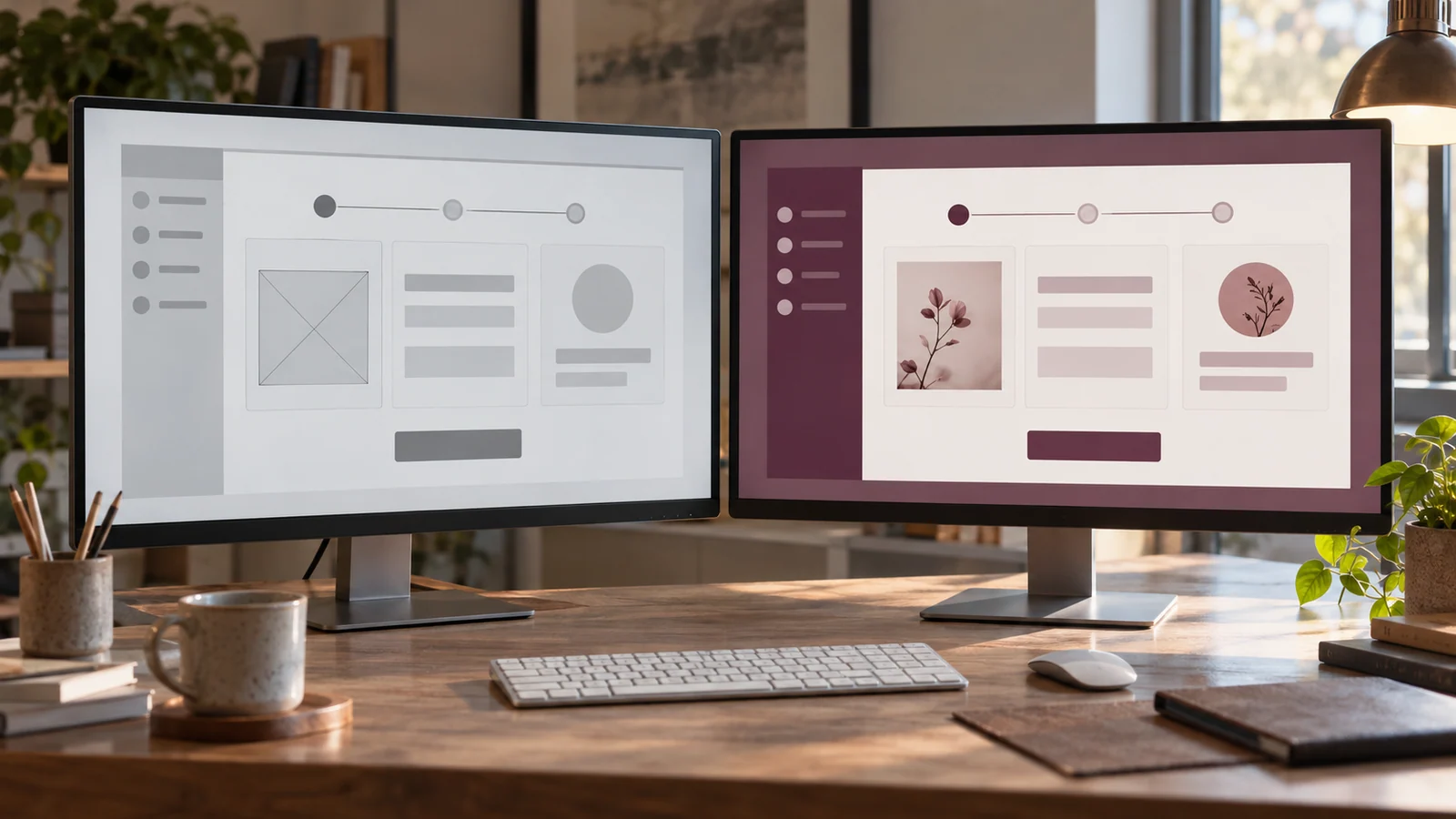
- Test usability without the visual coating: Before finalizing a design, test core task flows with unstyled wireframes. Removing elaborate lighting and color reveals whether the interaction logic itself remains sound.
- Monitor retention and recommendation across the lifecycle: Look beyond first-week growth to following-month retention and full-journey drop-off funnels. Explore our design portfolio to see how we help leading businesses create products that combine forward-looking visual quality with business conversion.
5. Frequently asked questions
Q1: With very limited development resources, should we prioritize performance or visual detail?
Both matter and should work together. First ensure that essential journeys avoid blank screens, unresponsive states and data loss. On that foundation, invest 20% of design effort in consistent basic color and typography rules—design tokens. An orderly typographic structure is relatively inexpensive and can quickly replace an improvised appearance with the positive effects of aesthetic usability.
Q2: Why do some well-known apps receive widespread criticism after a minimalist redesign?
The redesign confuses attractiveness with emptying the interface. In pursuit of visual minimalism, familiar frequent-action labels and icons disappear into deep menus, and necessary interaction boundaries are removed. Established users become lost during real work. Superficial beautification that increases cognitive load invites a strong negative market response.
Q3: How can we show technical and business teams that improving aesthetics has a business return?
Use bounce-rate and registration-conversion funnel data. Multiple rigorous A/B tests indicate that, with product functionality unchanged, professionally reorganized typography and visuals can reduce initial landing-page bounce rates by an average of 25%–40%, while reducing abandonment after an occasional first error. Aesthetics directly affects entry into the customer-acquisition funnel.

















