Key Takeaway (TL;DR)
The light-from-above bias describes an innate assumption in human visual cognition when decoding flat patterns of light and shade: illumination is presumed to come from directly above or the upper left. A circular linear gradient that is light on top and dark below is instinctively interpreted as a raised ball; reverse it to dark on top and light below, and it immediately becomes a recessed hollow. JVDS emphasizes that contradicting this mental instinct in UI/UX control states and commercial visuals can make an interface feel unnaturally floating or ominously unsettling. Following and governing consistent global lighting rules is a foundation for interface usability and order.
1. The Brain's Built-In Lighting Preset: Physical Evolution and Statistics from Master Paintings
Human visual perception is not an objective light meter. It is an inference engine that depends heavily on prior knowledge of its environment.
When decoding flat patterns of light and shade, the brain assumes that illumination comes from directly above or the upper left. The same circular linear gradient can therefore lead to opposite judgments of depth.
- Convex: light above, dark below: A bright upper half and dark lower half simulate a physical switch whose top faces the light and whose shadow falls below, establishing the default appearance of clickable buttons and raised keys.
- Concave: dark above, light below: A dark upper half and bright lower half simulate a physical recess in which the upper wall blocks light and casts a shadow while the lower wall receives light, forming the appearance of an input field or a pressed, active button.
- The Neural Imprint of Natural Evolution and Sunlight: For hundreds of millions of years, life on Earth has had one star overhead: the sun. For most of civilization's history, indoor lighting has also been suspended from ceilings. This long-standing physical constraint has led the human retina and cerebral cortex to assume light from above when processing unambiguous light-and-shade cues.
- Statistical Evidence for a Light-from-Left-Above Bias: Detailed cognitive-psychology analysis of more than 200 classical realist oil paintings spanning centuries in major museums, including the Louvre, Prado, and Norton Simon Museum, found that more than 75% of these masterpieces independently placed their key light at the upper left of the canvas. Eye-tracking research also indicates that right-handed people are significantly more comfortable with upper-left illumination than illumination from the right. This preference is deeply embedded in humanity's visual culture.
- The Frightening Effect of Light from Below: Monster Lighting: In a pitch-dark room, shining a flashlight upward from beneath the chin instantly makes even an expressionless face look eerily ghostlike. Reverse lighting overturns the familiar tonal order of eye sockets, nose shadows, and cheekbone contours, so film and horror art widely use it to suggest the inhuman and create an atmosphere of catastrophe.

2. Lighting Paradigms Across Thirty Years of Graphical User Interface Evolution
From the early Xerox Alto, original Macintosh, and Windows 95 to iOS 6 at the height of skeuomorphism, the graphical-interface revolution was fundamentally the application of the light-from-above bias at the pixel level.
- Button Default: the Raised State: A 1px bright highlight is drawn along the top edge to simulate the illuminated side, while a 1px black or dark-gray shadow line marks the lower edge. A faint vertical gradient runs from light above to dark below, immediately telling users that this is a physical switch raised above the screen's reference plane, inviting a finger to press it.
- Button Pressed / Active: When the user presses the mouse or holds a finger down, the gradient instantly reverses to dark above and light below, accompanied by a 1–2px inner shadow along the button's upper interior edge. The control visually sinks into the screen's base, providing definitive psychological tactile feedback.
- Input Fields: a Persistent Recess: Input fields typically use an upper inner shadow or a subtle dark-to-light downward gradient, making them resemble physical recesses waiting to be filled with numbers and intuitively communicating the affordance of containing data.
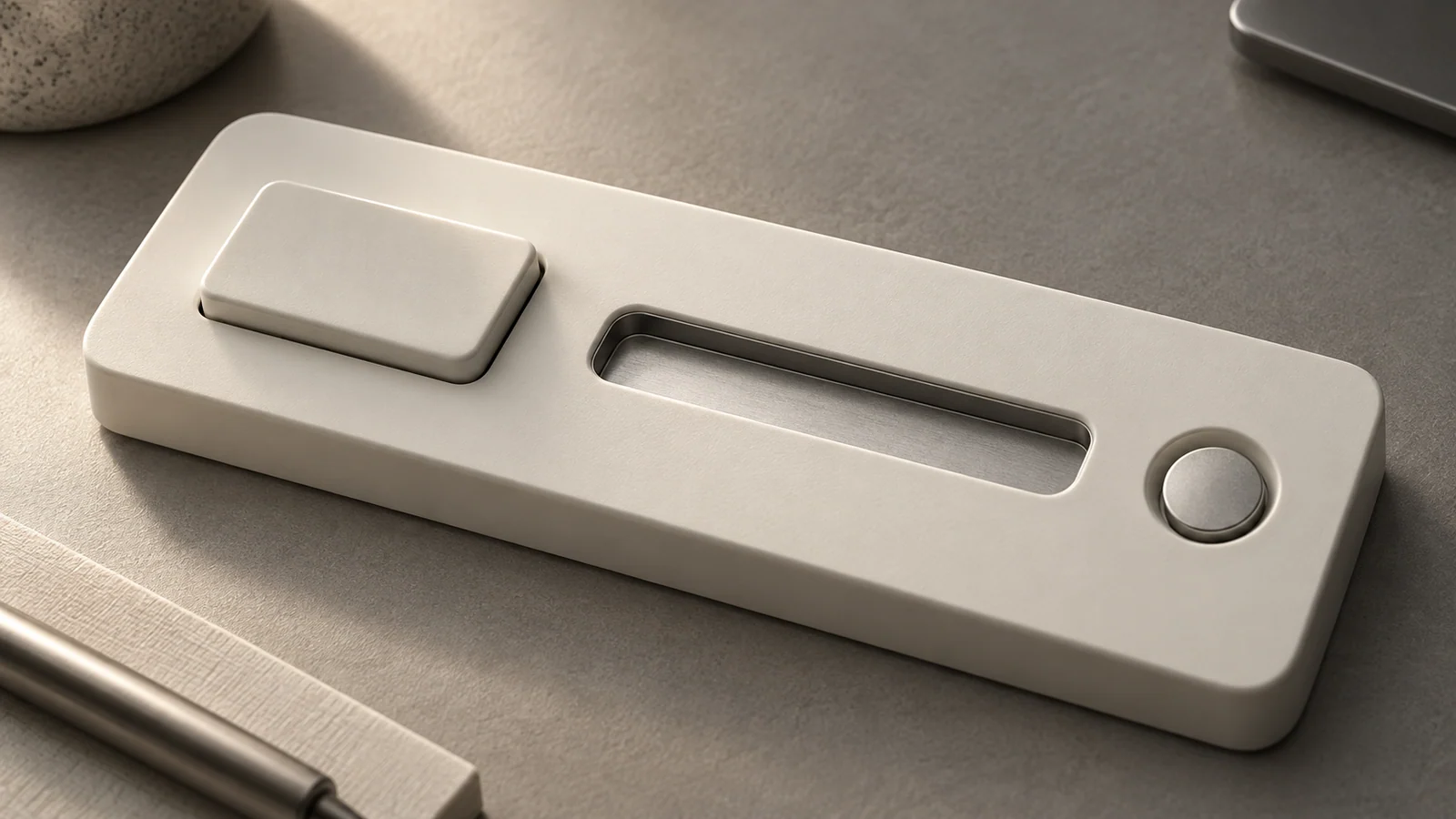
3. A Four-Dimensional Comparison Matrix for Lighting Bias in Digital Interfaces
To help teams unify optical language and avoid confusing control states in UI/UX design and component libraries, we use the following four-dimensional comparison matrix.
| Interaction Dimension | Frequently Used Core Functions / Assets | Infrequently Used but Necessary Functions / Assets | Redundant Distractions / Pseudo-Functions / Formalism |
|---|---|---|---|
| Interactive controls: buttons / cards | Strictly follow light-above, dark-below shading or an even subtle sheen, with a gentle 1px upper-edge highlight | Allow light and shadow to diffuse slightly and evenly on hover, simulating a small physical lift | Incorrectly use a bright-bottom, dark-top gradient, making an inactive button resemble a collapsed, damaged hole |
| Data-entry recesses: inputs / search bars | Use an extremely subtle inner shadow to communicate a stable recessed space that can contain input | A gentle brand-colored outer focus glow establishes the keyboard-entry focus | Cast a broad, dense, outward black shadow around an input, making it appear raised and misleading users into thinking it is a button |
| Team collaboration and component-library standards | Global design tokens lock a single virtual key-light coordinate, such as an angle of 90° or 105° | Provide adaptive baseline mappings for light and shadow opacity in dark and light modes | Five designers work independently, producing three icons in one row with mutually contradictory light directions |
| Portrait photography and commercial hero imagery | Use professional overhead or upper-left softbox lighting for executive and team portraits | Apply hard side-rim lighting sparingly for extreme hardware presentations emphasizing advanced technology and corrosion resistance | Use strange bottom-up illumination for website team portraits, making faces look menacing as if in a horror film |
4. JVDS Practice: Single-Source Optical Engineering
In advanced interface systems and digital brand development, JVDS follows a strict optical discipline: one space must never contain two suns.
- A Single Global Light Source Architecture: In unified Figma/code design systems customized for leading companies, global style variables lock the light direction to the standard upper left at an angle of 135°. Every component's inner glow, gradient direction, and X/Y shadow offsets must be derived from this key light through a shared algorithm, eliminating the spatial disorder caused by local manual adjustments.
- The Greyscale Inversion Test: Before delivering a component library, we remove color from every button, card, switch, and input, then invert and flip them for blind testing. Participants must distinguish raised from recessed controls without hesitation within 0.2 seconds. Only designs whose lighting structure alone perfectly communicates the interaction state are permitted to receive color.
- Multimodal Redundancy Through Lighting and Flat Semantics: While respecting light from above, we firmly reject a lighting-only approach. Every state change in a JVDS interface pairs its shading and relief with explicit text labels, reinforced border colors, and accessible ARIA state feedback. Explore our design portfolio for examples combining industrial-grade optical discipline with restrained contemporary aesthetics.
5. Frequently Asked Questions (FAQ)
Q1: Pure flat design removes every gradient and shadow. Does that invalidate the light-from-above principle?
Not at all. Even in minimalist flat interfaces without shadows, the human spatial model still associates the top with primacy and precedence. Moreover, by removing all light-and-shade relief cues, pure flat design makes users prone to mistaking noninteractive decorative strips for buttons, producing a serious usability regression. Contemporary mainstream systems, such as Fluent and Material 3, which combine skeuomorphic and flat approaches, have rationally returned to the light-from-above rule through subtle 1px top-edge highlights and multilayered soft elevation shadows.
Q2: Why do a few futuristic technology websites use lighting from below and still look impressive?
Because emissive lighting and reflective shading have completely different psychological mechanisms. Futuristic websites often simulate beams projected upward from a hologram base. The brain recognizes a self-emitting medium that projects energy, rather than a solid stone or plastic object illuminated externally. This style, however, suits only a few avant-garde presentation settings; in frequently used enterprise back-office interfaces, it can easily produce severe visual fatigue.
Q3: How can CSS quickly create a high-quality button that follows the light-from-above bias?
The core coding model is background: linear-gradient(180deg, #FFFFFF 0%, #F5F5F7 100%);, which is light above and dark below, combined with layered shadows: box-shadow: 0 1px 2px rgba(0,0,0,0.06), inset 0 1px 0 rgba(255,255,255,0.8);. The outer shadow shifts downward to simulate a cast shadow, while the inner shadow shifts upward by 1px to simulate the illuminated upper-edge highlight. These two lines of parameters instantly establish a solid physical quality on any screen.