

In travel community and destination-discovery apps, product managers and designers often face a central tension: a compelling scenic photograph initially attracts users, but the structured point of interest (POI) and reusable itinerary data behind that photograph are what ultimately drive retention and commercial conversion. If the interface simply stacks large images like a wallpaper app, people look, like, and leave. If it fills the screen with coordinates, ticket prices, and transport routes, it destroys the breathing room that makes visual discovery inspiring.
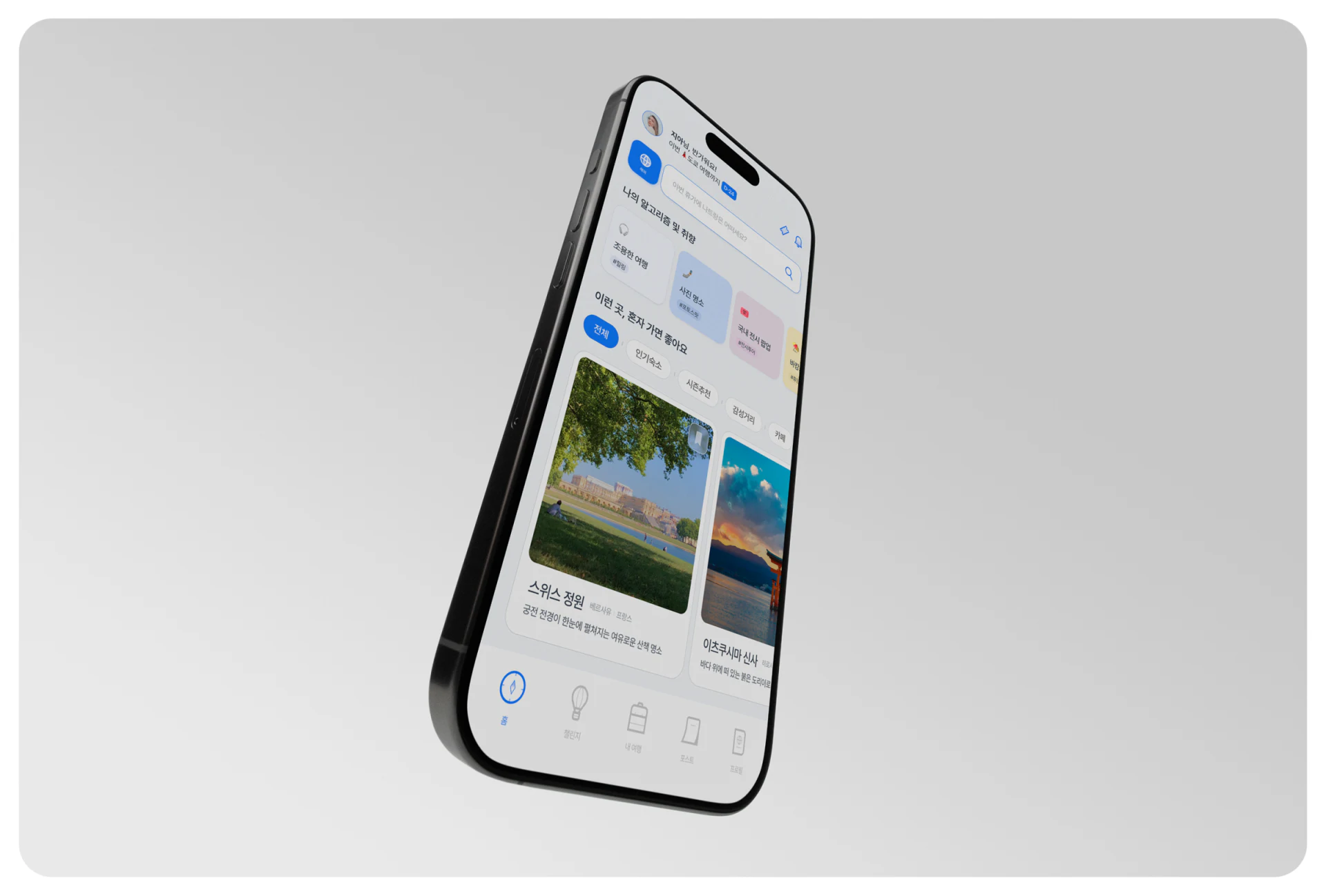
1. Establishing a hierarchy between visual inspiration and structured data
Strong travel app interfaces, such as the established Row card system, resolve this tension through color semantics and spatial separation:

- Large, immersive photo containers for emotional appeal: Use a portrait ratio of 4:5 or 3:4 with softly rounded corners for the main card. Make high-quality original photography the primary visual focus, without cluttering the center of the image with multiple lines of overlaid text.
- Distinctive blue location pills as action anchors: Against white backgrounds and natural landscape photography, consistently reserve a saturated brand blue for locations and attraction names. As users scroll, they develop a visual association: the image means “this looks appealing,” while the blue pill means “tap to see its map location and nearby routes.”
2. From a moment of browsing inspiration to a retrievable itinerary collection
Many travel products create beautiful discovery feeds but neglect how people retrieve information when they actually travel. After saving thirty or forty posts, users cannot easily find material for a particular city if their collection remains a reverse-chronological image feed. During UI/UX Product Design, photo posts must therefore be firmly linked to underlying location IDs:
- Click blue location labels to directly view aggregated photo spots and travel advice: Show not only the original author's perspective but also other creators' photographs of the same place in different seasons and at different times, together with opening hours and practical warnings.
- Automatically organize saved posts into map views and city lists: When a user saves a post, classify it by its location tag into the relevant city and map coordinates. Scattered browsing inspiration then develops naturally into a usable travel map.

















