
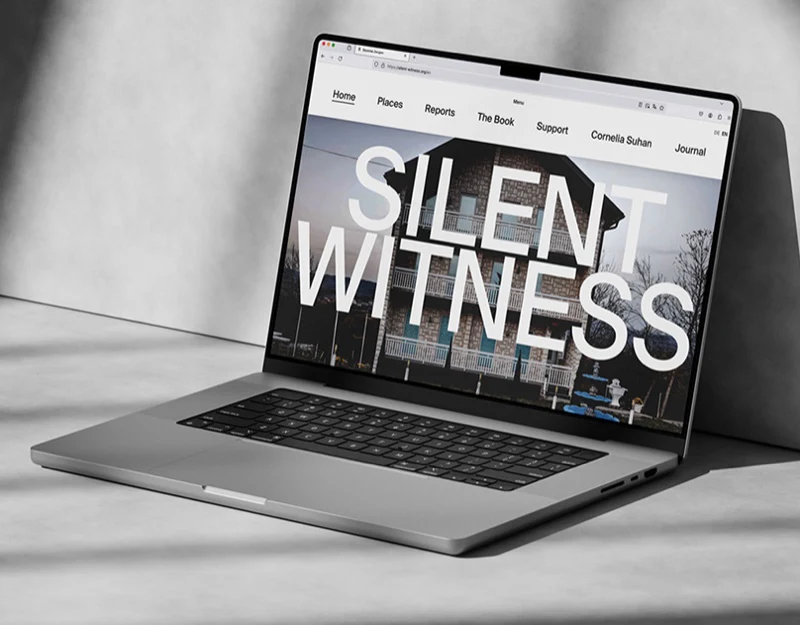
In this photography project website design, Silent Witness first makes you notice the large white letters across a building photograph. The Reports page then explains the connection between the buildings and the testimony. We like the force of that opening, and care just as much about what follows: the photographs invite attention; the text explains why they matter.
Key takeaways
- A large headline changes the order in which a photograph is viewed; important image details deserve an unobstructed viewing opportunity further into the site.
- Introductory text explains the relationship between a photography project’s theme and its materials; placing it before the entries helps readers understand what follows.
- Preserving visual identity on mobile also means giving the photograph, title and body text their own clear reading positions.
White lettering turns a building into the project’s opening
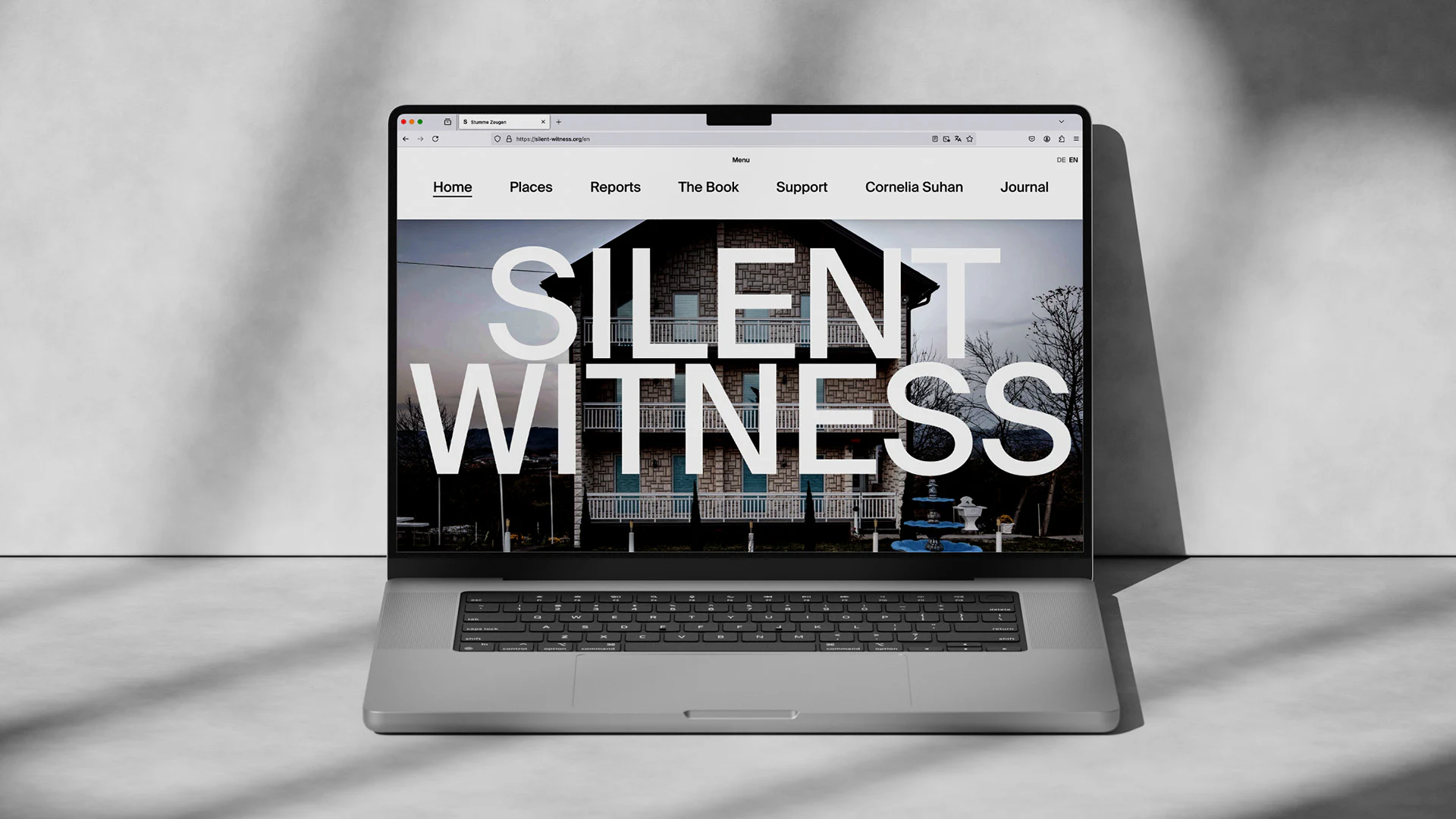
The desktop opening splits SILENT WITNESS across two lines that span almost the full photograph. Letters cover parts of the roof, windows and branches, while the building’s outline remains visible. The priority is clear: read the project name first, then return to the photograph. The title and image share one composition.
The navigation sits in a separate light strip. Home, Places, Reports, The Book and the other labels have space between them, with a fine underline marking Home. They stay clear of the photograph’s texture, giving the eye a quiet place to find a section. The short DE and EN labels at the top right indicate language choices within the same area.
At JVDS, we would decide how much a large headline should cover according to the photograph’s role. A project opening can give the title priority; specific photographic material deserves room for closer viewing further in. When considering this approach, we would compare the opening with an item page and ask whether information hidden by the lettering becomes available at the next level.
Two paragraphs on Reports change how the photographs are read
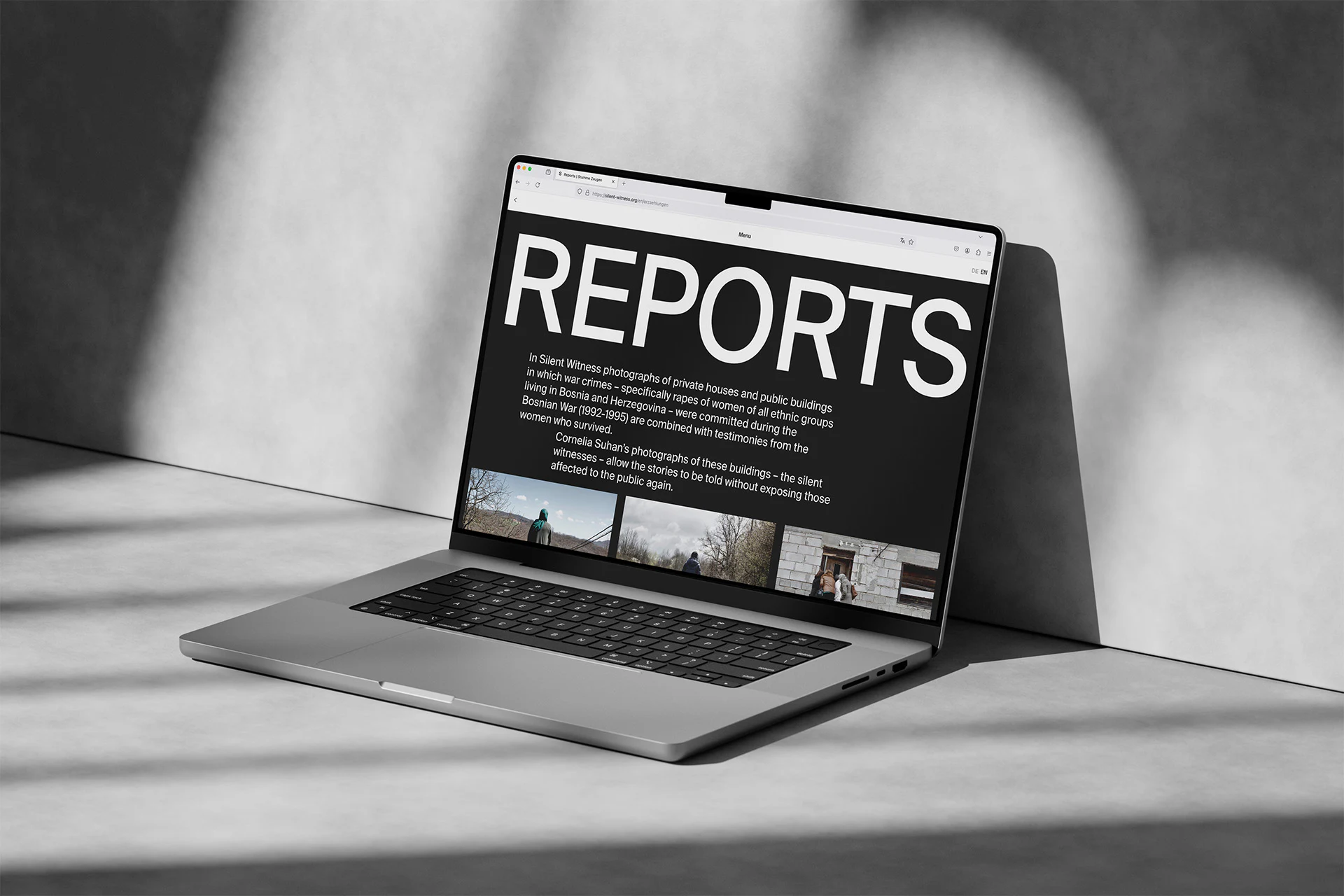
REPORTS occupies the top of a black page. Two paragraphs of white text follow, then photographic entries. The introduction describes a project connecting photographs of buildings with testimony from war survivors. With that context, the building on the homepage gains a more specific meaning. The space for explanation after the headline matters.
The paragraphs do not begin on the same vertical line; the second is slightly inset. The headline remains bold, while the explanation occupies a more limited width. Black and white run through the page, and size, line spacing and empty space set the reading rhythm. The visual language is restrained.
The entries below sit side by side, showing people, trees and parts of buildings. The reader moves from an introduction to specific material. For a project like this, we would want the entries to lead to clear locations, material identities and explanations. After arranging the photography, there is still an editorial question: which image belongs with which account, and can a reader find that relationship?
On the phone, a lower title leaves room above to see the building
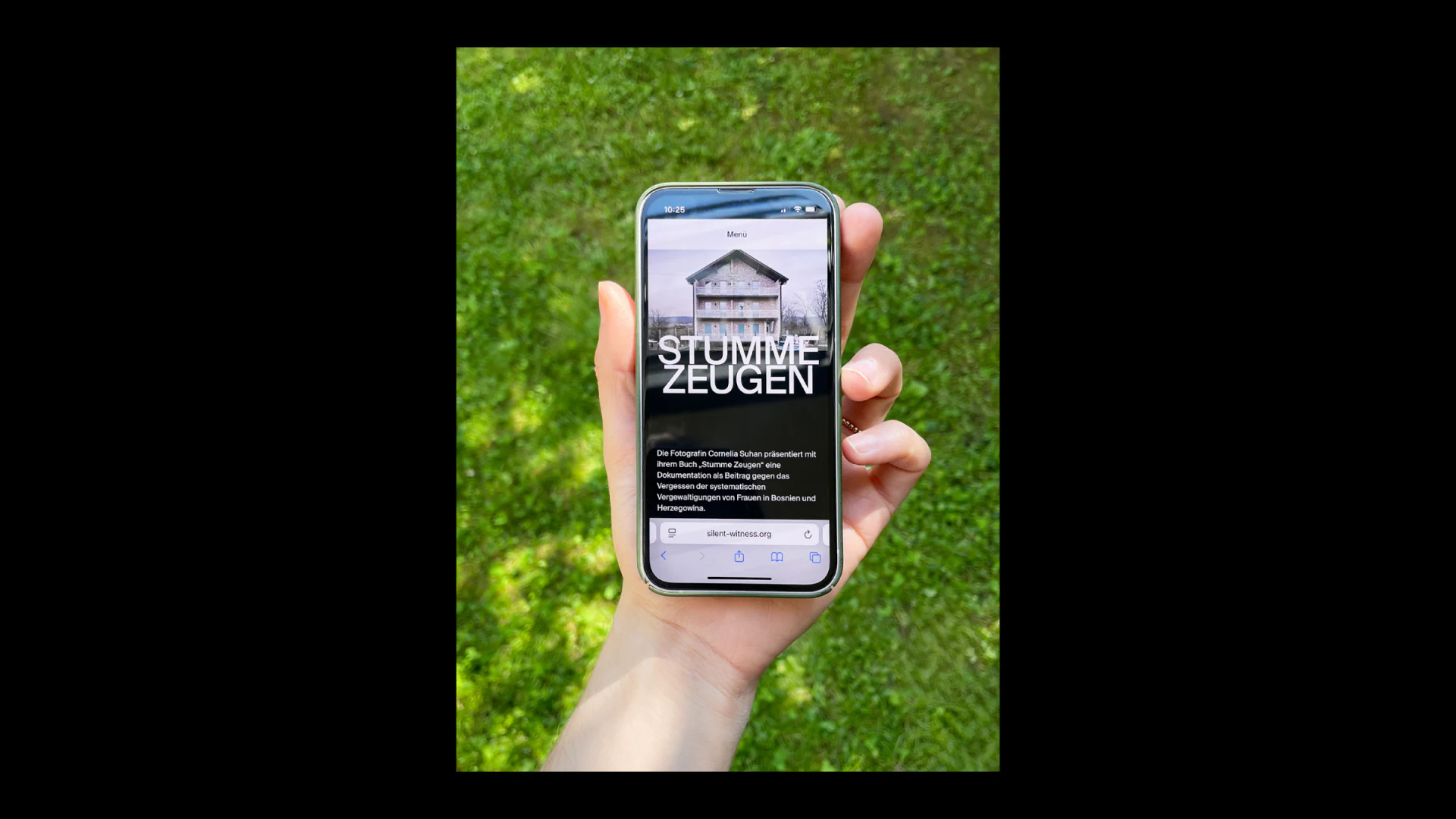
On the phone, Menu remains at the top, followed by the building photograph. STUMME ZEUGEN also uses two white lines, but sits lower on the image, leaving the roof and upper windows visible above. Desktop and mobile share the same recognisable treatment while adjusting the relationship between title and photograph.
The introduction continues into a black area below. Photograph, title and body text form a vertical reading sequence. This is useful for a mobile photography website: readers can move into the explanation as they scroll, without processing a detailed image and several paragraphs at once. Title size and paragraph width should be reviewed together so that reading after the opening remains comfortable.
The desktop shows an English title, while the phone shows a German one. Word lengths and line breaks differ. We would review each language’s layout as well as replacing the text: is the whole project name readable, does the introduction occupy a useful position, and do language changes still lead to the corresponding sections? The Menu entry also deserves a check on a real small screen so that exploration can continue after the introduction.
Frequently asked questions
Can a photography homepage place a large title over an image?
It can work for an opening that needs strong recognition of the project name, provided you consider what it obscures. Important photographic details should have room for unobstructed viewing on an item page or later in the site.
Why does a photography project website need introductory text?
An introduction explains the theme, the relationship between materials and where reading continues. The atmosphere of the photographs alone may not explain why each entry appears in the project.
Should a multilingual photography site review each language’s layout?
Yes. Title length, paragraph length and line breaks change with the language. Alongside the text, check the mobile title position, body readability and correspondence between sections.
Design review checklist
- Compare the opening with item pages and check that details covered by the title have a complete viewing position.
- Read the introduction before the photographic entries and check that the relationships between materials are understandable.
- Review title line breaks and body width separately in each language.
- Return to the menu after the introduction on a small screen and check the next reading entry.
Organising a photography portfolio or cultural project website?
If you have photography, text or exhibition materials ready, start by discussing how they belong together and which information should accompany each image. Clear relationships between the materials help a website establish its own reading rhythm.
JVDS Design Studio provides website design and development and UI/UX design. We can help photographers, cultural organisations and content teams organise project structure, present work and plan mobile reading.

















