
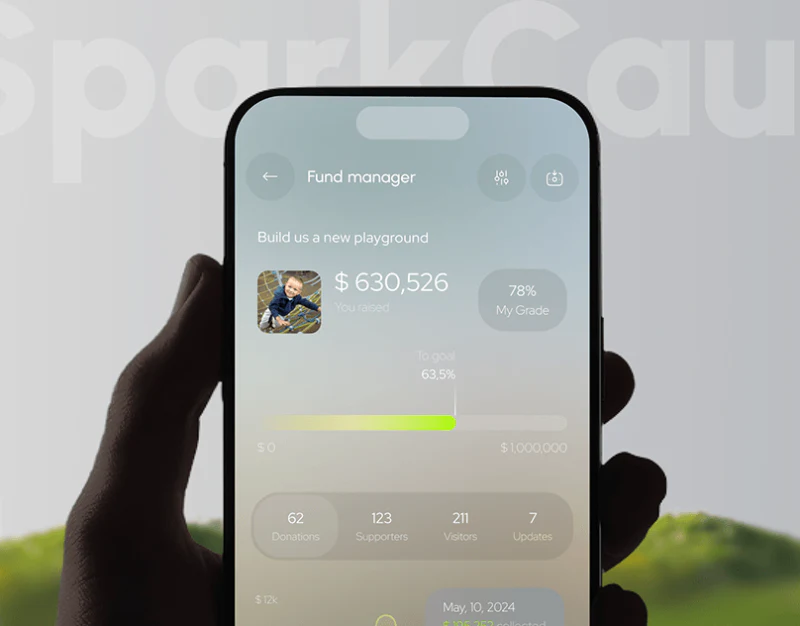
SparkCause’s fundraising platform UI design uses people’s photographs to introduce its public-facing subject, then translucent cards to present project management. Both feel light, but their tasks differ: the homepage explains what to support, while management screens check progress and records. Percentages and currencies therefore need clearly identified subjects.
Key takeaways
- Public-facing subjects and management records occupy separate layers, serving different depths of understanding.
- Goal ratings and totals across currencies require their own definitions and access to supporting records.
The public homepage offers a subject and two routes
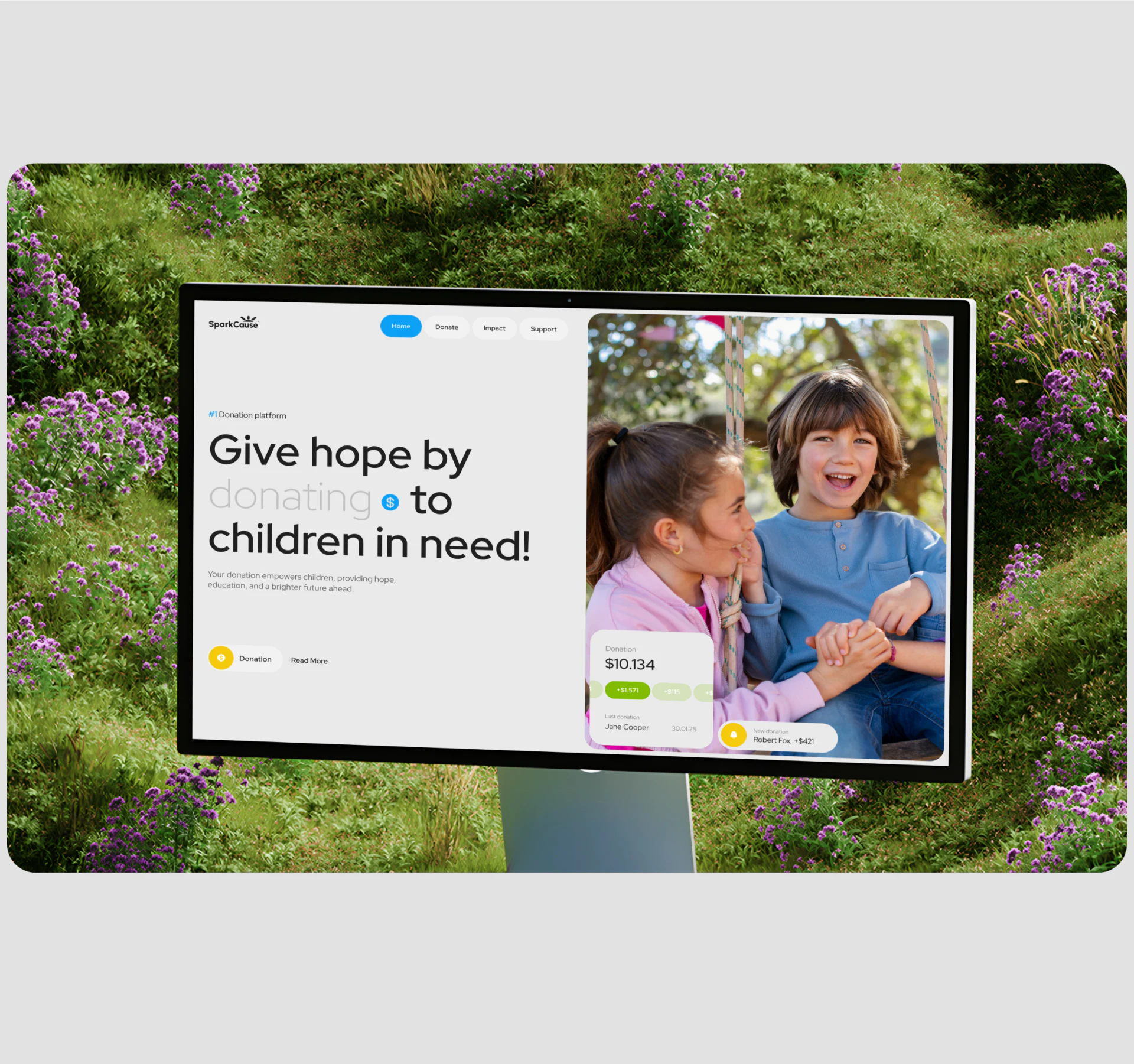
A large heading and short explanation occupy the left of the white opening, while a photograph of a child leads the right. Donation and Read More follow the text. An amount card and recent activity notice overlap only the edge of the photograph; the opening stays focused instead of filling with management statistics.
This kind of nonprofit website can introduce who the project concerns, then offer separate routes to participation and further understanding. Photography gives context, while text should still explain purpose, plans and updates. A facial expression cannot stand in for that information.
At JVDS, we would want Read More to continue with the same project and lead back to its relevant participation entry. The people and amounts here are observations of page content, not independently verified fundraising or beneficiary outcomes.
Project progress and My Grade describe different measures
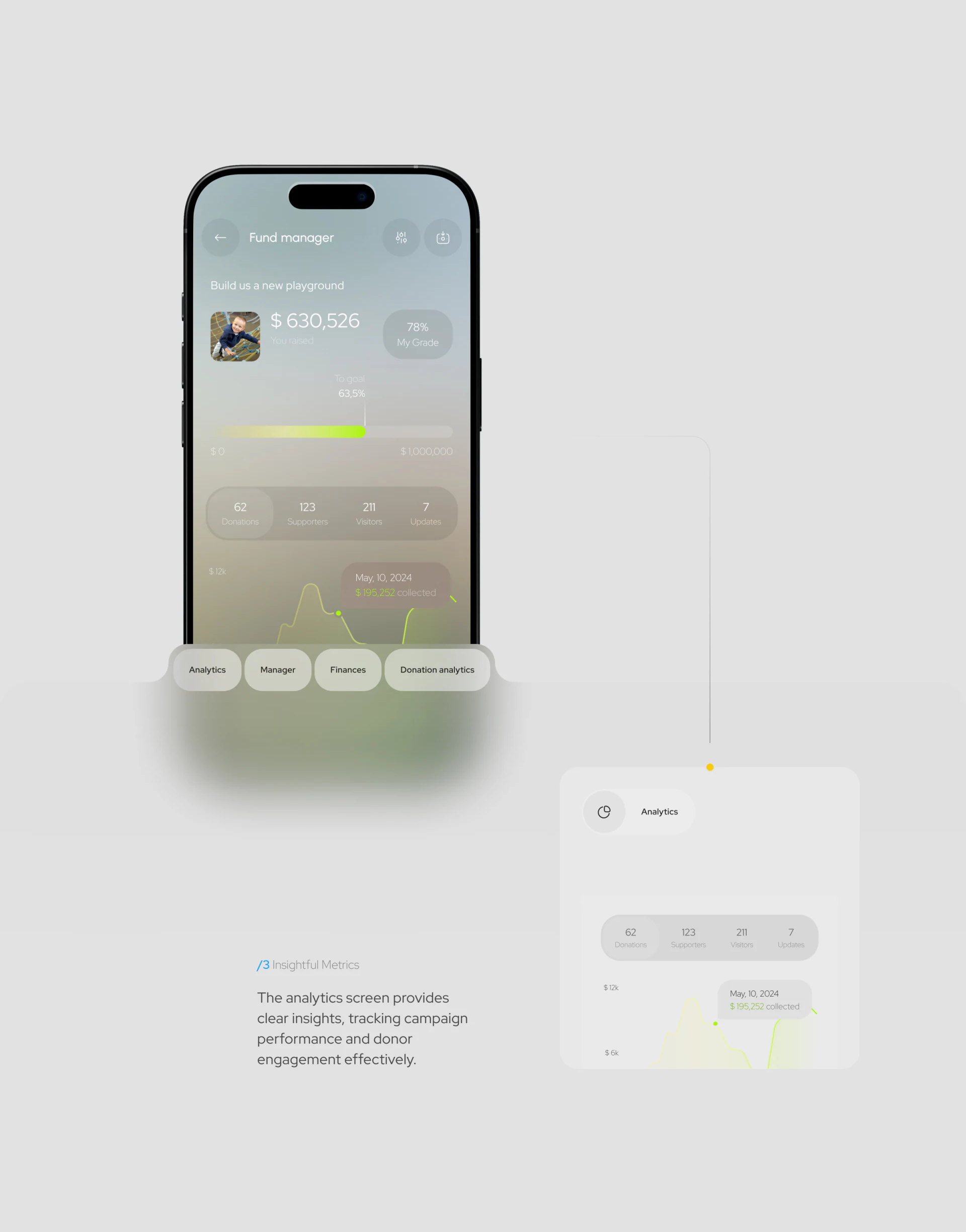
Fund manager begins with a project name and amount. My Grade has one percentage nearby, while To goal places another beside progress. Donations, supporters, visitors and updates follow below. Each value has room, yet their proximity makes separate definitions important.
Goal progress describes distance from a target; a rating needs another definition. Counts, people and views also concern different objects. JVDS would distinguish them through names, appearance and explanatory entries so that readers do not remember a percentage but attach it to the wrong measure.
A goal display could distinguish received funds, pending settlement and the target, then explain which part supplies the percentage. If a target changes, earlier records should remain understandable against the new target. My Grade, when it denotes a separate rating, should retain its own name and explanation. Using the same scope in project overview and detail gives the values on translucent cards a clear basis.
Keep original currencies and the summary understandable
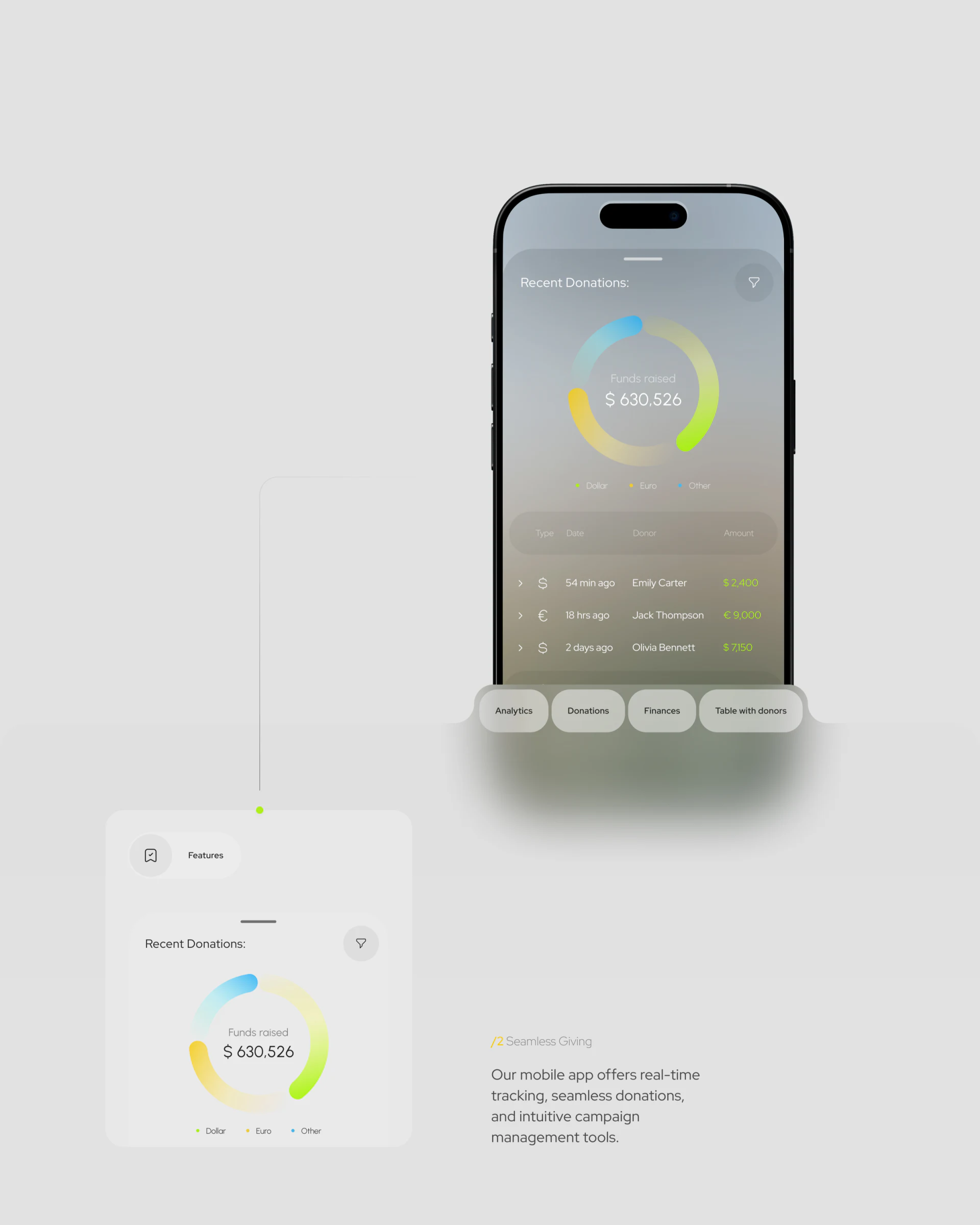
Recent Donations has a blue, yellow and green ring chart above the list, with a total at its centre. The legend groups Dollar, Euro and Other; records below show type, date, name and amount. Colour and currency labels explain the categories together.
Original-currency records are worth retaining, while a combined total needs its currency, conversion timing and chart basis explained. Name whether ring areas represent amounts or transaction counts. A single currency symbol does not explain how all records contribute to the total.
JVDS would trace one record from the overview, then return to the same project and check that date and scope remain intact. Translucent cards can set the atmosphere; record sources and definitions also deserve a stable, readable background.
Frequently asked questions
How should a fundraising total relate to currency details?
Retain original amounts and dates, and explain the summary currency, conversion scope and timing. The chart should also state whether it represents amounts or transaction counts.
Design review checklist
- Define goal progress and ratings separately.
- Check that overview and detail use the same project, currency and time scope.
Connect a public story with traceable records
If your nonprofit or event platform needs clearer project introductions, progress and funding records, bring the relevant objects and reporting fields to the discussion.
JVDS Design Studio provides UI/UX design, website design and development, helping organise page content, interface structure and implementation requirements.

















