
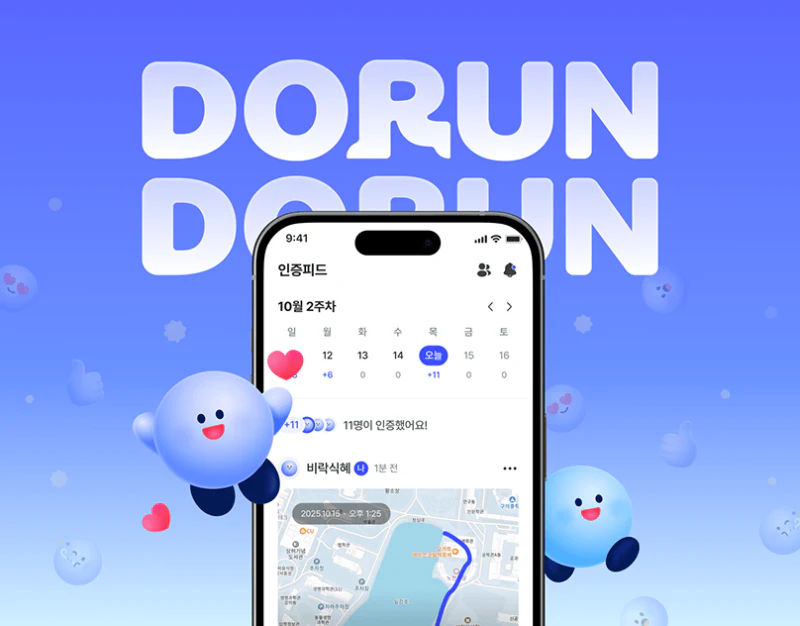
DORUN uses blue, maps and lively avatars to connect friends, running and check-ins. The post-run summary retains dates and key measures, while sharing offers map and photo backgrounds for different expressions of the same record. The background can change; the identity and fields of the record should remain stable.
Key takeaways
- Friend status needs time and sharing scope alongside an avatar.
- Map and photo backgrounds can change while record fields and identity remain stable.
Friend status carries time and sharing scope
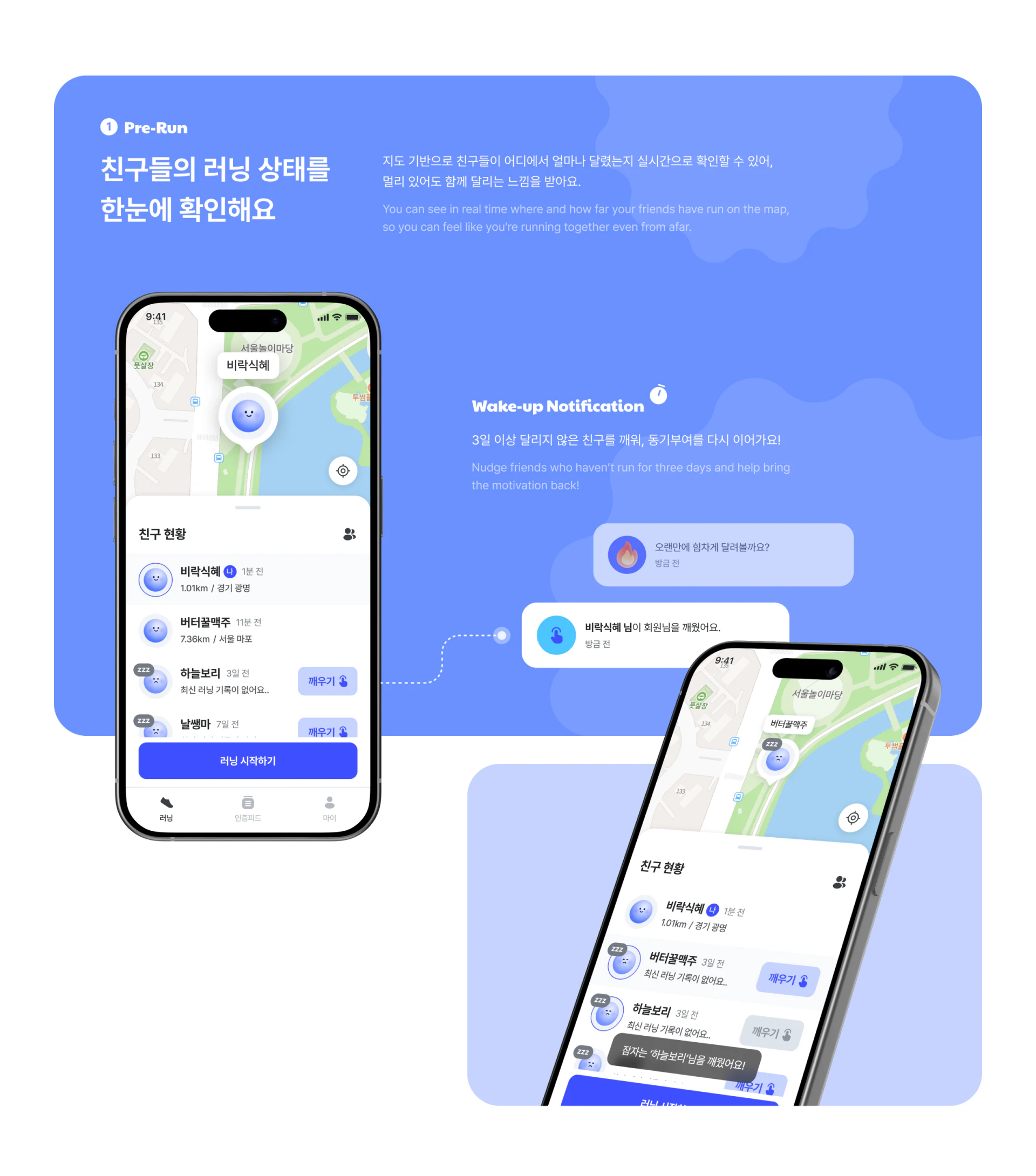
Round avatars appear on the pre-run map. The list below adds nicknames, relative times and distances, with sleep indicators and wake-up actions in some rows. The map gives a sense of place; the list adds people and time, supporting a look at friends’ recent activity.
Past routes, latest records and current locations should be distinguished. Friends should also control visibility and whether to receive reminders. Playful icons can soften the tone but cannot determine whether someone wants a reminder at that moment.
JVDS prefers time and sharing scope alongside avatars. Friend status can be available for viewing, with easy ways to stop reminders or change visibility, keeping the social and recording features controllable.
The running and result views share record fields
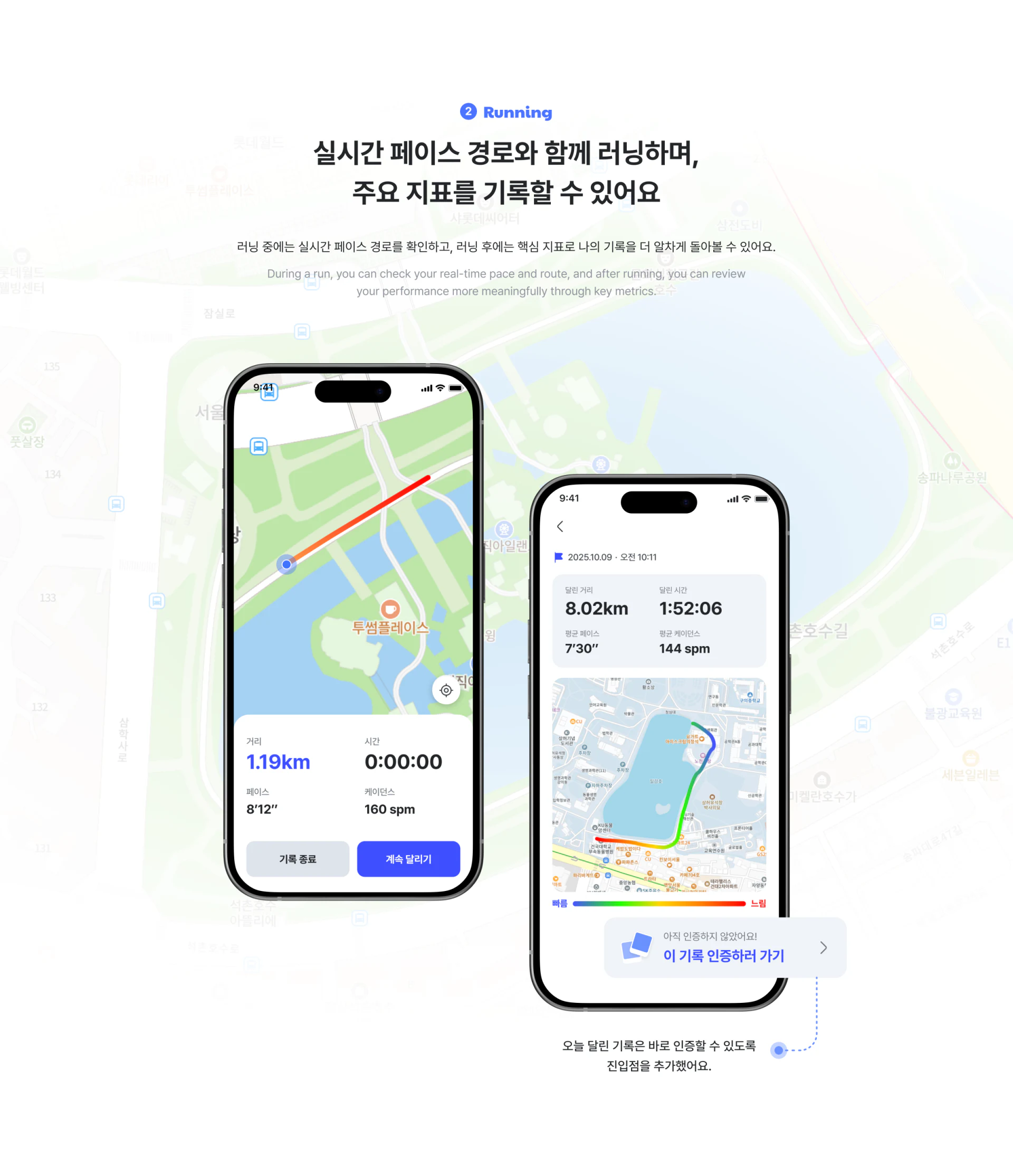
Running combines a route with distance, time, pace and cadence, with end and continue actions below. The result retains date, measures and the complete route, then offers a check-in entry. Similar fields help explain the move from activity to review.
The running image shows non-zero distance with a timer of 0:00:00, while the result has another set of values. Reviewing sample screens with one consistent record would help. States can show different numbers, but should explain pause, continuation or completion; their order alone does not establish a single session.
Save the record after ending, then offer sharing separately. Cancelling a post should preserve the activity summary, and returning should retain the record identity. A check-in then remains connected to the saved activity instead of becoming a second set of manually entered data.
A new background leaves the core information intact
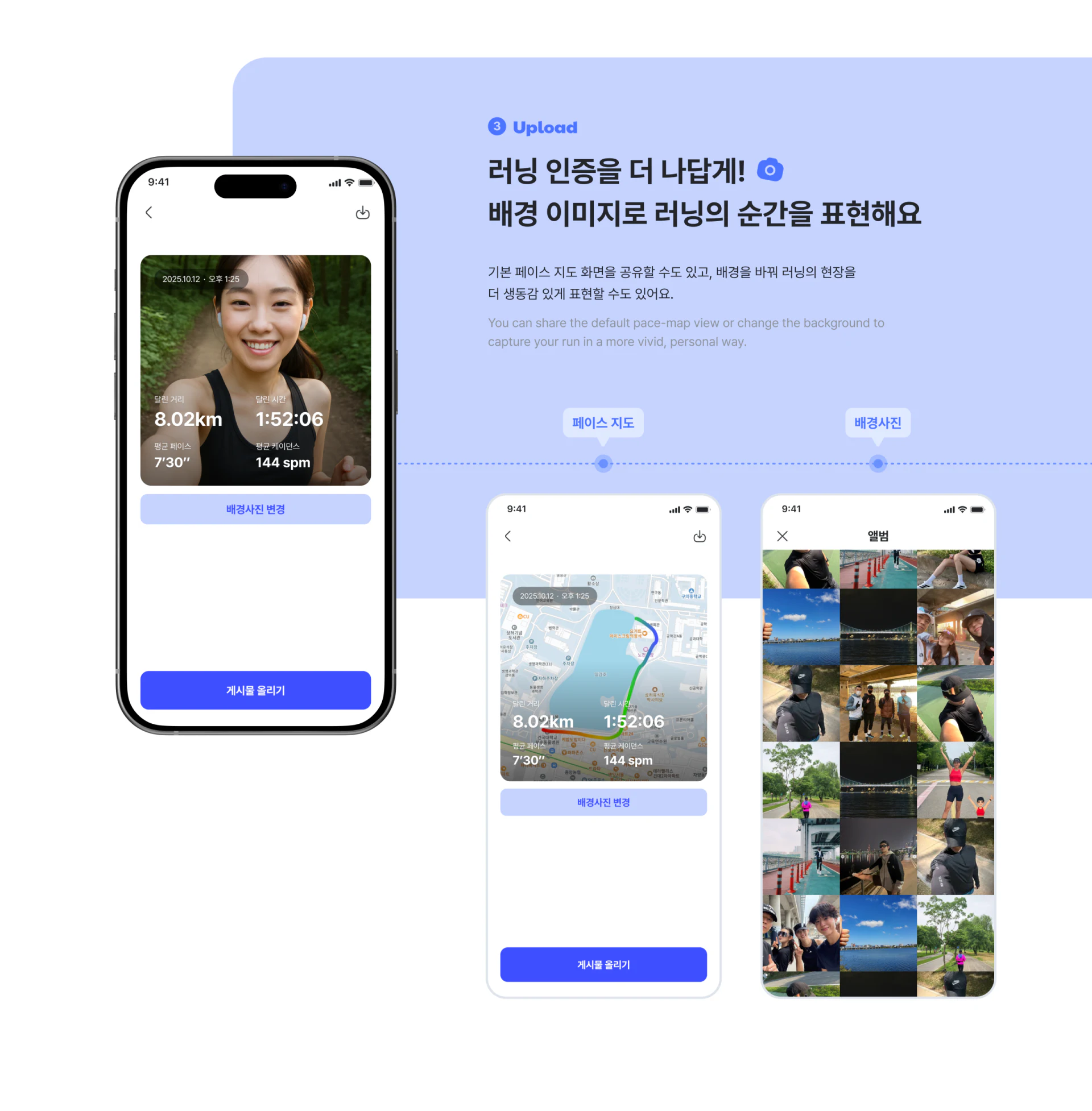
Upload offers map and photo backgrounds while retaining the date and four measures on top. Background replacement and upload sit below. Personal expression builds on an existing record, without requiring the data to be entered again—a useful feature of the flow.
White measures stand out over darker areas of a selfie but may weaken over pale map roads. Backing, text colour and position should adapt to the background. Retain the complete preview before posting so that a new image does not leave the record unreadable.
Route sharing should also explain which locations become public and whether the date represents the run or the post. A failure should preserve the preview and chosen background; success should allow a return to the original record, keeping sharing connected with activity information.
Frequently asked questions
Does a running photo post need manual data entry again?
It can use fields from the saved activity, then offer a choice of presentation. Posting and cancelling should both preserve the original record.
Should a route preview explain which locations become public?
Users should be able to understand the route and location scope included in the final post. Offer control over visible content before confirming publication.
Design review checklist
- Show time and sharing scope with friend status.
- Keep running, results and check-ins connected to the same record.
- Check metric readability over both dark and light backgrounds.
Connect activity records with social sharing
For a fitness product, align record saving, sharing previews and location scope before arranging friend reminders and map views.
JVDS Design Studio provides UI/UX design, website design and development, helping organise page content, interface structure and implementation requirements.

















