
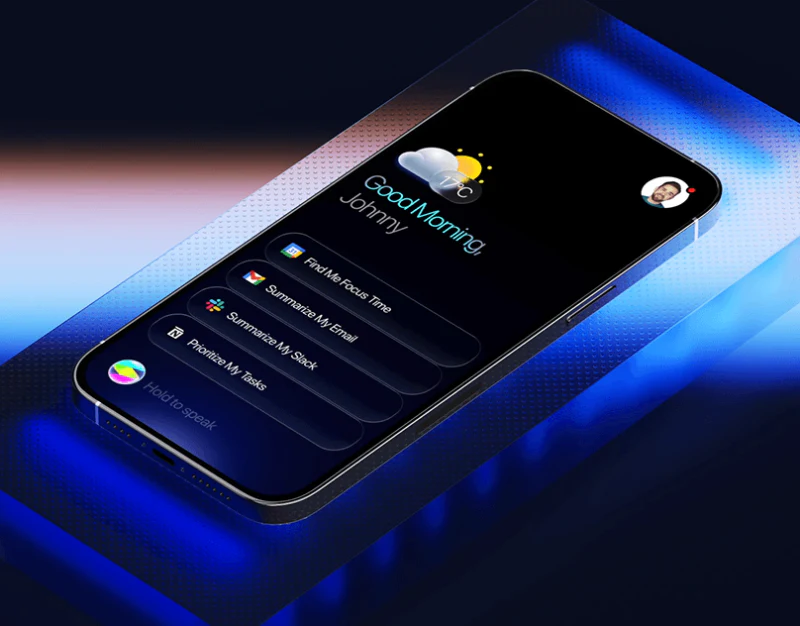
This AI agent interface connects finding a file and sending an email through a single request. AI agent email confirmation design matters when natural-language intent becomes items that can be checked individually: which file was found, who will receive it and how the email expresses the original request.
Familiar task verbs make a request easier to start
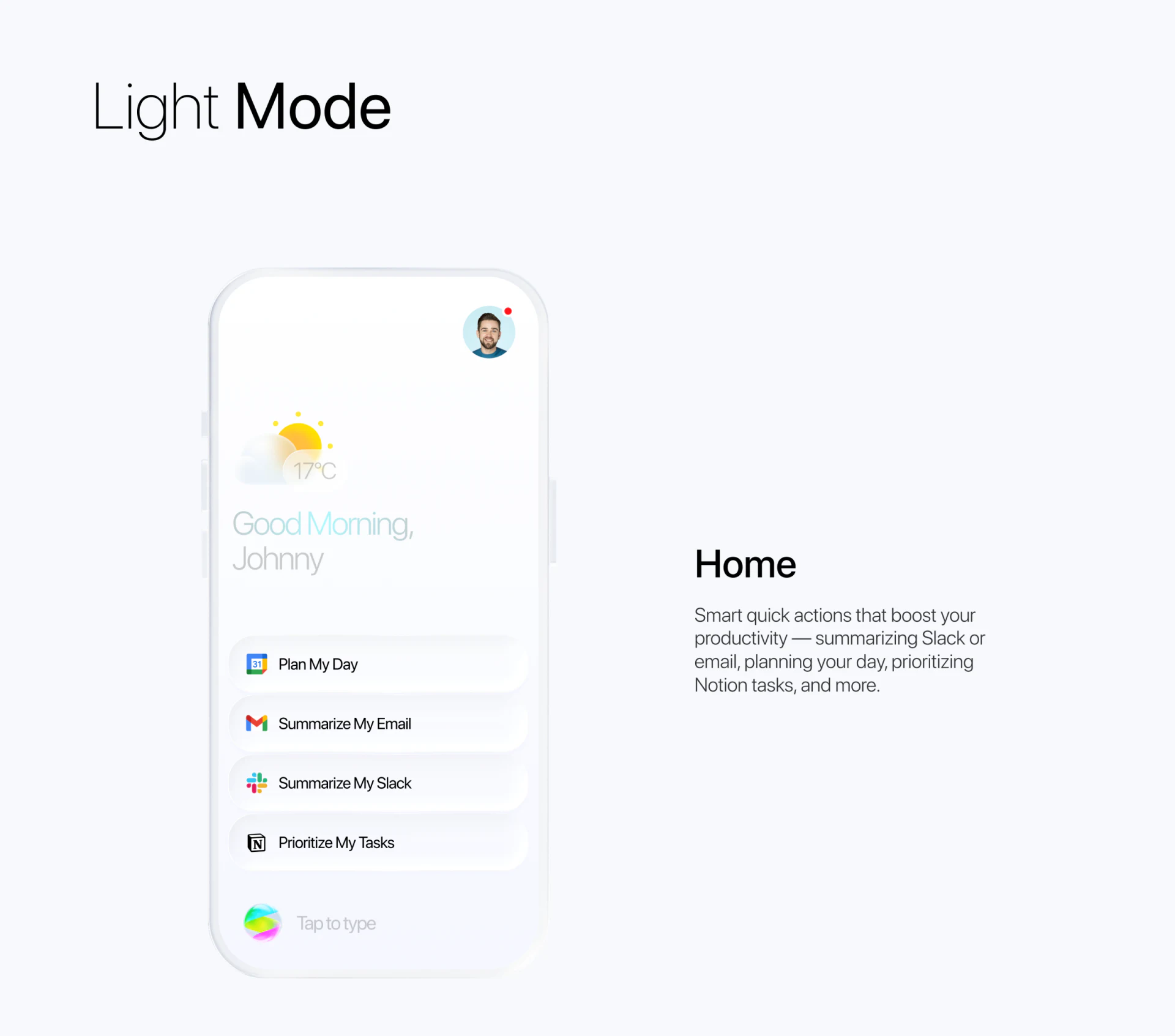
A light homepage establishes an everyday setting through weather and a greeting, then offers Plan My Day, Summarize My Email, Summarize My Slack and Prioritize My Tasks. Tool icons precede the wording, while Tap to type remains below, combining common intentions with free expression.
Similar row sizes and spacing do not demand an understanding of complex tool combinations first. The verbs give each entry a direction, while the next step should establish scope: which email period or which workspace, for example. Icons identify a source; later steps need to identify the actual objects involved.
The email preview makes a cross-app action concrete
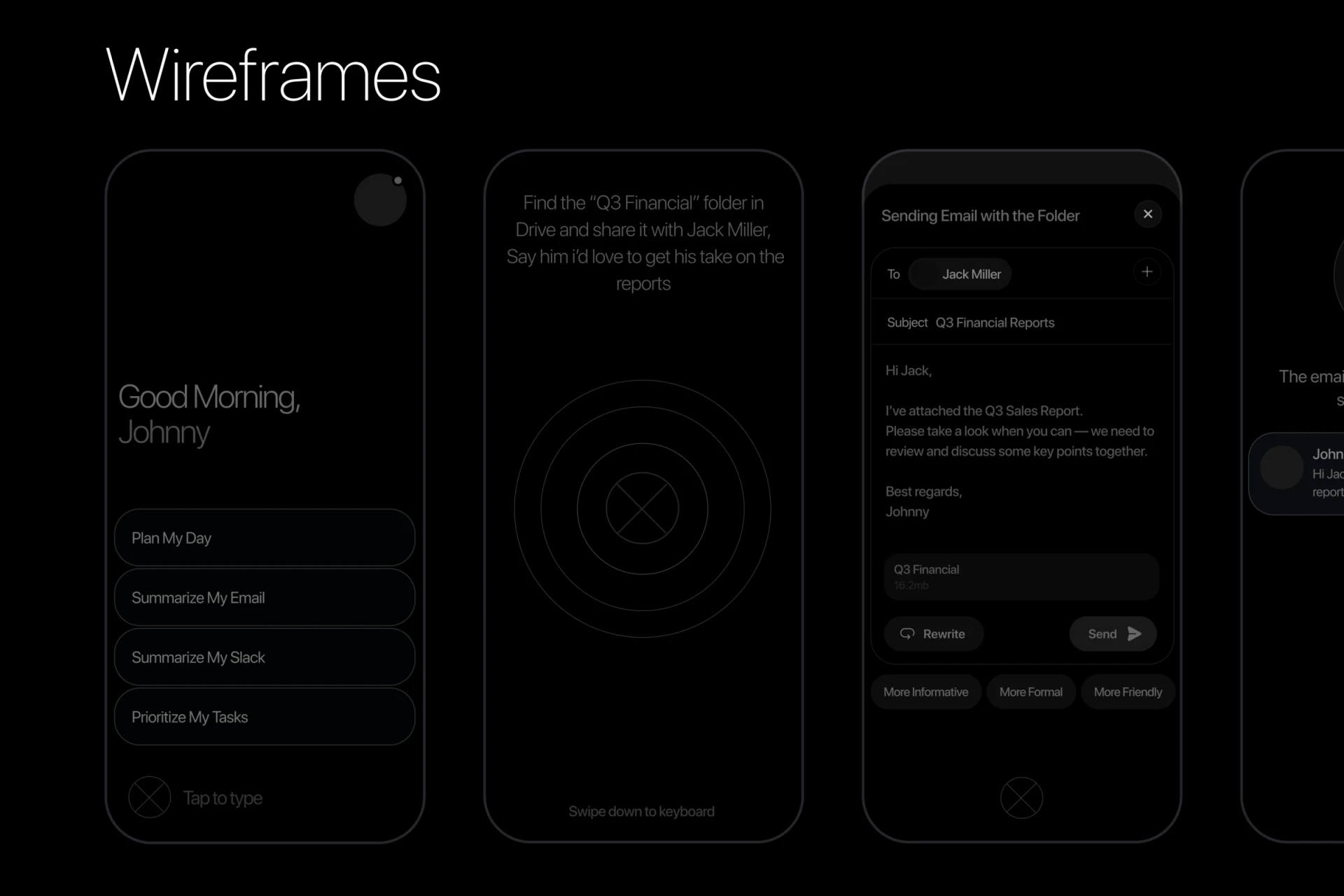
The wireframe request asks for the Q3 Financial folder in Drive to be found and shared with Jack Miller. The generated panel gathers To, Subject, message and file together, with Rewrite and Send below and directions such as More Informative, More Formal and More Friendly. The preview becomes a shared place for checking and revision.
The request names a folder, but the preview message mentions Q3 Sales Report while the file block still says Q3 Financial. These names should first be aligned. File type, full path or source could accompany the block to distinguish objects with similar names. Only the recipient’s name is shown; an email address would make the actual destination more explicit at confirmation.
JVDS prefers a complete, stable confirmation before an agent acts. Tone changes can update in place while recipient and file selection remain clear, so that approval concerns the final version. If sharing grants file access, explain what the recipient will receive at this step instead of leaving it until after sending.
Success feedback should reconnect with the approved content
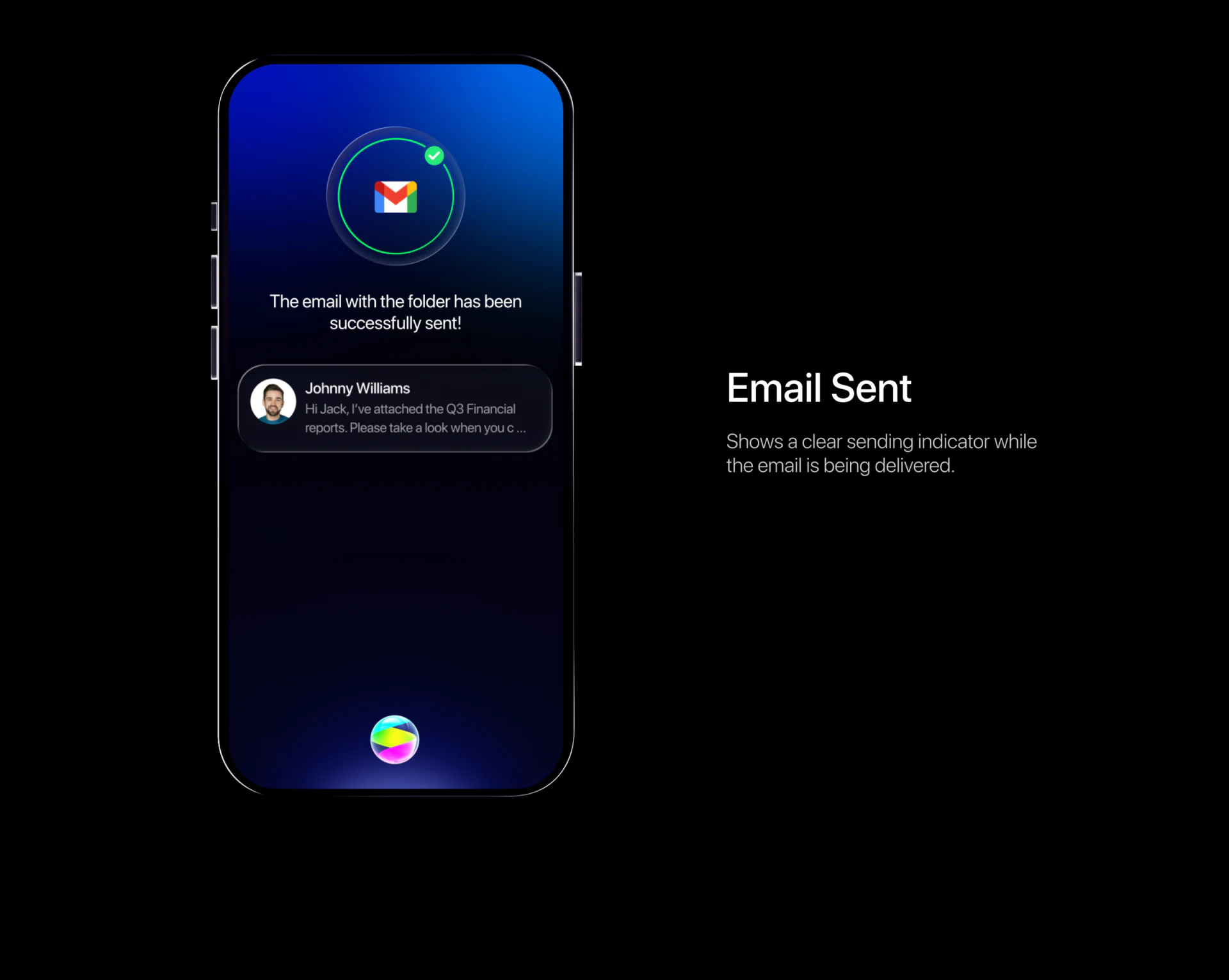
The sending screen uses a blue gradient, with a green circle and check around an email icon. A central message says the email was sent successfully, followed by a sender avatar and message summary. Icon, wording and summary work together: the result can be recognised as the email just handled.
The project annotation to the right describes an indicator during delivery, while the phone shows success wording. These represent different stages. In progress and sent should be expressed separately so that waiting does not imply completion too early. Failure or partial completion should explain what happened to the email, attachments and permissions, supporting a decision about retrying.
The useful relationship is the move from intent entry to content preview, followed by a summary at the result. Natural language starts the task, structured fields confirm the objects, and feedback explains completion. Together, they make the agent’s process understandable.
Keep agent tasks clear at confirmation and completion
If your AI product connects tools, generates content and executes actions, start with object confirmation, revised versions and result states before arranging the conversation entry.
JVDS Design Studio provides UI/UX design, website design and development, helping plan AI agent task flows, execution previews and state feedback interfaces.

















