

Stringit uses black backgrounds, thin-bordered cards, and a glowing center to express a unified business system. Relationship diagrams establish the concept, while subsequent research, proposal, process, and risk modules offer more concrete content. The central question in a corporate website’s capability explanation is how readers move from a broad concept to their own data and tasks.
Key takeaways
- System diagrams explain direction, while module examples explain data and tasks.
- Role entries can connect to relevant capabilities and a specific scope for conversation.
A relationship diagram creates an entry to the concept
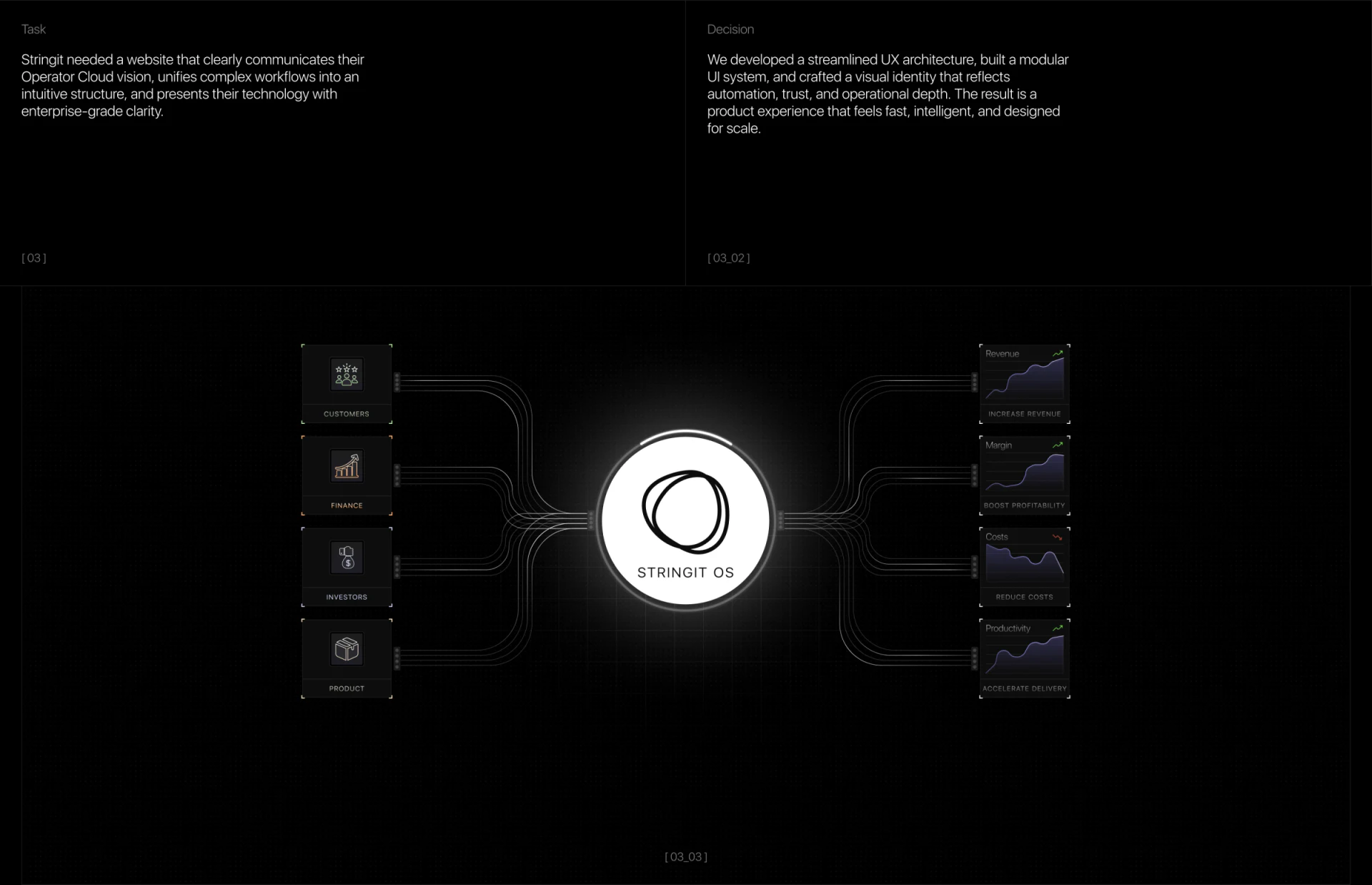
Business subjects on the left connect to STRINGIT OS at the center. On the right are curves for Revenue, Margin, Costs, and Productivity. The brightest white circle makes the system name the focus, while the two sides suggest a visual flow into and out of it.
Lines could represent data, module relationships, or expected influence, and should have short explanations. Curves on the right also need to be identified as illustrations, so a target shape is not mistaken for an achieved result. A concept diagram can explain the overall direction, with specific capabilities developed in the content that follows.
JVDS prefers a concept diagram to lead into an input and output example that readers can repeat in their own words. When they can state what material to prepare and what content they receive, a “unified system” moves from visual impression toward a defined requirement.
Modules explain capabilities through different forms of data
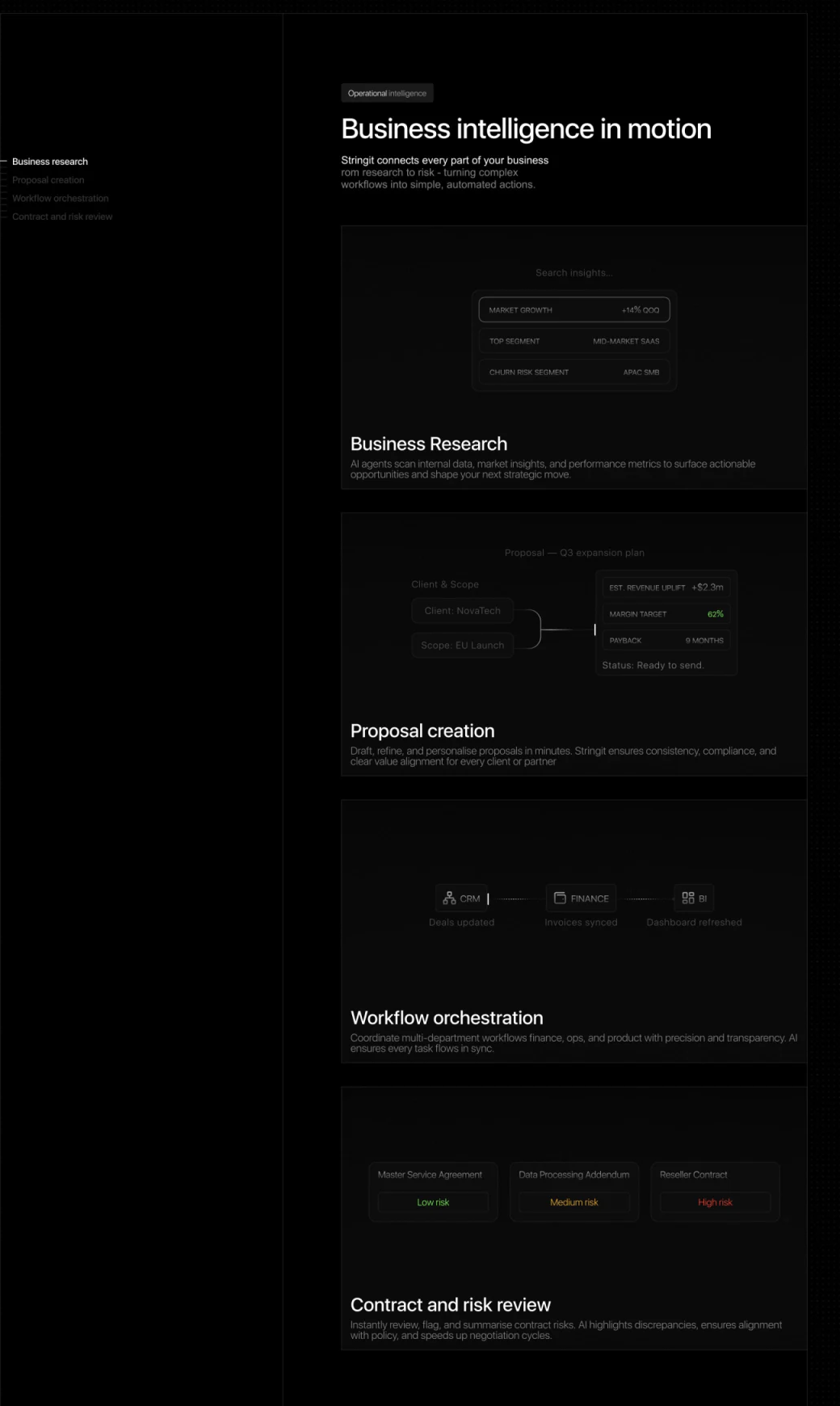
Below Business intelligence in motion, the research module shows fields, the proposal module connects Client & Scope to an estimate card, the process module arranges CRM, FINANCE, and BI, and the risk module presents contract-style documents. Each has its own example, making the capabilities easier to understand than repeated use of the same system sphere.
These small examples can explain data formats, but gray text is subdued against black. Inputs, outputs, and states should remain readable. Headings can be brighter, yet essential fields also need enough separation from the background; otherwise, the content that explains the capabilities is the first to be overlooked.
Low, Medium, and High risk use both text and color for distinction. They should further explain the assessment subject and basis. Proposal states or synchronization text also need to identify the demonstration stage and where a person checks the information. Labels cannot replace an explanation of results.
Role entries lead to a specific conversation
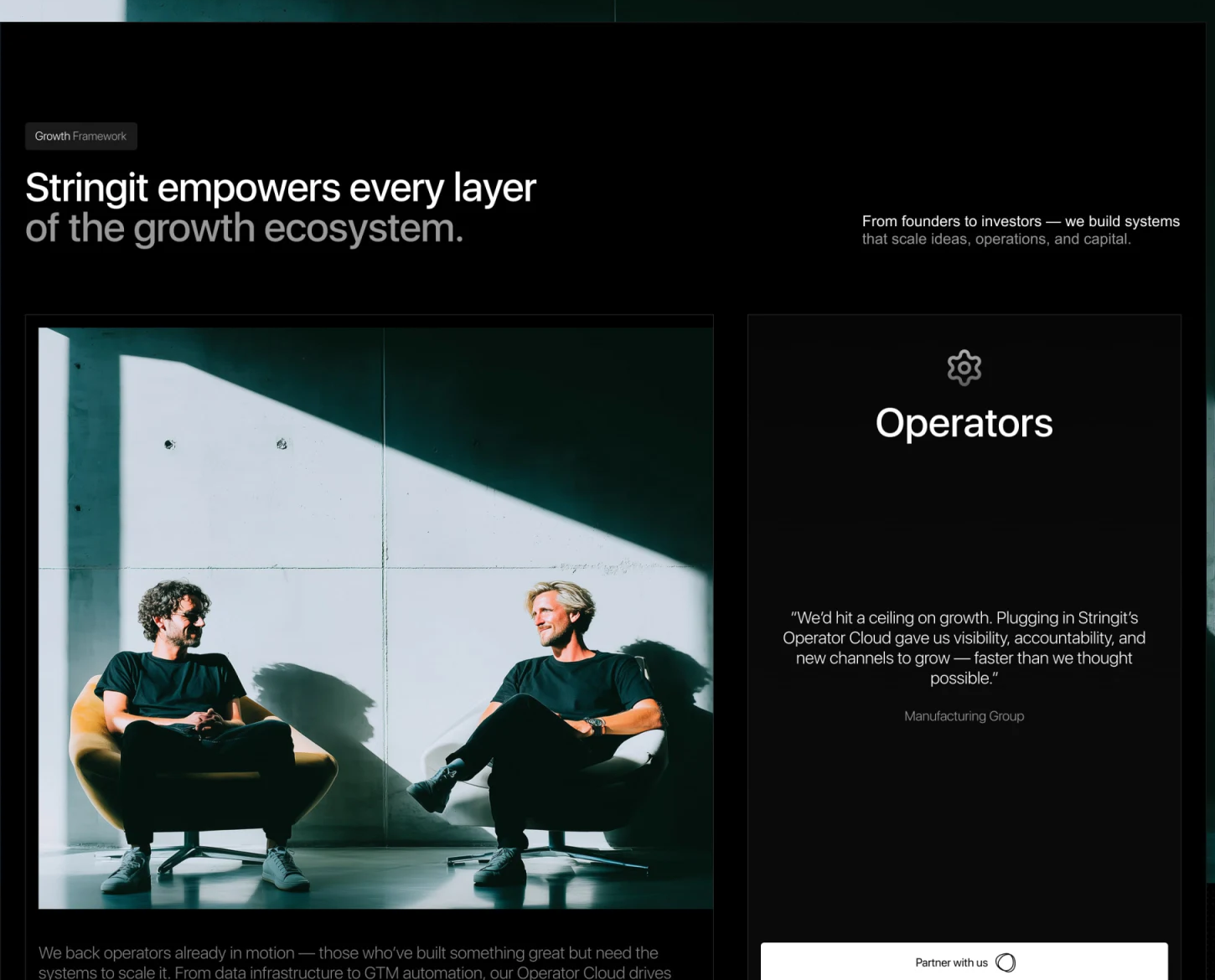
An Operators card sits beside a photograph of people, moving the page from the system concept to a business role. Partner with us appears at the bottom of the card, offering contact after visitors recognize the role. The white button is clear against the dark background, while the photograph makes the technical graphics feel less distant.
Role descriptions should connect to relevant tasks instead of repeating growth statements. Operators, founders, and other roles can see what material to prepare and what the discussion covers. A website serving multiple roles can share the same card structure while organizing each one around its own questions.
A quotation can add a voice, but needs a clear source and context, and cannot replace a specific scope. Explaining the conversation’s purpose and required information near the contact entry lets a visitor take a discussable question into the next step.
Frequently asked questions
Is showing result curves enough for an AI website?
They can serve the concept layer, but capability explanations still need actual inputs, outputs, states, and limitations. Illustrative curves should clearly state their purpose.
What should risk labels include?
The assessment subject, basis, related explanation entries, and places that require human confirmation. Level colors only help distinguish categories.
Design review checklist
- Give concept diagram lines an explicit meaning.
- Keep module input and output fields readable.
- Explain the relevant tasks and conversation goals at role entries.
Describe AI capabilities as tasks people can discuss
An AI business website can start with an input and output example, then organize modules, roles, and inquiry entries to build a more specific capability explanation.
JVDS Design Studio provides UI/UX design, website design, and development services, and can help organize page content, interface structure, and implementation requirements.

















