
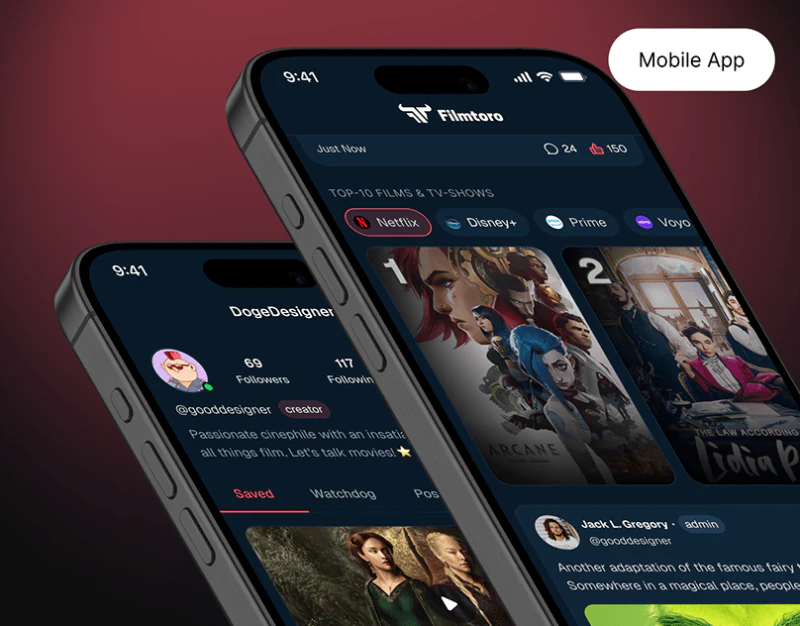
Filmtoro combines discovery, sharing, reviews, and quizzes in deep blue and red. Shared visuals still need to respect content structures: a thought, an ordered film list, and a review of one film cannot all rely on one text area.
Channel discovery and community categories refer to different objects
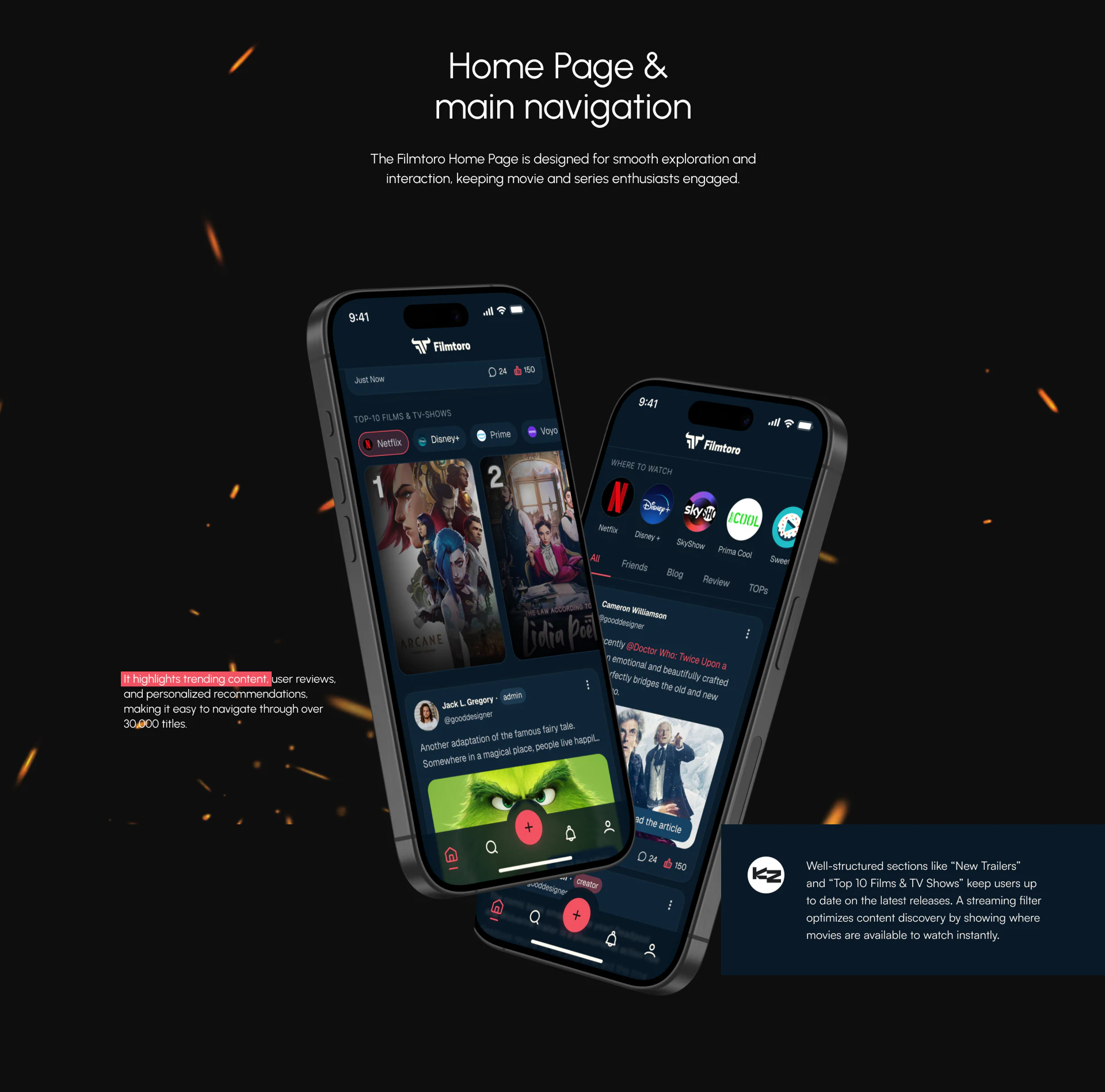
Netflix, Disney+, and other platform tags sit above Top-10 Films & TV-Shows and numbered cards. Another page places round channels under Where to watch, then All, Friends, Blog, Review, and TOPs for the feed. Categories near their content separate where to watch from what sharing to read.
Large posters differ from posts with portraits, author identity, text, and interactions, beyond headings alone. Channel filters should clearly show selections and affected rankings; feed types need their own result scope. Marks identify platforms, while specific availability needs region and update time.
Three editors retain necessary content structures
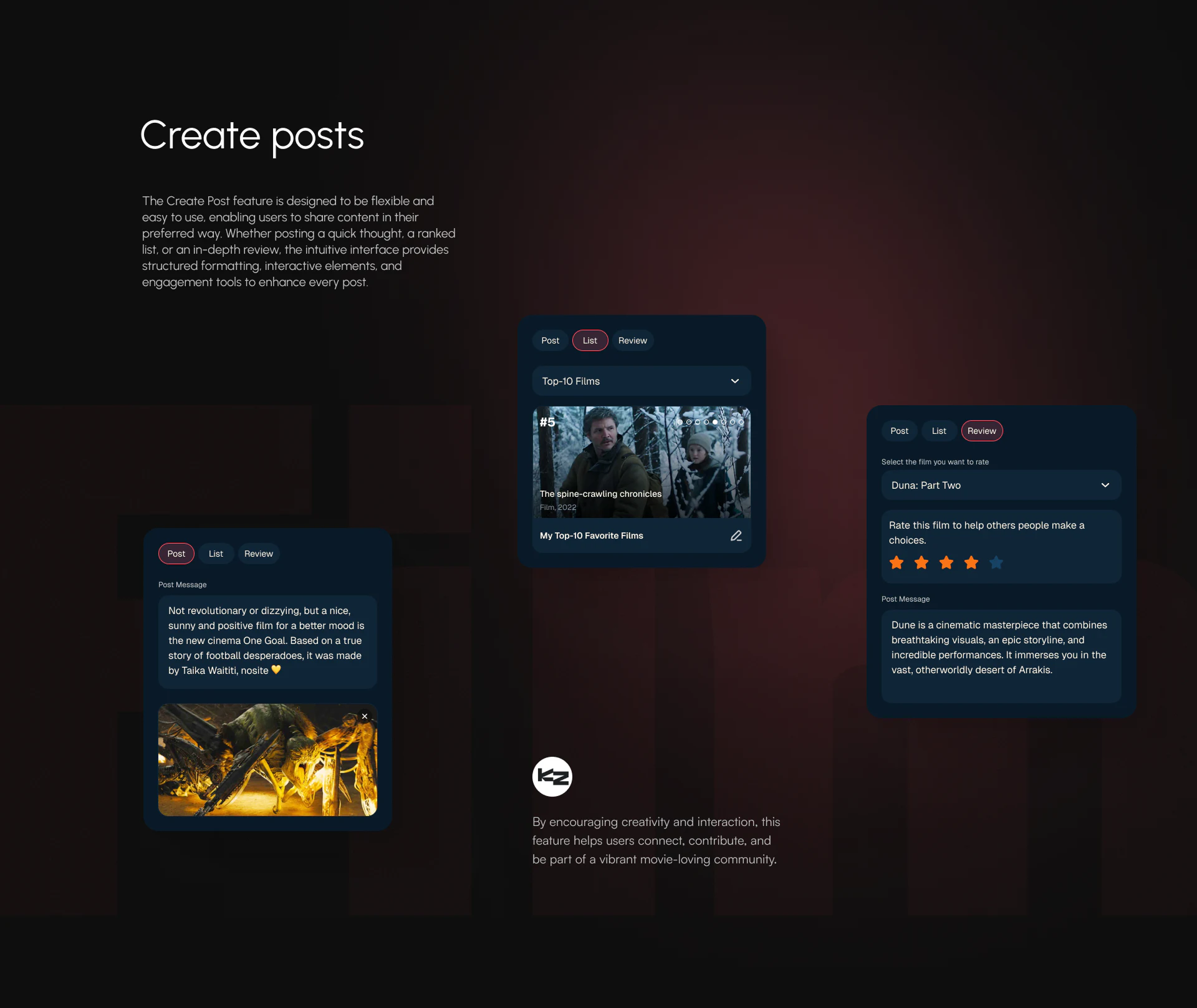
Post, List, and Review share a mode position with red outlines. Posts have messages and images, lists have names, numbering, and edit icons, and reviews select a film before stars and text. Shared entries support learning while fields make outputs concrete.
Order is itself list content, ratings need a named film, and post images support expression. JVDS prefers types determining required fields before publishing, rather than asking readers to infer content afterward. This makes modes meaningful during editing and supports typed feed summaries.
Switching midway should explain text retention and treatment of ratings or list entries. Image crosses, list pencils, and film selectors need stable current objects despite small controls.
Quiz selection and result states should stand separately
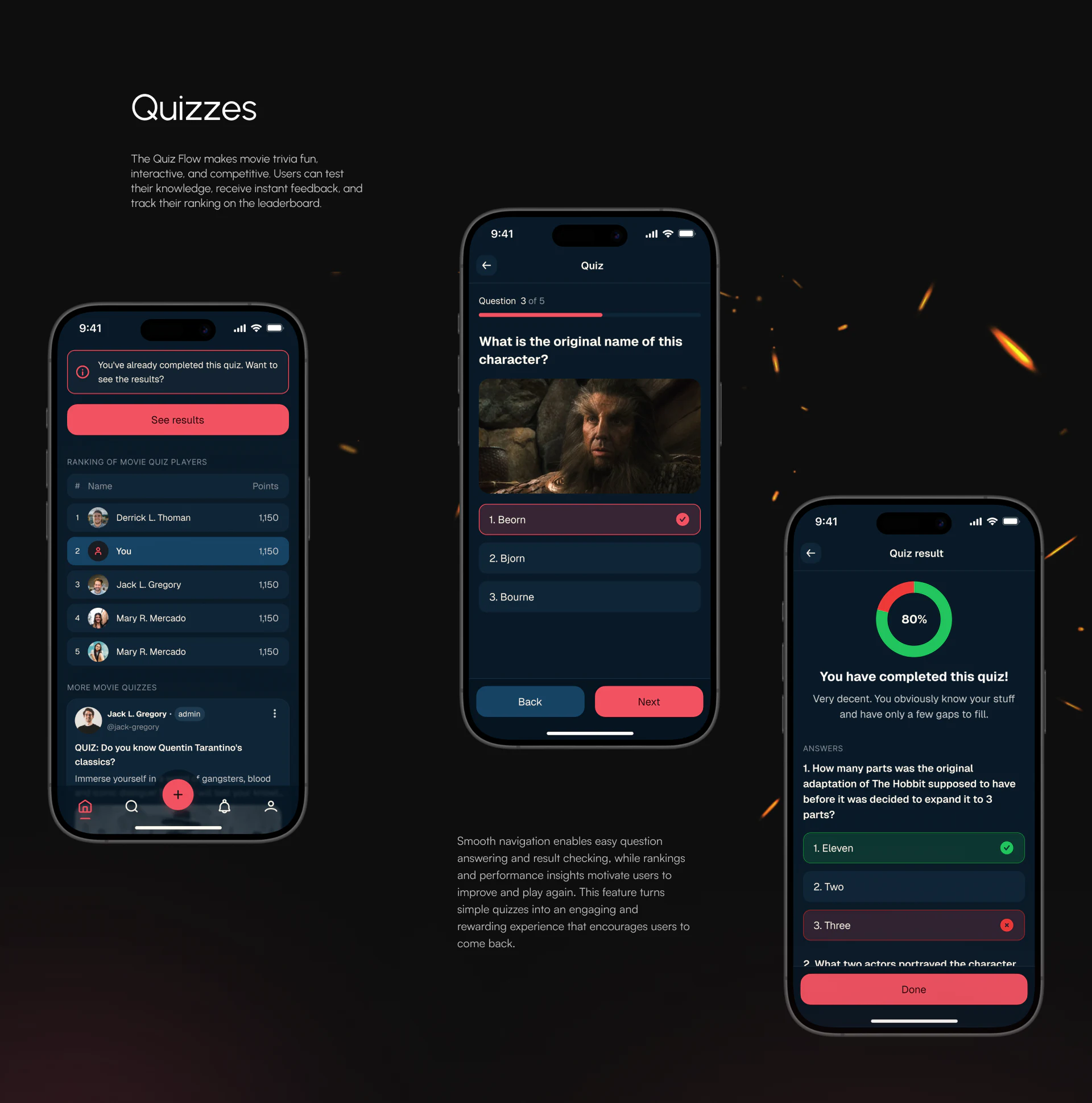
The completed entry offers See results. Answering shows question three, selection, Back, and Next; results have a ring and individual answers. Direct review avoids repeating questions and expresses stages more fully.
Red outline and check indicate selection, while red cross and green check mean incorrect/correct in results. One red has different meanings. Independent words or neutral selection outlines can separate choice from judgment. Correct and total counts would also support the result proportion.
The useful idea gives participation distinct forms from discovery through editing and quizzes. Shared colors and the bottom plus establish common entry; explicit objects, fields, and stages support understanding.
Carry participation entries into content structure
If your community includes posts, rankings, reviews, or quizzes, define objects and necessary information before shared entries and editors.
JVDS Design Studio provides UI/UX design, website design, and development services for feeds, creation, and interactive feedback.

















