
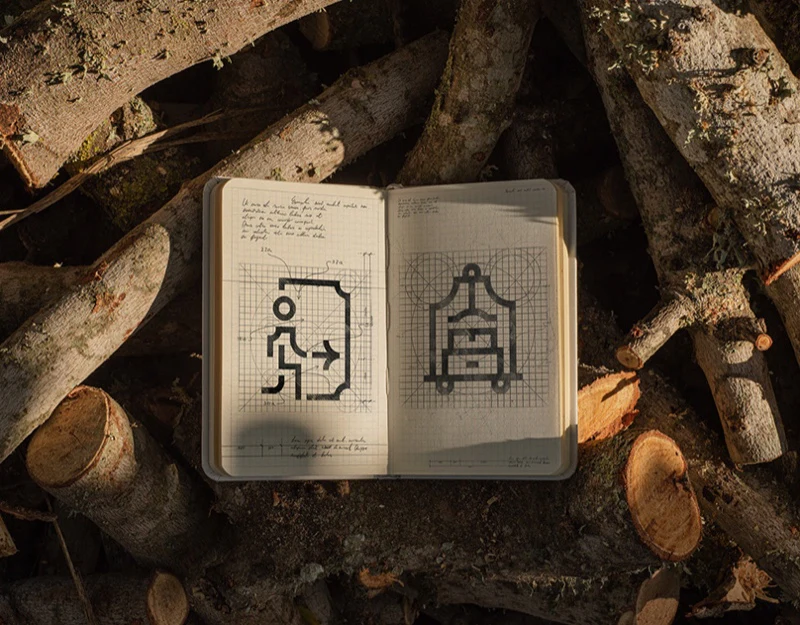
Evalisse uses grids, curved strokes and people/facility symbols as one language. Arrows and destinations share style, with construction cards explaining drawing relationships. In interfaces and wayfinding, direction, name and scope still need joint explanation; consistent lines alone cannot establish recognition.
Key takeaways
- Grids unify construction, while real sizes still need recognizable objects.
- Direction, names and facility scope have distinct roles and become understandable when combined.
A grid first unifies construction
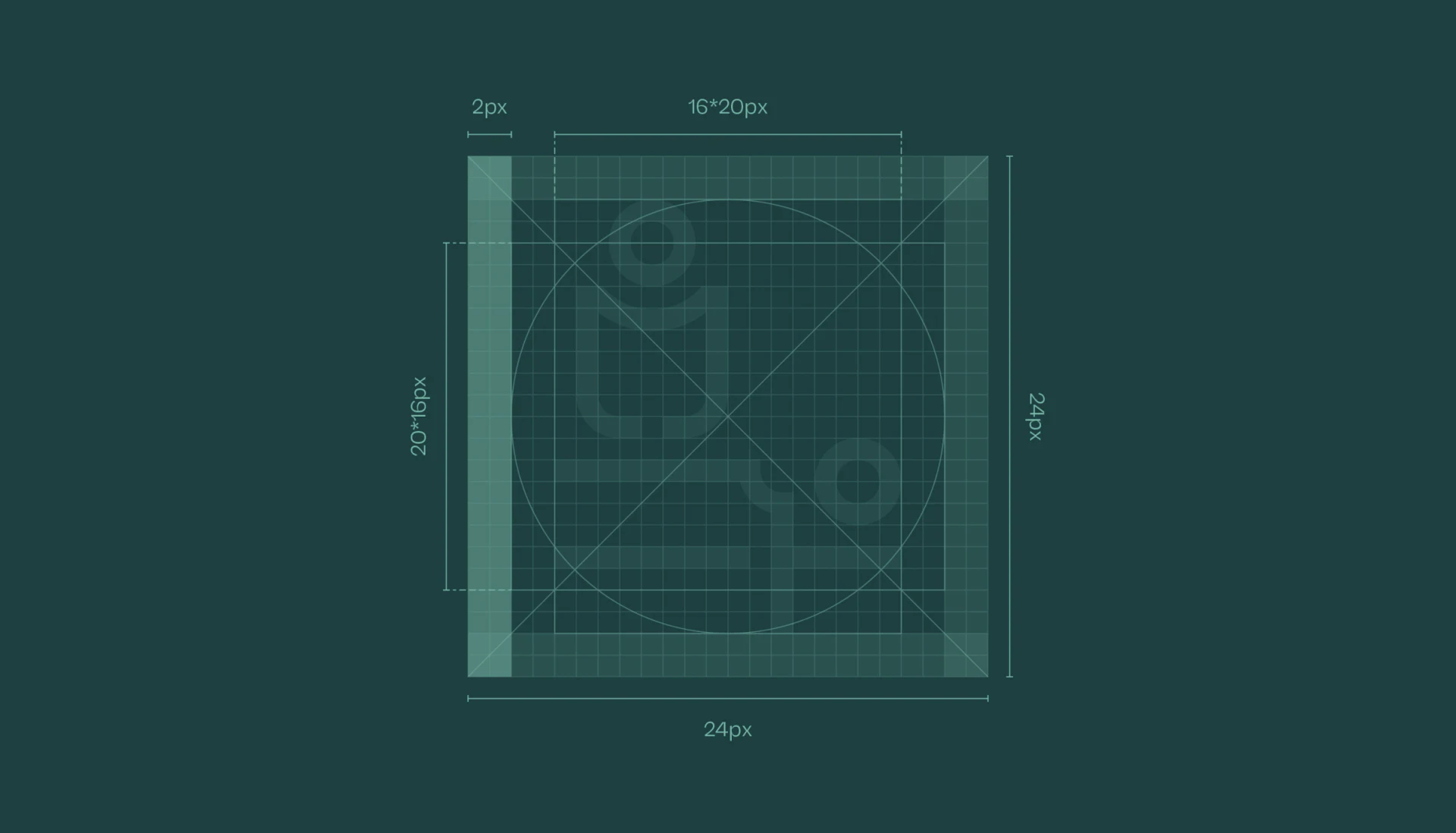
The grid labels a 24px frame, 2px stroke and internal proportions, with circles, diagonals and margins as references. Arrows and figures continue curved corners, building a family through an explicit skeleton.
Equal frames do not mean equal visual weight. Simple arrows have more space than figures and objects, whose details may merge when reduced. Grids check margins; recognition needs separate target-size review.
JVDS favors clear principal structures before family consistency. Identical coverage can oversize simple arrows and remove critical components from complex facilities.
Guidelines can retain drawing grids and usage previews for screen, card and sign sizes, space and text pairings. Users then know both construction and placement rules.
Direction and destination carry different information
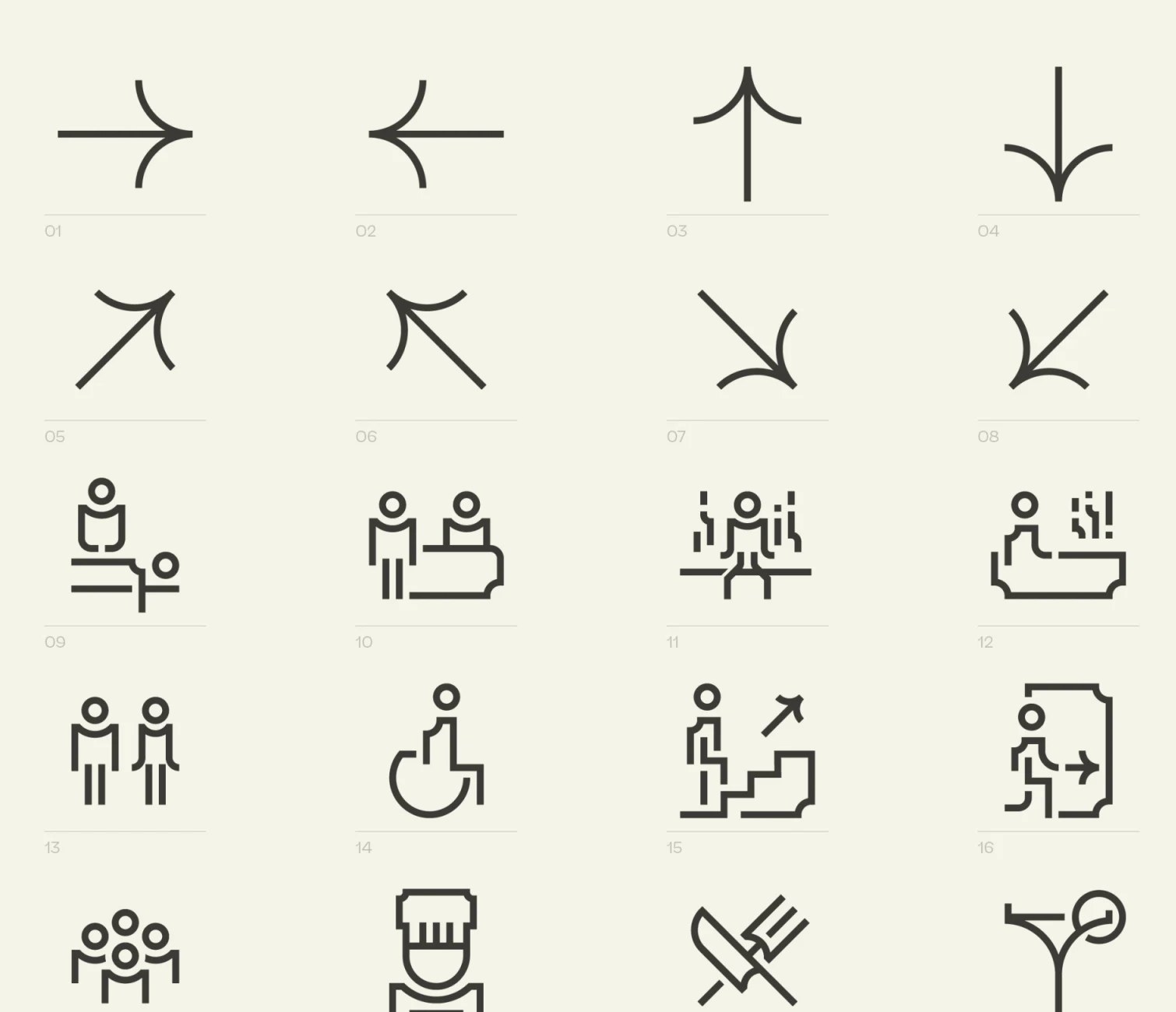
Left/right, up/down and diagonal arrows appear above figures, pools, doors and other objects for facilities. Consistent ends and lines connect the set while retaining major features.
Arrows answer where to go; facility symbols answer what place. Clear name-direction pairs avoid relying on distance between separate icon rows to imply correspondence.
Numbers help asset management, while interfaces need stable names. Similar poses or objects can mean several services, making short labels more effective than merely enlarging symbols.
Languages can share symbols while names match actual scope. Changing directions, service classes or destination names along a route can cause uncertainty despite consistent shapes.
Names and graphics need matching scopes
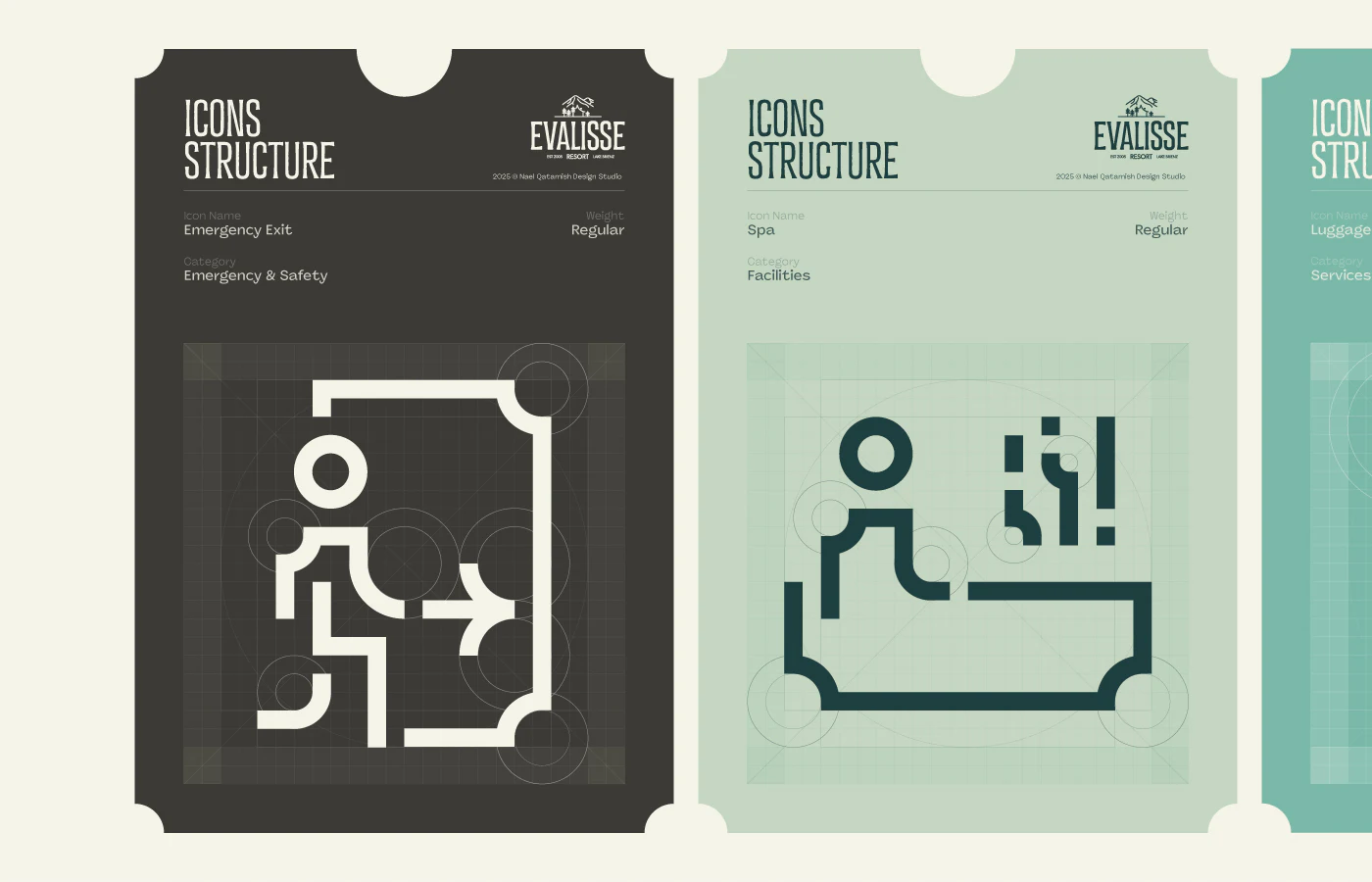
Emergency Exit and Spa structure cards overlay symbols on grids. People, doors and direction identify the first; figure, pool and steam identify the second. Principal components are recognizable.
Spa can mean a whole service area while the image more closely suggests a pool within it. Establish overall-entry or individual-facility scope before choosing name and form, preventing one symbol from serving broad and narrow meanings together.
Pale category and weight labels need quick readability. Asset guidelines aid selection beyond attractive cards; state/version, minimum size and name can be explicit fields.
Direction and safety uses need actual environment and applicable-requirement checks. The materials supply visual language; later verify figures, doors and steam remain separate on specific surfaces before placement.
Frequently asked questions
Do facility icons need words?
Similar poses and objects invite several meanings, while short names confirm objects. Direction symbols also need clear destination pairing.
Does a 24px grid guarantee small-size readability?
It provides drawing references, but complex spacing and components still need checks. Backgrounds and surfaces also affect recognition.
Design review checklist
- Keep principal structures clear at target size.
- Pair arrows and facility names explicitly.
- Align naming scopes for service areas and individual facilities.
Establish icon names and usage guidelines
Hotels, resorts and facility websites can organize destination names and icon scopes before setting sizes for screens and specific surfaces.
JVDS provides UI/UX design and website design and development. We can work through page content, interface structure and implementation needs together.

















