
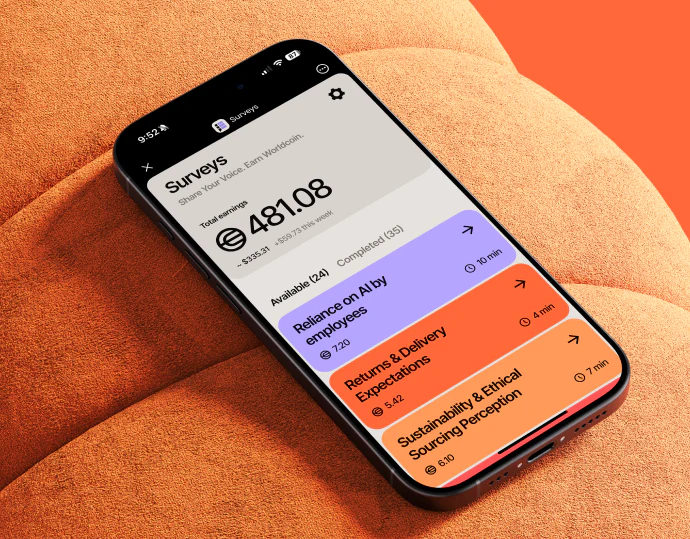
Warm gray, black, and orange create lightweight survey pages. Text, multiple choice, single choice, and scales use different controls, while question number, progress, and Next retain similar positions. Admin cards and tables manage whole surveys, whose states should also remain distinct.
Key takeaways
- Controls suit question types, while numbering, progress, and navigation remain stable.
- Answer values, personal submission, and whole-survey states belong to different objects.
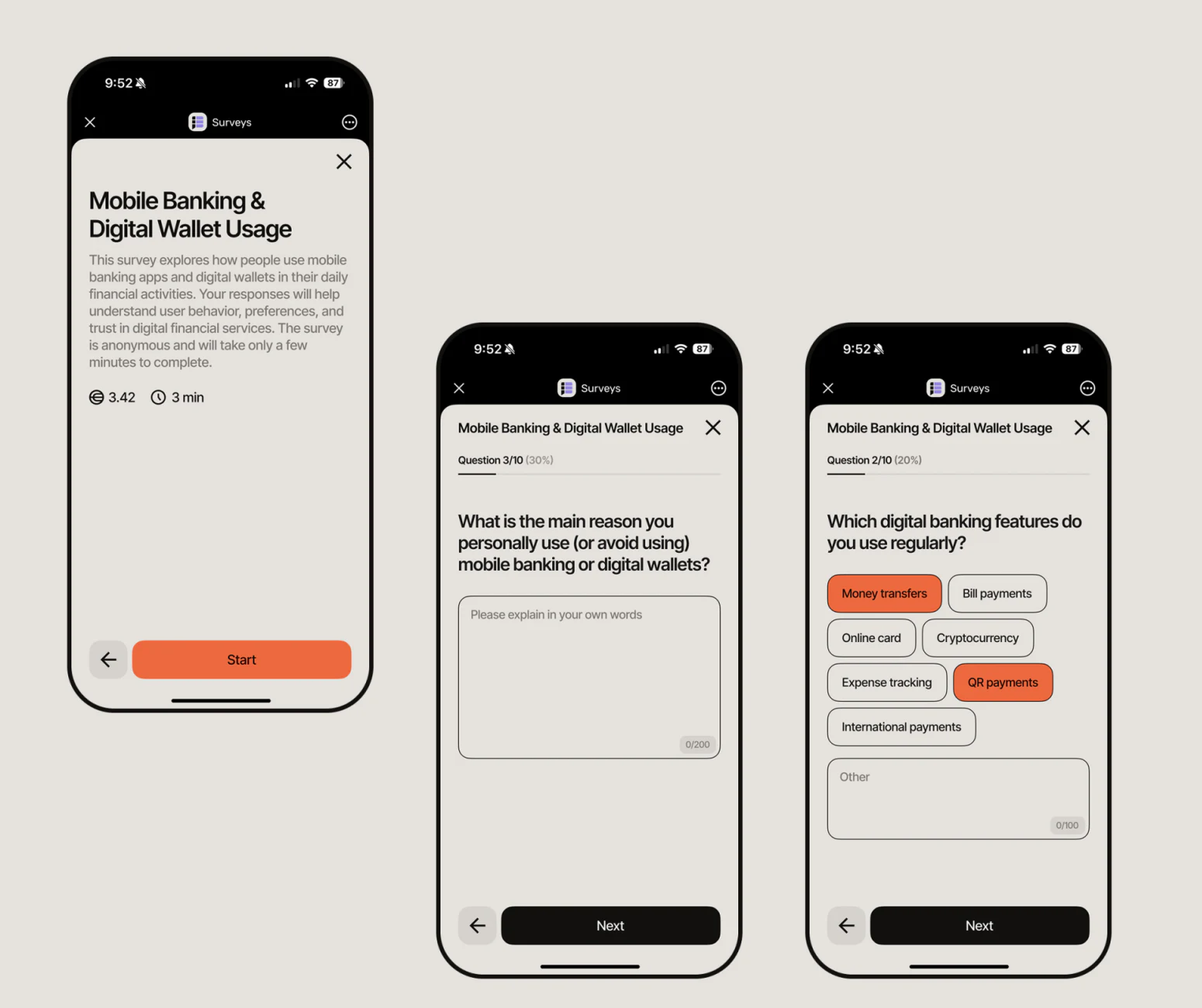
The start page establishes expected effort
The introduction gives topic, short explanation, and duration before orange Start below. Readers know roughly what is asked before the first question, rather than discovering suitability while answering.
An open question has a large text field; multiple choice groups tags with an Other input. Shared structure changes beneath the question while back and Next remain below. This is useful stability: response methods vary without relearning action positions.
JVDS would clarify rules further: permitted selections, whether Other counts, and text limits. Orange selections provide feedback but cannot explain all answer conditions.
Progress above, scale answer below the question
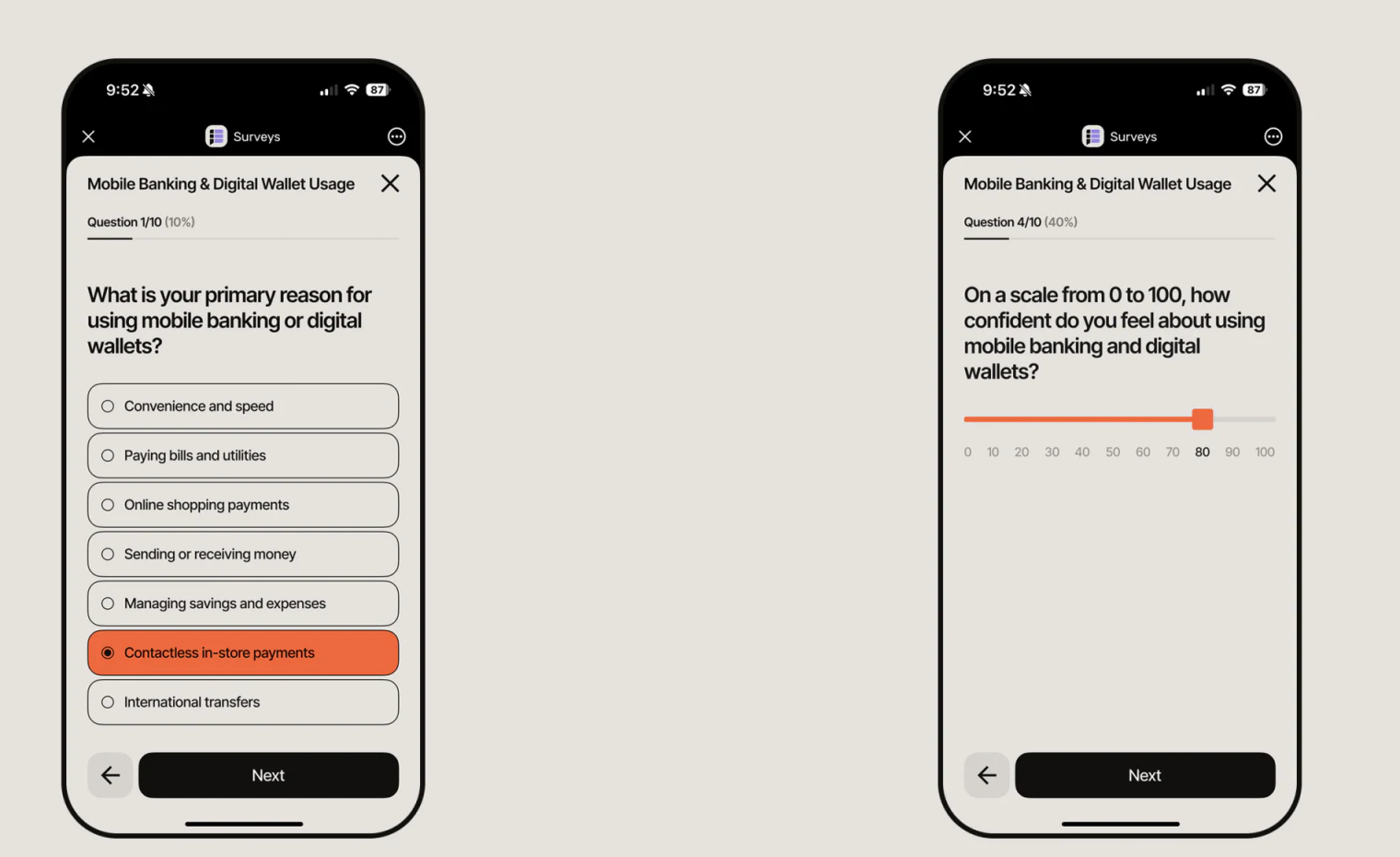
Single choice uses long radio rows with orange selection. A scale retains Question 4/10 and progress above a 0–100 slider. One number indicates position and another the answer, separated spatially.
This scale layout lets readers see both progress and value. Endpoints, current value, and unanswered default need explanations, with answer retention checked on return.
JVDS would review leaving without submission, saved drafts, and final submission separately. Reaching the final question does not mean a record was submitted; progress colors cannot replace results.
The scale also needs a retained current value with larger text and keyboard use. Dragging is one method; nearby values could support precise adjustment alongside question and endpoints. Changing question lengths should not repeatedly move Next.
Admin states belong to the whole survey
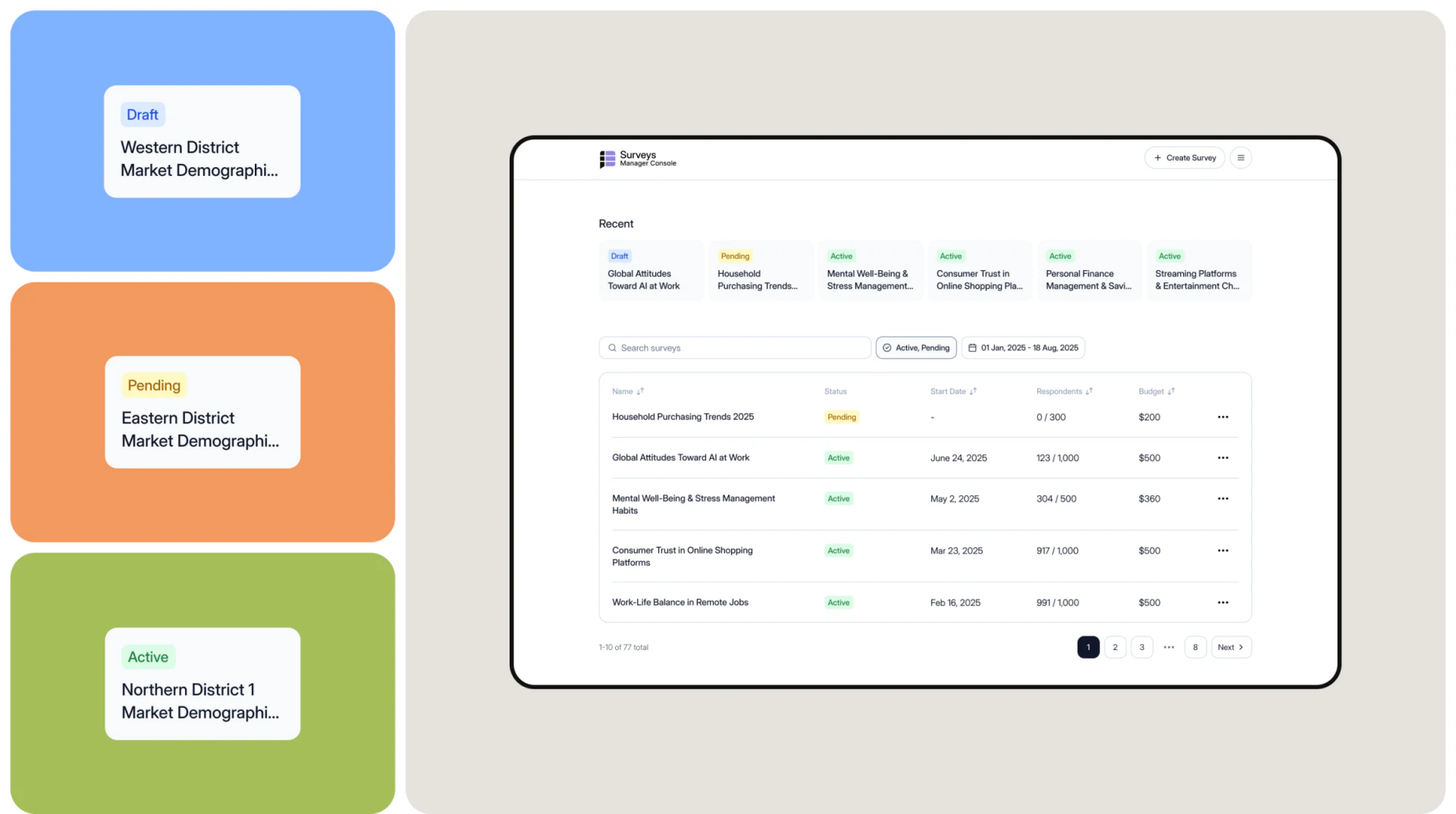
Recent cards sit above conditions and a table. Draft, Pending, and Active use pale blue, orange, and green. Name, state, date, and respondents form one record, distinct from mobile question progress.
Cards help locate recent items, while tables support comparison; both should use a consistent survey identity and state. Global Attitudes Toward AI at Work is labeled Draft in the Recent card and Active in the table. If they refer to the same survey, the state source needs checking. If they show different versions, a distinguishing label should make that clear rather than leaving administrators to guess from the shared name.
Respondent counts, targets, and dates not yet begun need precise explanations. JVDS would separate a respondent’s draft from the administrator’s survey stage before aligning colors. One shared “complete” label can conceal different objects.
Frequently asked questions
How does answer progress differ from survey status?
Progress shows a person’s question position; survey status shows a management stage for the whole questionnaire. Final submission also needs an explicit result.
Design review checklist
- Explain multiple-selection limits and scale endpoints.
- Check that Recent cards and tables share the same state source.
Give answering and management clear states
If a research or form product needs multiple question types, drafts, and administration, begin with answer rules and record states.
JVDS Design Studio provides UI/UX design, website design, and development services, helping organize page content, interface structure, and implementation needs.

















