
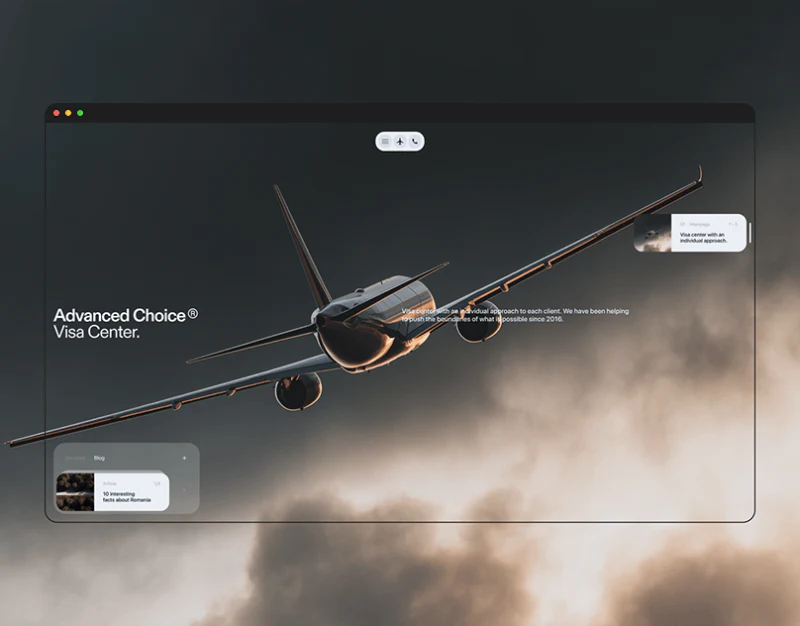
Aircraft, rivers, and coastlines fill this visa service website concept, with expanded cards and menus floating like lightweight widgets. Travel atmosphere is strong; task clarity depends on accurate countries, service categories, and next actions.
Key takeaways
- Scenery establishes travel themes; pale expanded cards provide readable conditions.
- Country explanations and actions should be specific, with auxiliary components subordinate to service finding.
The aircraft hero keeps few entries
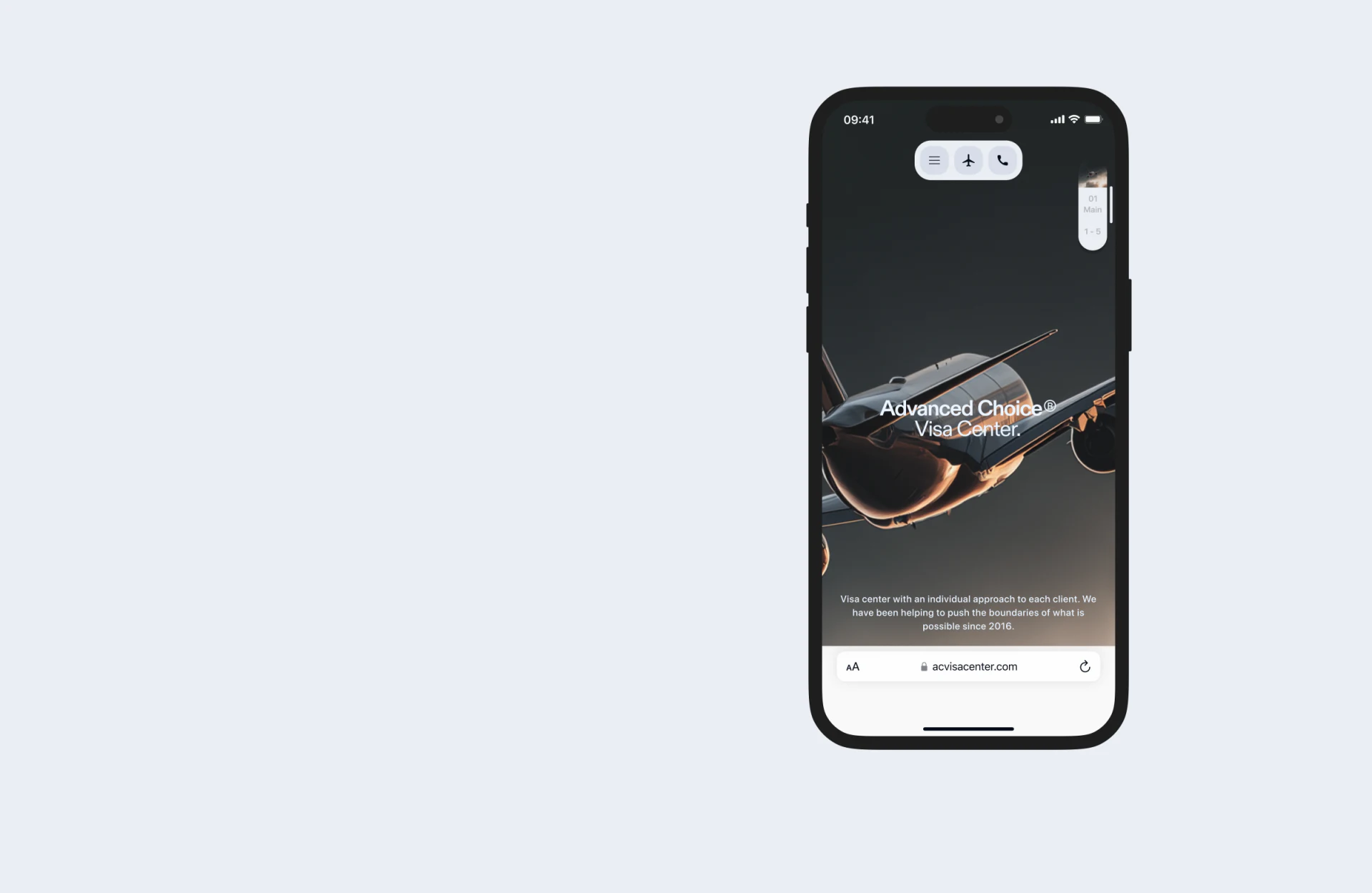
A dark aircraft dominates mobile, with the agency name centrally and menu, aircraft, and phone icons above, plus a position strip right. Few components preserve the scene, and white entries are visible against dark.
This can establish atmosphere before information, but an aircraft icon does not identify whether it opens home or services. Short labels and current states would clarify it; phone should name the contact party.
JVDS considers large scenery compatible with finding. Visitors with a country in mind need direct categories and countries without repeatedly viewing the full aircraft scene. Minimal wording still needs explicit entry purposes.
A pale card groups country conditions
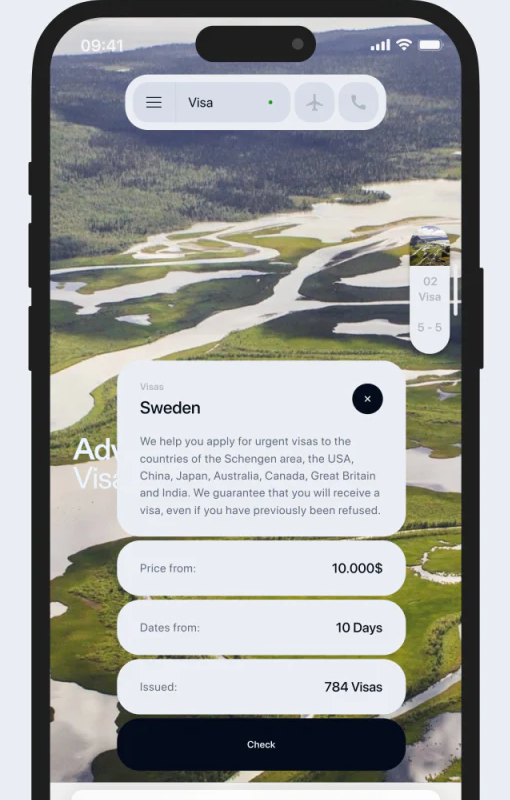
Sweden expands over a river, with heading, explanation, close, rounded Price from, Dates from, and Issued rows, and dark Check below. Text occupies a pale container rather than complex scenery.
The country is specific but explanations cover several regions. Each card should first address its object, then define cost scope, time stages, and count basis. Example numbers are not current service outcomes.
Check could state whether it opens conditions, materials, or consultation. JVDS would restore the original country on close and retain category and object into inquiry so expansion does not lose context.
Menus prioritize services before supporting widgets
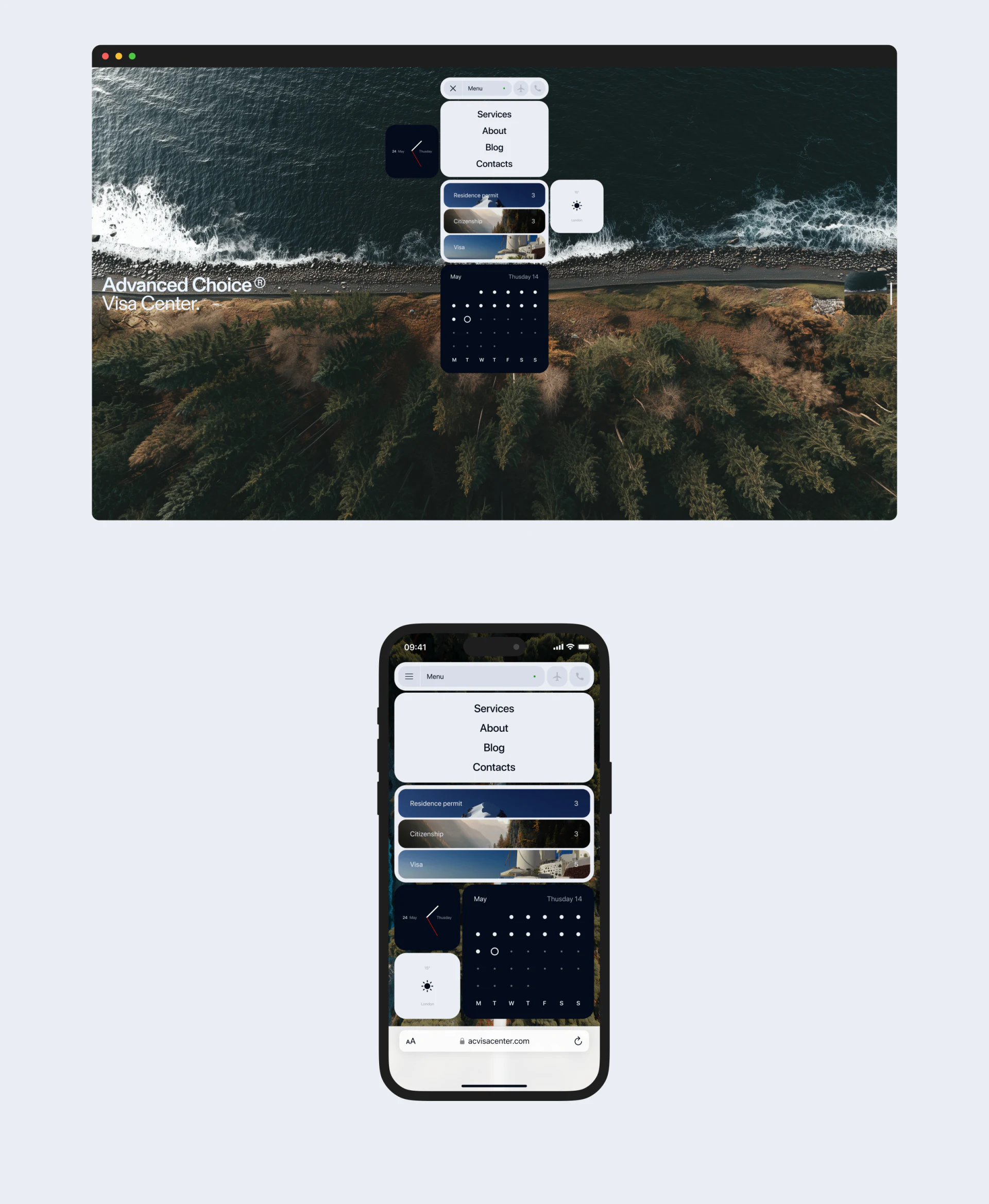
Desktop and mobile list Services, About, Blog, and Contacts, then three service cards with clock, calendar, and weather. Coastal scenery continues the theme, with white navigation and dark calendar forming widgets.
Everyday widgets add interest while services remain primary. Narrow screens need complete names. A booking calendar needs explicit actions; a display-only calendar should not imply operation.
JVDS would keep country and service as identity cues throughout, with scenery behind readable condition cards. This evaluates concepts without verifying visa policies, prices, or promised outcomes or turning promotion into advice.
Frequently asked questions
How can a scenery-led service website remain findable?
Offer explicit categories and objects, with conditions in separate text containers. Expansion, closing, and inquiry should retain the original choice.
Design review checklist
- Check country explanations for generic promotional wording.
- Replace broad Check with a precise action name.
Connect atmospheric imagery with specific services
If your travel or professional-service website balances atmosphere and information finding, bring categories and condition fields to discuss.
JVDS Design Studio provides UI/UX design, website design, and development services to help organize page content, interface structure, and implementation needs.

















