
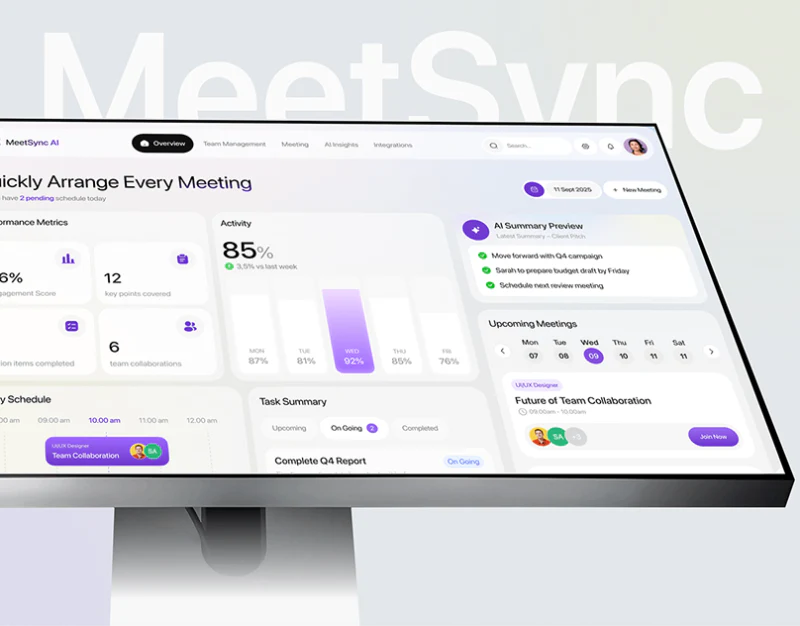
MeetSync distinguishes planning, joining and review through pale backgrounds, purple and dark cards. Schedules retain names and times, admission differs from call controls, and summaries lead to audio. Each stage has tasks, with meeting identity traceable throughout.
Key takeaways
- Before, during and after meetings have task-specific hierarchies.
- Names, dates and record identifiers should continue through summaries and audio.
Schedule cards distinguish joining actions
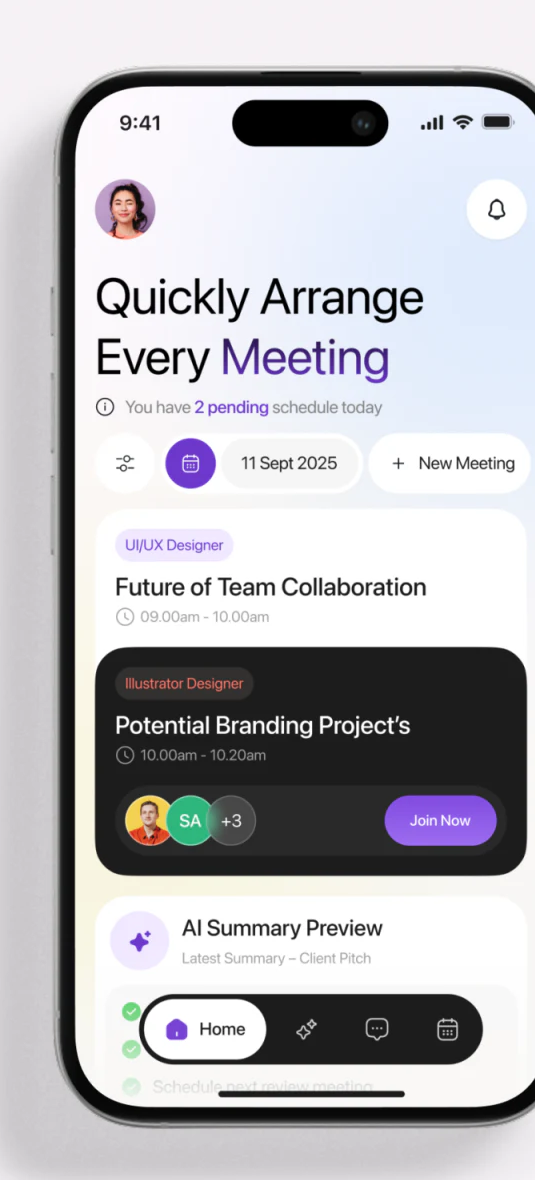
Date and New Meeting appear together above reminders. Pale cards list times; a dark card adds avatars and Join Now. Contrast creates action hierarchy and makes the joinable meeting easier to find.
Text should also identify state, since role labels cannot replace underway or not started. Other meetings can offer viewing or preparation without every one receiving a prominent join button.
Latest Summary – Client Pitch names another object in AI Summary Preview below. JVDS favors names retained through state changes, identifying what is planned or reviewed more clearly than color alone.
Admission and call controls occupy layers
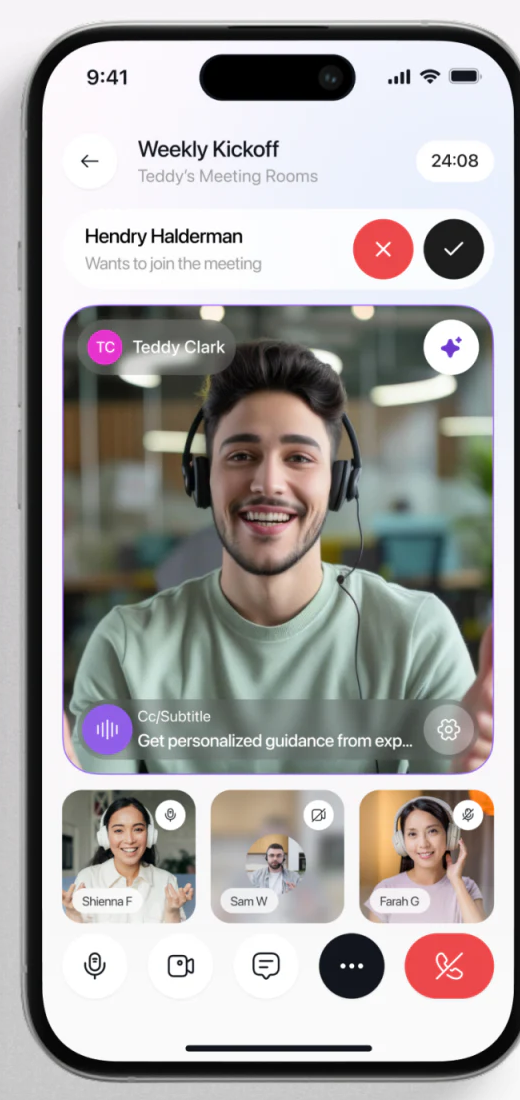
Weekly Kickoff and timer appear above a named Wants to join strip, with cross and check right. Video, audio, chat, more and red exit stay below, separating responses to others from personal controls.
Admit/decline results need explicit feedback, while participant icons distinguish own and others’ states. Main video retains space rather than being covered by temporary requests.
A subtitle-like strip at the video edge truncates text. Continued reading needs expansion or adjustment, rather than critical captions remaining incomplete, with settings and playback states clear.
Summaries and audio share meeting identifiers
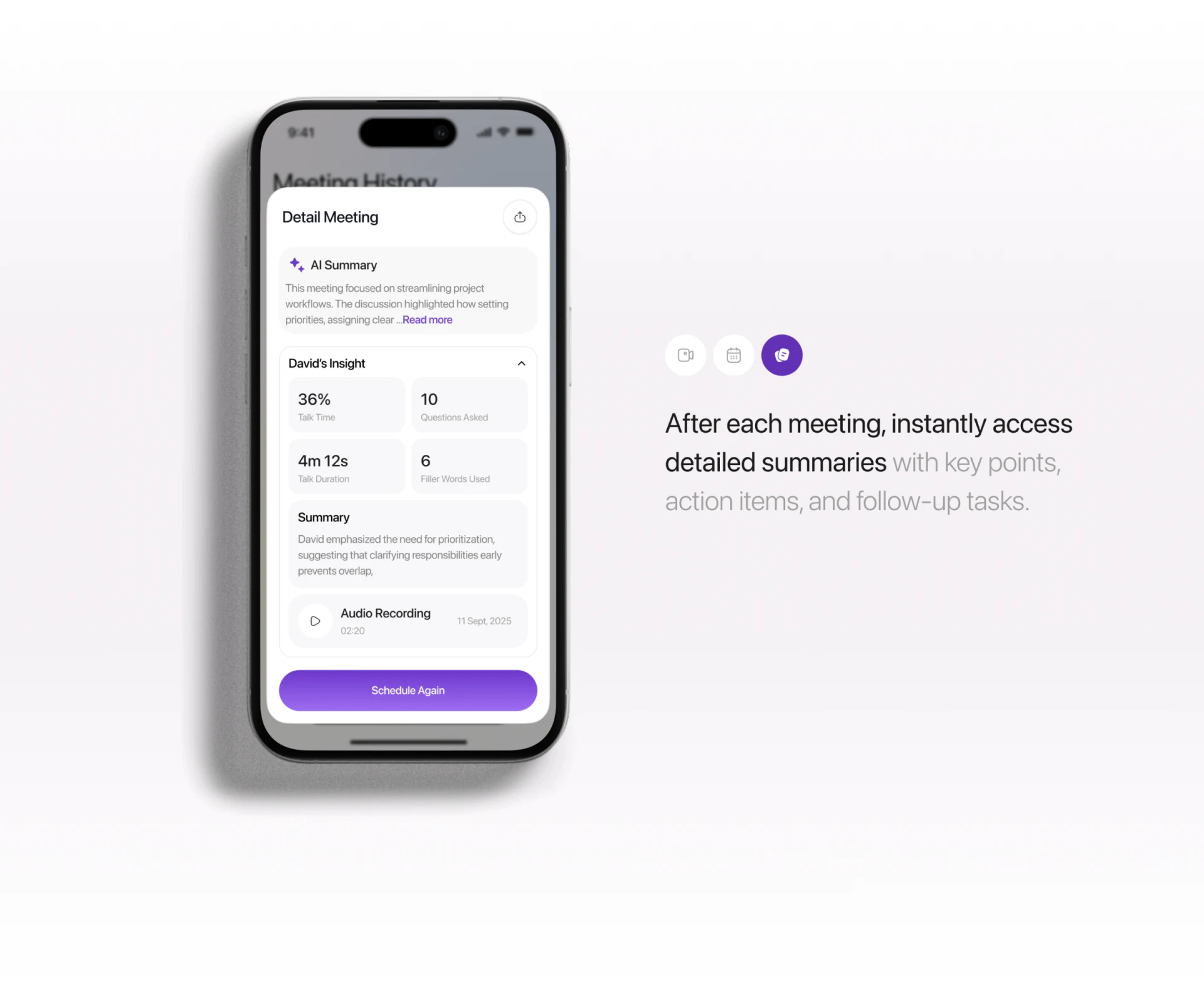
The post-call layer contains AI Summary, David’s Insight, personal overview and Audio Recording, distinguishing overall review from personal statistics. Audio offers a path for checking summaries.
Detail Meeting is generic while the meeting name recedes. Names, dates and participant scope should remain at the top, with summary and audio sharing one identifier for later lookup.
Speaking shares, question counts and durations need units and definitions and should not directly become performance assessments. Schedule Again also needs new time and invitees, distinguishing review from a new arrangement.
Frequently asked questions
Does every meeting card need Join?
Prioritize joining when available; other meetings can offer viewing or preparation. States need words.
Why retain a meeting name after the call?
Dates or generic headings do not distinguish similar meetings. Names and identifiers connect summaries, audio and rescheduling for checks.
Design review checklist
- Match schedule states and actions.
- Clarify admission outcomes and audio/video states.
- Retain name, date and scope in summaries and recordings.
Connect scheduling, calls and review
Meeting products can align meeting identity and states before relating admission requests, AI summaries and audio access.
JVDS provides UI/UX design and website design and development. We can work through page content, interface structure and implementation needs together.

















