
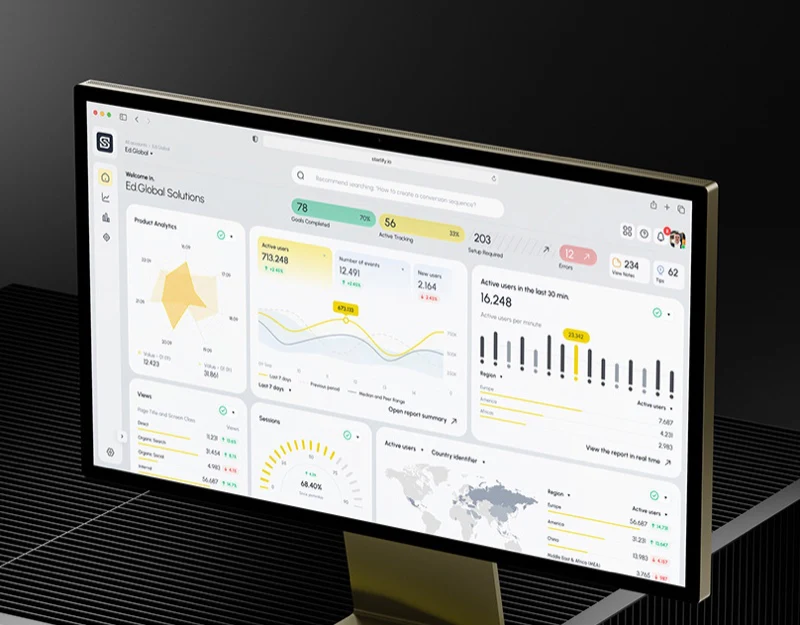
Startify brings metric cards, period trends, real-time activity, and a conversion funnel together. Analytics metric definitions first need to explain what each group measures and how much time it covers, so changes can acquire meaning. These pages offer many ways to compare data, while exposing the reading rules needed when different numbers appear side by side.
Period trends and real-time activity each state their scope
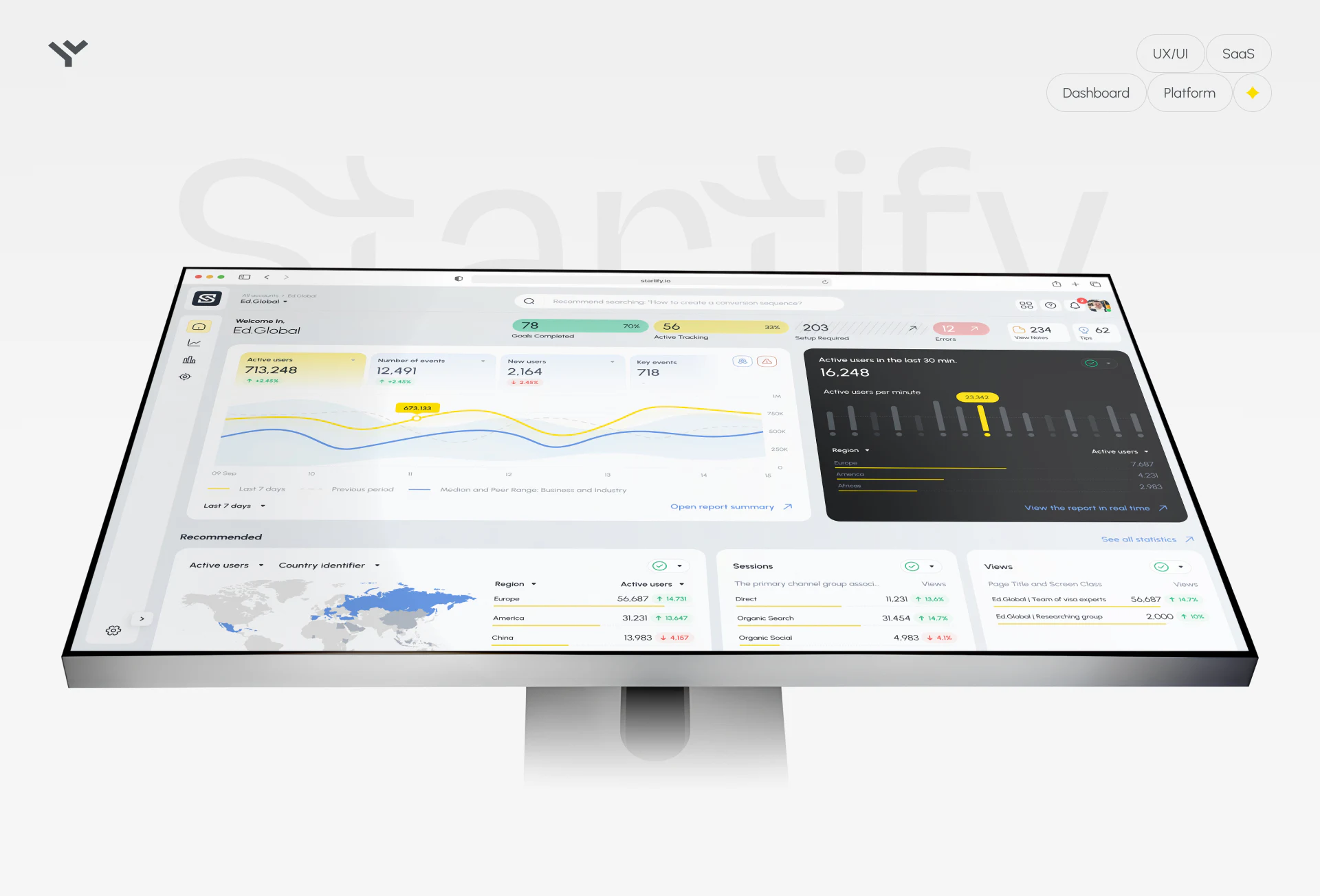
At the top of the light overview, completed goals, active tracking, pending setup, and error states reveal configuration status before users interpret the data. The main trend chart uses yellow for the current period, a dashed line for the previous period, and blue for the peer range. Metric cards on the left provide entries for active users, events, and new users, with a time range and report link at the bottom.
The separate dark card on the right labels active users over the last thirty minutes, using minute bars and a regional list to show real-time activity. It is visually distinct from the seven-day trend on the left, and writes the time window directly into the heading. This can help prevent short fluctuations from being read as longer-term changes. Before comparing the two areas, user deduplication rules and measurement scope should also be checked for consistency.
JVDS prefers to keep scope descriptions near the metrics, especially when period data, real-time activity, and peer benchmarks coexist. Color helps track curves, but metric names, time windows, and benchmark definitions make comparison meaningful. Pending setup and error states can also connect to specific explanations, so readers know which metrics first need collection problems resolved.
Retention summaries and funnels need verifiable definitions
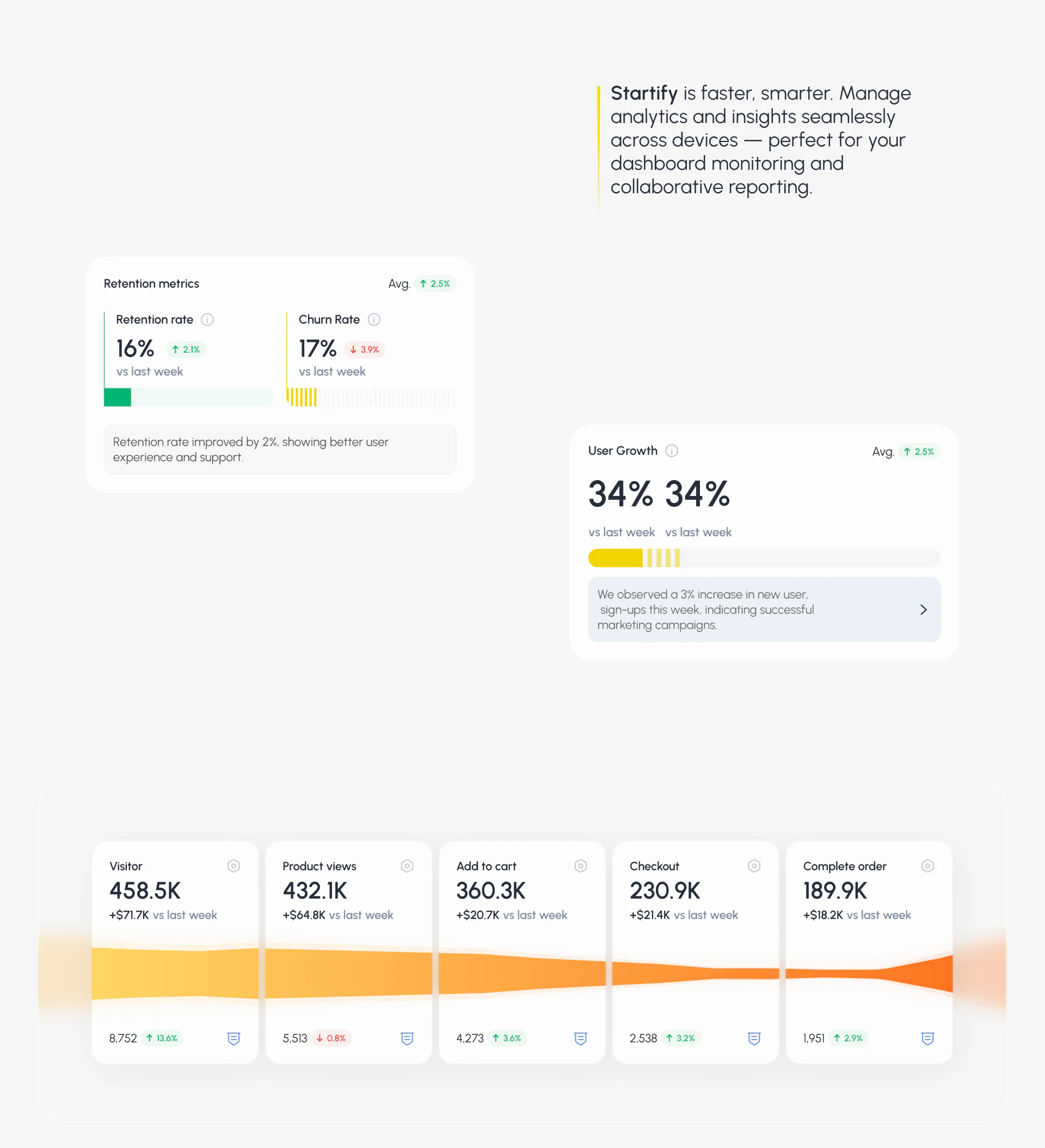
Retention, churn, and user growth modules combine large values, weekly changes, and short sentences, quickly revealing points of interest. Some summaries attribute changes to experience improvements or marketing influence. Such causal language needs additional evidence; when a page only provides period comparisons, descriptive conclusions are more appropriate. Similar values with different change statements in the user growth area also call for a check of their metric names and denominators.
The funnel proceeds through visitors, product views, adding to cart, checkout, and completed orders. Its five stage names clearly express a task sequence. Large numbers sit alongside monetary changes and smaller values; without labels, readers cannot tell whether they represent people, event counts, or order revenue. The width of the flowing shape below should also match the quantity it represents, so decoration does not introduce a conflicting trend.
A fuller funnel explanation can include the time window, deduplication rules, and conversion rates between adjacent stages. Stage names establish order, while descriptions of the numbers establish the basis for comparison. This is better suited to finding where a problem occurs than highlighting only the final conversion value.
The dark analytics page retains the structure and needs detailed checks
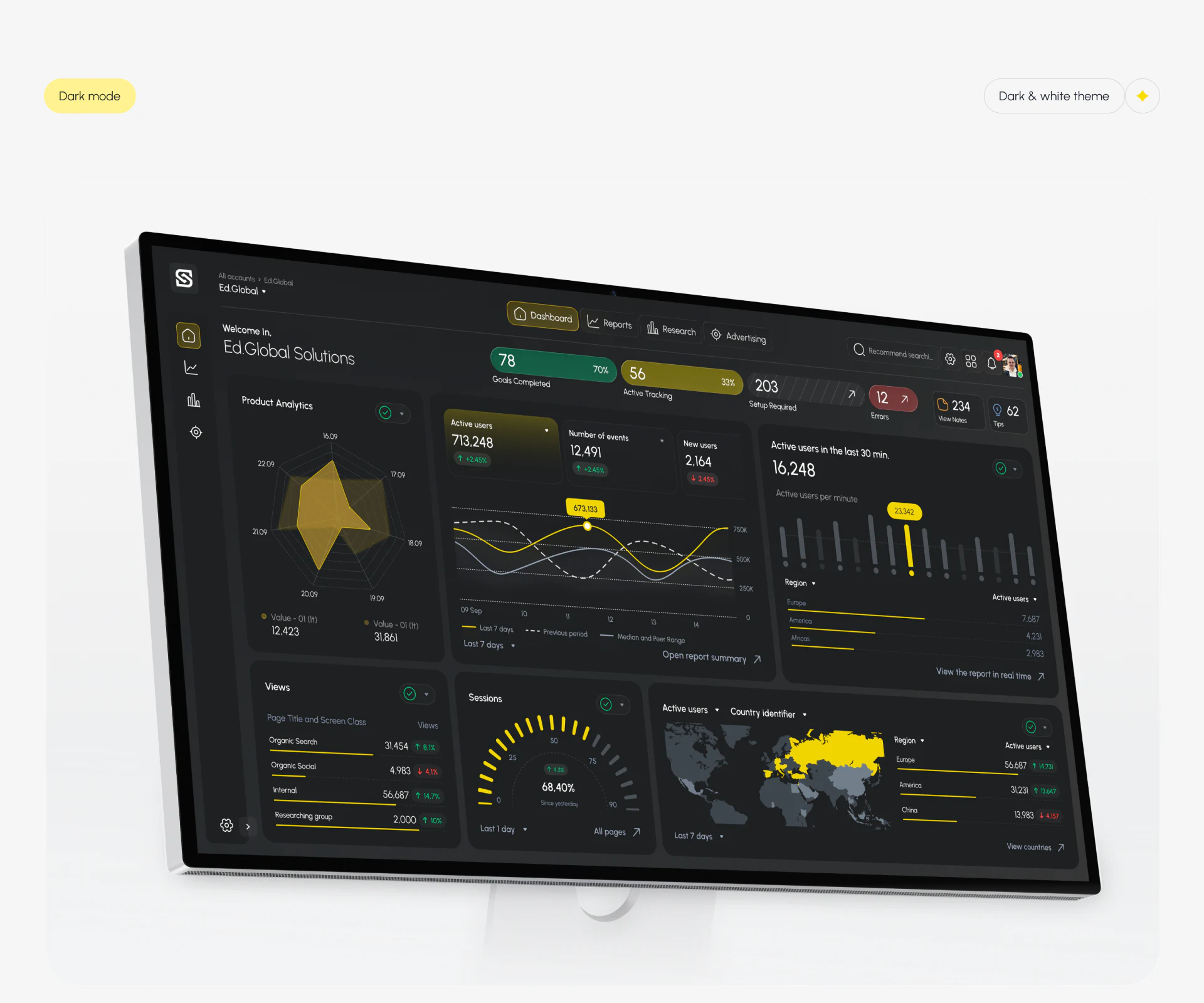
The dark view retains trends, real-time cards, lists, maps, and report entries, with yellow data lines standing out against the dark background. Each module uses its own graphic, allowing time comparisons, regional distributions, and detail inspection to coexist instead of turning every metric into the same row of cards.
The radar chart repeats Value 01 in its legend while using dates on its axes, so the series need clearer meanings. Last 1 day and All pages beside the semicircular metric suggest that scope should stay attached to its card. Light and dark visuals can create stylistic consistency, but analytical consistency relies on the connection between metric names, scopes, and reports, allowing users to trace every prominent number.
Give a rich analytics page a credible reading path
If your analytics product includes overview, real-time, retention, and conversion reports, first align metric names and scope, then design entries for comparison, explanation, and detail inspection.
JVDS Design Studio provides UI/UX design, website design, and development services, and can help organize analytics platform information, chart descriptions, and report pages.

















