
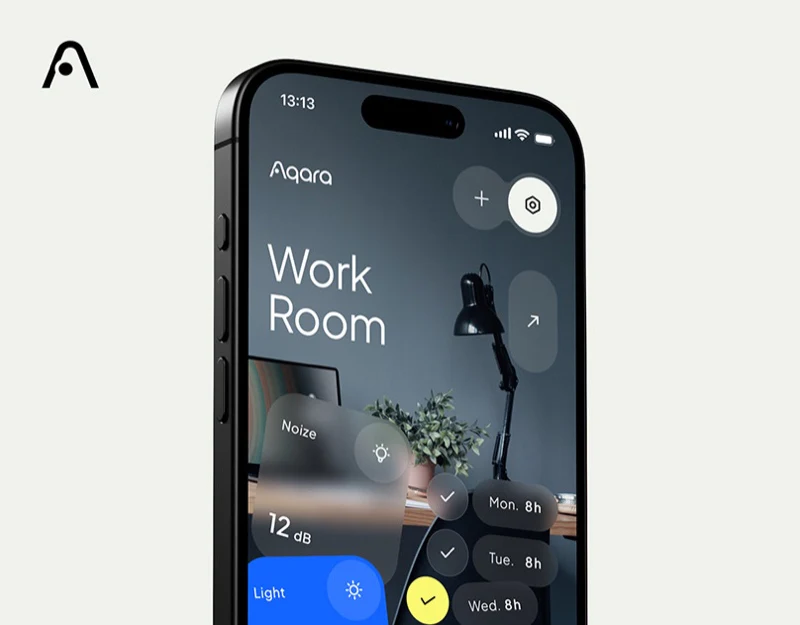
A Work Room photograph establishes the space before foreground readings and weekday cards. Settings use a blue time ring, and the website repeats these components. The strong unity invites closer examination of distinct room, parameter, and schedule identities.
Key takeaways
- Room photographs and parameter cards divide roles, introducing space before device models.
- Time rings have exact start/end text, and the website uses interfaces to explain product tasks.
Room photography gives equipment an everyday location
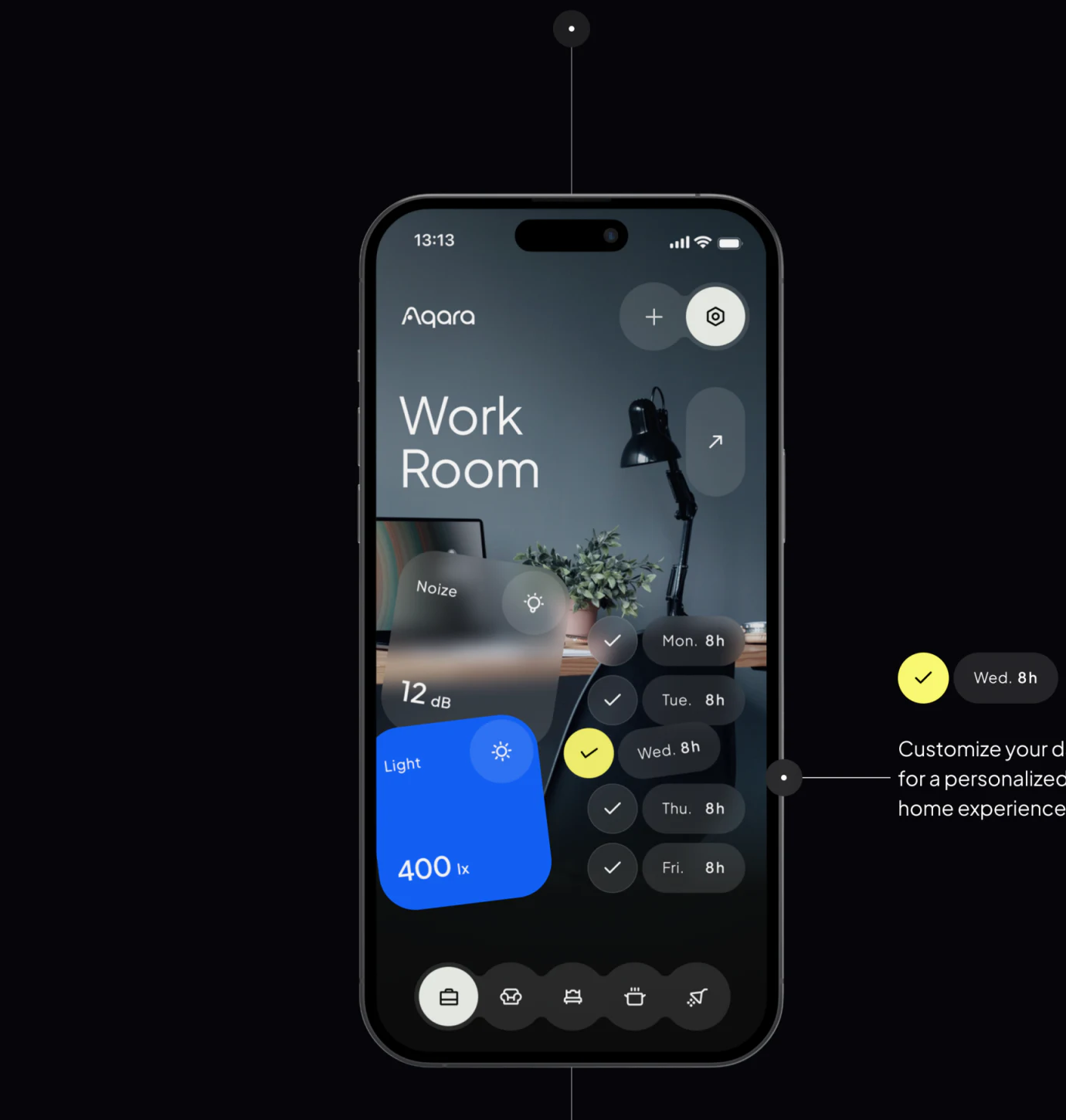
A lamp, desk, and plant form the room beneath Work Room, with Noize and Light left and weekday durations right. Photography sets context, cards define tasks, and lower room icons offer switching.
This suits spatial device organization without memorizing model numbers. Blue Light and yellow weekday selection create focus; translucent gray integrates with photos. Explain whether Light means one lamp, the room, or aggregate readings. Photography cannot define objects instead of words.
Noize and Light have similar icons but dB and lx units. Check names, icons, and units first so readers need not correct a graphic assumption through units. JVDS values that accuracy before transparency.
Rings show the interval; text supports exact checking
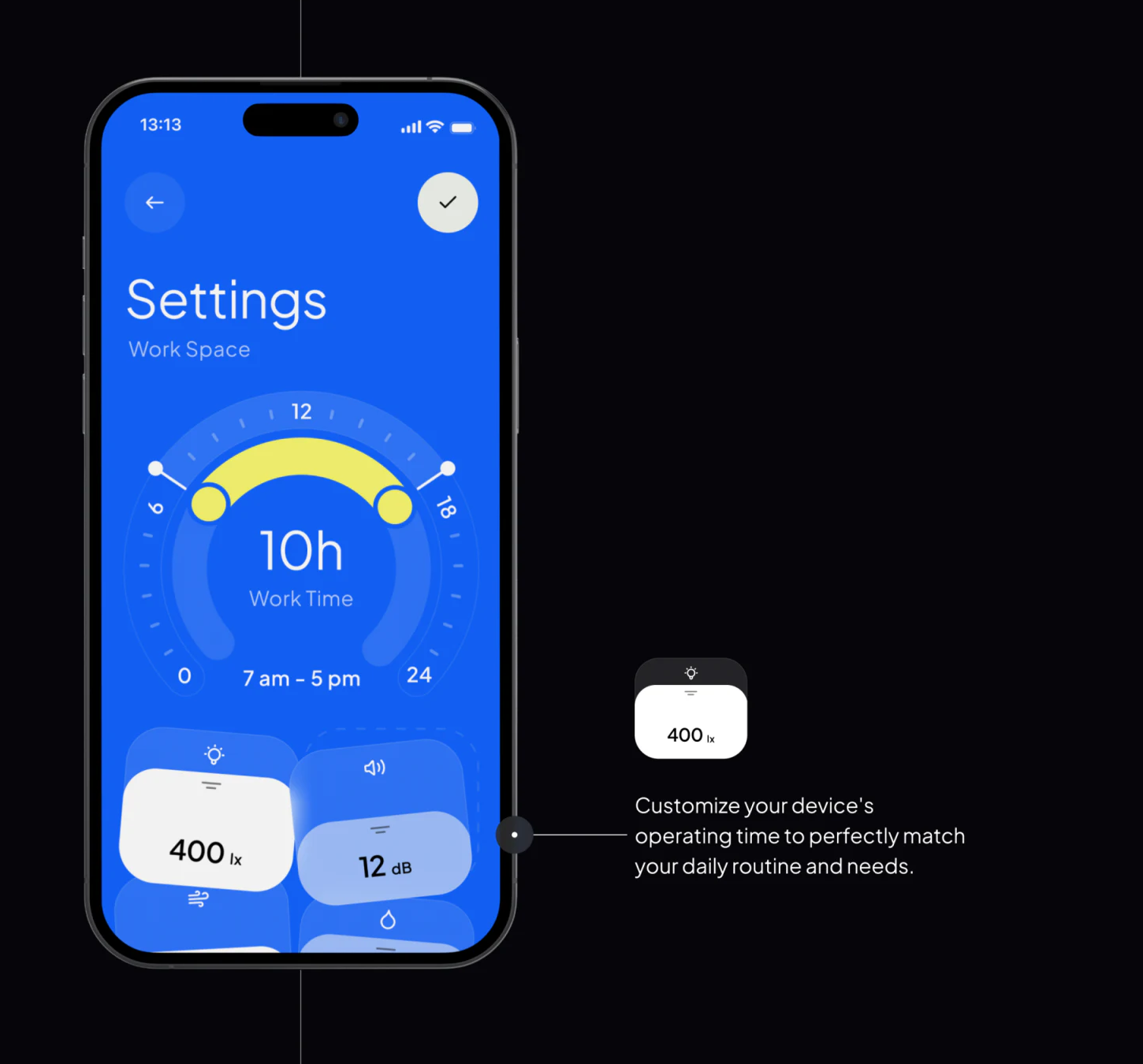
Blue settings use a yellow arc and endpoints, central duration, and 7 am–5 pm below. Graphics convey a span quickly while words confirm exact endpoints, a useful complement.
Check and back sit opposite above parameter cards. Saving should identify room, device, and weekday affected. Different homepage and settings durations do not establish a change occurred between presentation images.
JVDS would check overnight ranges, repeated days, and unsaved states. Current readings and presets need separate labels, since saving schedules may not immediately change readings. Keep the ring simple without removing precision.
The website connects introductions through actual interfaces
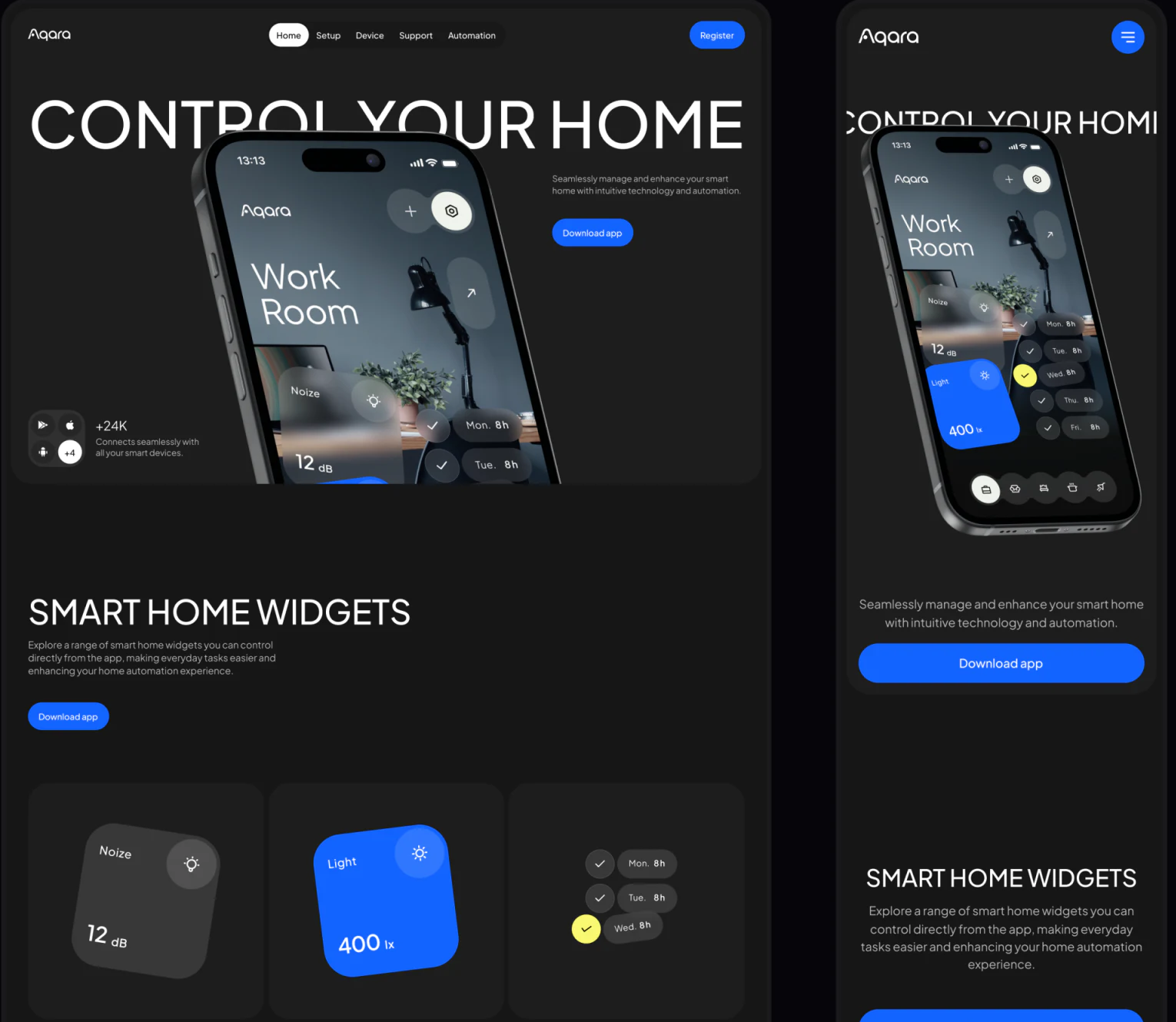
An angled phone beneath Control Your Home leads into Smart Home Widgets with gray-blue parameters and weekday components. Black backgrounds and blue downloads across desktop and mobile make the app layout recognizable.
Screenshots show use more directly than separate abstract visuals. An introduction can follow room choice, object identification, time adjustment, and checking, explaining one setting before download. Supported devices and conditions need actual materials.
JVDS sees shared colors and components as useful while explanations follow reading tasks. Visual continuity and a restatable action are separate layers; clear readings and settings add more value than another device rendering.
Frequently asked questions
How can a home app separate readings from settings?
Label live values, targets, and schedules separately, stating object and effective scope on saving. Similar cards do not imply the same meaning.
Design review checklist
- Align parameter names, icons, and units.
- Restate room, device, weekday, and period before saving.
Organize room control and settings feedback
If your smart-home or device app needs clearer scene homepages, parameters, and schedules, bring device objects and states to discuss.
JVDS Design Studio provides UI/UX design, website design, and development services to help organize page content, interface structure, and implementation needs.

















