
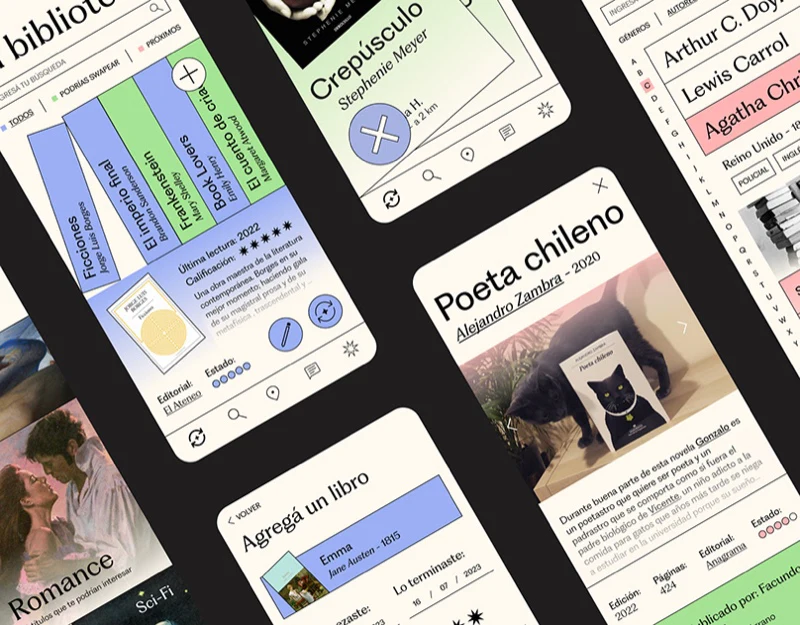
BookSwap brings physical spines, reading notes, and exchange requests together. Book exchange app design needs more than an attractive shelf: books read, copies available to exchange, and books another person wants must have clear relationships.
Shelf forms provide a familiar entry into a collection
The private library uses pale cream, serif headings, and vertical spine names and authors. Ficciones and Frankenstein vary color and angle, with a circular plus like a tool beside the shelf. Familiar physical forms make the list recognizable, while search and categories add lookup ability.
Selecting a book reveals a blue area with cover, last-read time, rating, short review, publisher, state dots, and edit/exchange icons. The task shifts from holdings to this copy’s situation. If dots represent condition, explain them in words; reading times and ratings should remain separate from exchange availability rather than prove the physical copy is usable.

Reader content needs explicit ownership
Another group pairs the shelf with Poeta chileno. Title, author, year, physical photograph, and introduction identify it before portrait-and-star reader reviews and numbered notes. Underlines, green highlighting, and pink annotations distinguish reading marks without one long text block.
Introduction, public reviews, and private excerpts share a book but different expectations. JVDS prefers source and visibility labels, showing who wrote a note and whether others see it with an exchange request. Color helps locate it; ownership determines interpretation and use.

Requests show the object and the other person’s preference
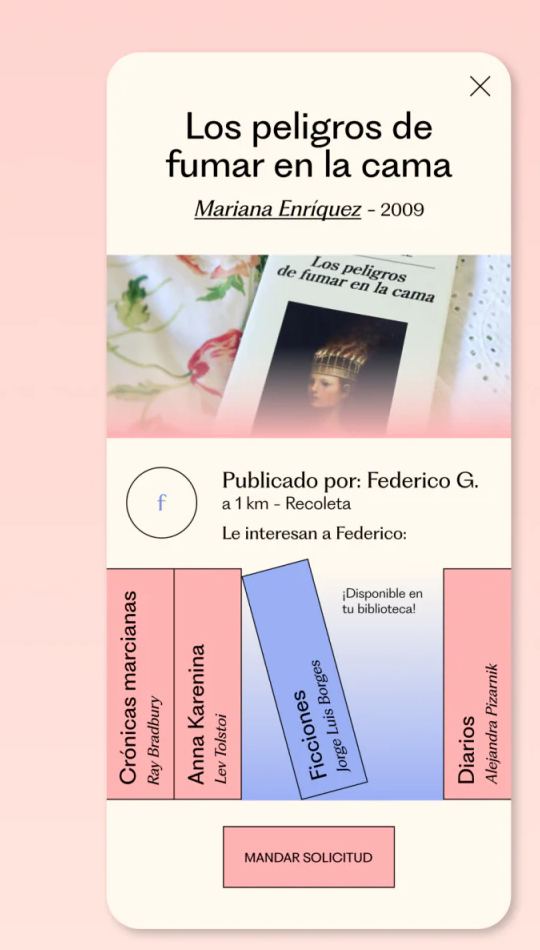
The request first names Los peligros de fumar en la cama, author, year, and physical image, then Federico G. and a nearby location. Spines below show desired books, with Ficciones marked available in your library before sending. Exchange becomes a comparison of both sides’ conditions rather than one-sided saving.
Matching titles is a good start, while edition, language, and actual condition can affect suitability. Add these beside matched entries and explain awaiting confirmation near the button. Locations can describe meeting areas without overly precise personal information merely to create trust.
Showing what the other person wants before requesting is useful. Spines evoke reading interest and explicit matches reduce comparison effort. Together they make a library the start of an exchange task.
Connect collections, reading, and exchange
If a reading or secondhand-exchange product manages personal records and mutual transaction conditions, organize book identity, availability, and request confirmation before shelf visuals.
JVDS Design Studio provides UI/UX design, website design, and development services, helping design libraries, details, content permissions, and exchange requests.

















