
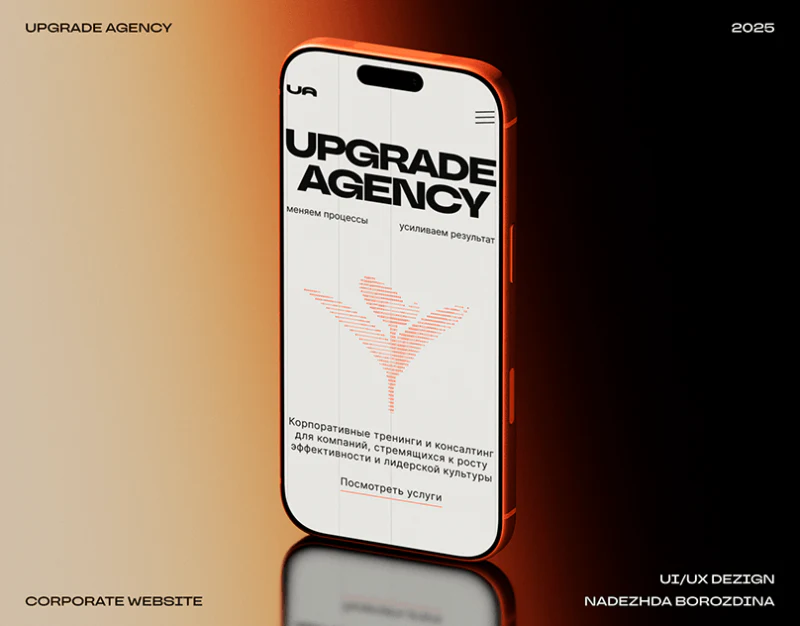
Upgrade uses cream, fine grids, and large black type for a rational character, with orange marking keywords, numbers, and case data. Services, process, cases, and team use different arrangements connected by lines and color. Partnership evaluation asks what is offered, how work proceeds, relevant experience, and who is responsible; these questions provide a useful reading approach.
Key takeaways
- Vertical service lists and horizontal process cards distinguish scope from implementation sequence.
- Case rows summarize names, scale, and metrics, with definitions returning to individual cases.
- Names and roles use different colors amid varied portraits, retaining stable professional identities.
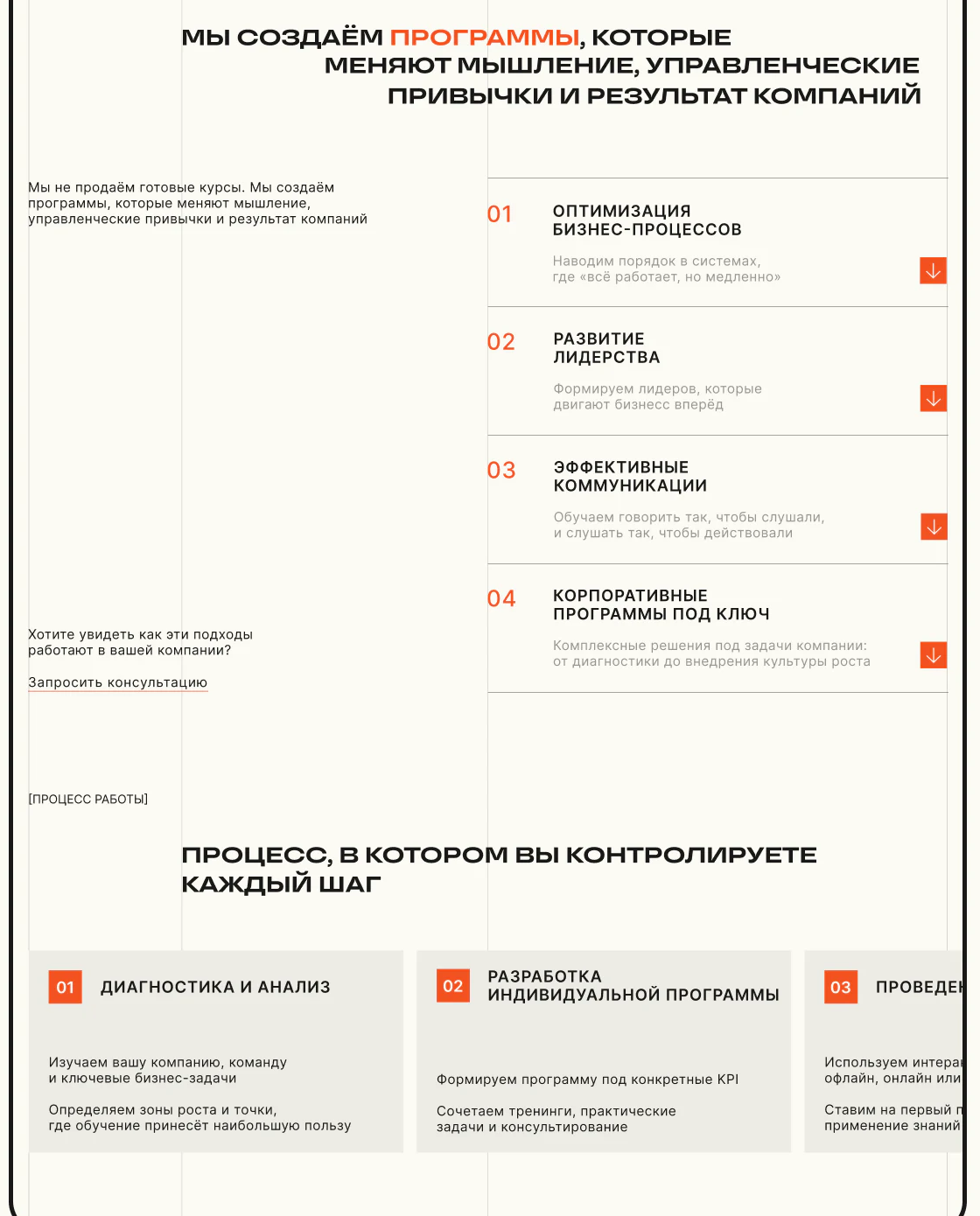
Services and processes use two directions
A black-orange heading leads into a short overall explanation left and services 01 to 04 right. Bold titles, pale descriptions, orange arrows, and fine dividers separate rows. Empty left space and dense right content divide proposition from specifics.
Horizontal pale-gray process cards follow, with orange number blocks and text for diagnosis, analysis, and individual project development. Both sets use numbers but different directions. Services answer what; process answers how, inviting a change in reading question.
Repeated 01 and 02 may suggest one-to-one correspondence. Headings should define each numbering scope, with expanded services explaining tasks, deliverables, and next steps. The grid can then carry concrete partnership information beyond neat alignment.
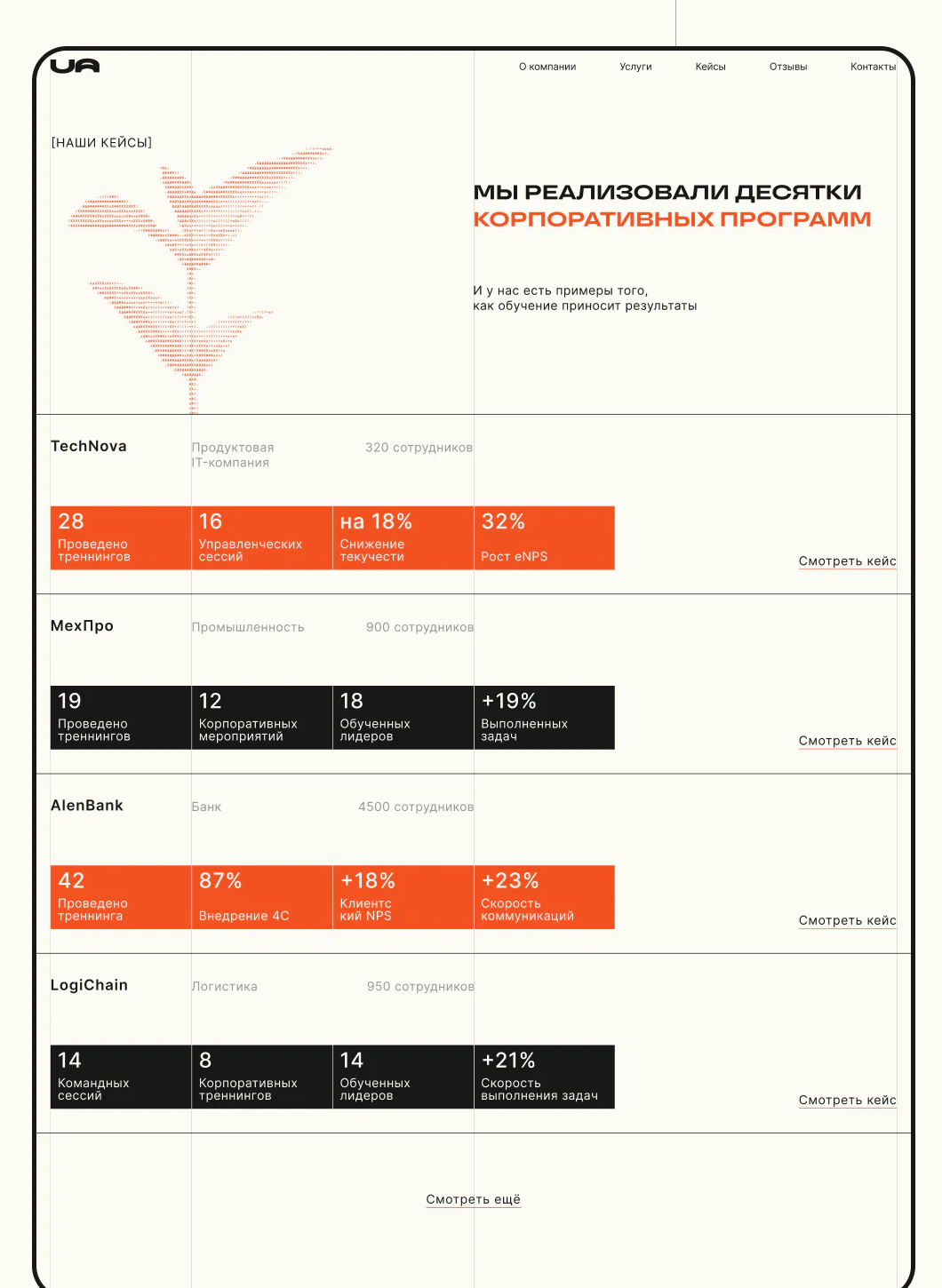
Case figures summarize, and entries lead to detail
TechNova, MexlPro, AlenBank, and LogiChain each occupy a row with name, industry, and staff scale above four data blocks. Orange and black alternate, with case-view text on the right. Stable positions support scanning before choosing details.
Training counts, meetings or activities, personnel, and eNPS/NPS percentages have different dimensions and combinations. Modules can show case character, but comparisons need labels rather than assuming larger percentages mean better suitability.
JVDS prefers summaries leading to explainable details: original problem, service scope, participants, stages, and metric definitions together, with periods and baselines. Visitors need relevance to their organization. Consistent blocks locate information; specifics justify comparison.
Role colors separate responsibilities from names
A larger leader portrait has name, orange role, and introduction, followed by four staggered members. Sizes and positions vary, but names stay near images and roles remain small orange text. Visual rhythm retains responsibility cues.
The leader introduction includes years and experience; members have training and management roles. Connecting people to service pages and cases could let visitors find relevant specialists or participating roles. Photos create impressions while roles and experience explain collaboration.
A further-team entry below echoes service inquiries with orange underlining. Light contact actions suit gradual content guidance; after a service or case, a contextual inquiry could retain what was just read.

Frequently asked questions
Must all training cases use identical metrics?
No; goals can differ. Summaries need labels and details need periods and baselines. Comparison requires genuinely comparable conditions, beyond a shared four-block format.
Design review checklist
- Separate service and process numbering, with scope and deliverables.
- Connect case figures to problems, stages, and metric explanations.
- Link team roles with services and cases, retaining context in inquiries.
Turn training services into partnership evaluation information
If your training website introduces services, cases, and teams, JVDS Design Studio can help with UI/UX, website design, and development for scope, process, and inquiries.
Start with service lists and case materials to discuss what visitors need to evaluate a partnership.

















