
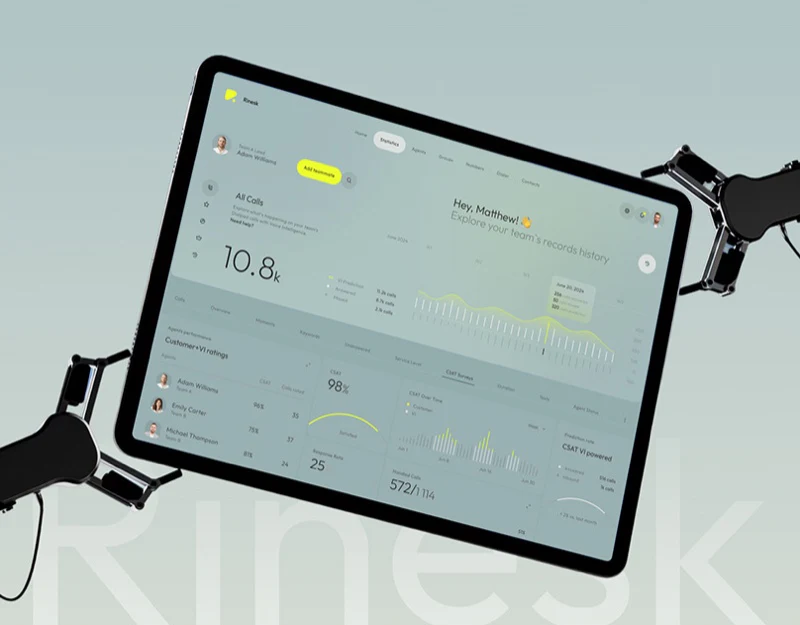
A satisfaction score of 98% stands out, but reading a dashboard should not end there. In this call centre dashboard design, Rinesk places call totals, trends and agent ratings on a grey-green background, using small amounts of bright yellow to guide the eye. Its visual appeal is immediate. A detail more worth borrowing is the rating count in the agent list, which gives a good-looking score a basis for further questions.
Key takeaways
- When actual calls and predictions share a chart, the legend, line treatment and dated tooltip should explain their difference together.
- Keeping rating counts beside satisfaction helps readers understand the sample behind a percentage.
- Mobile dashboards reduce the space for comparison across a row and depend more on clear titles, sequence and reporting periods.
Call trends first need a clear reporting period
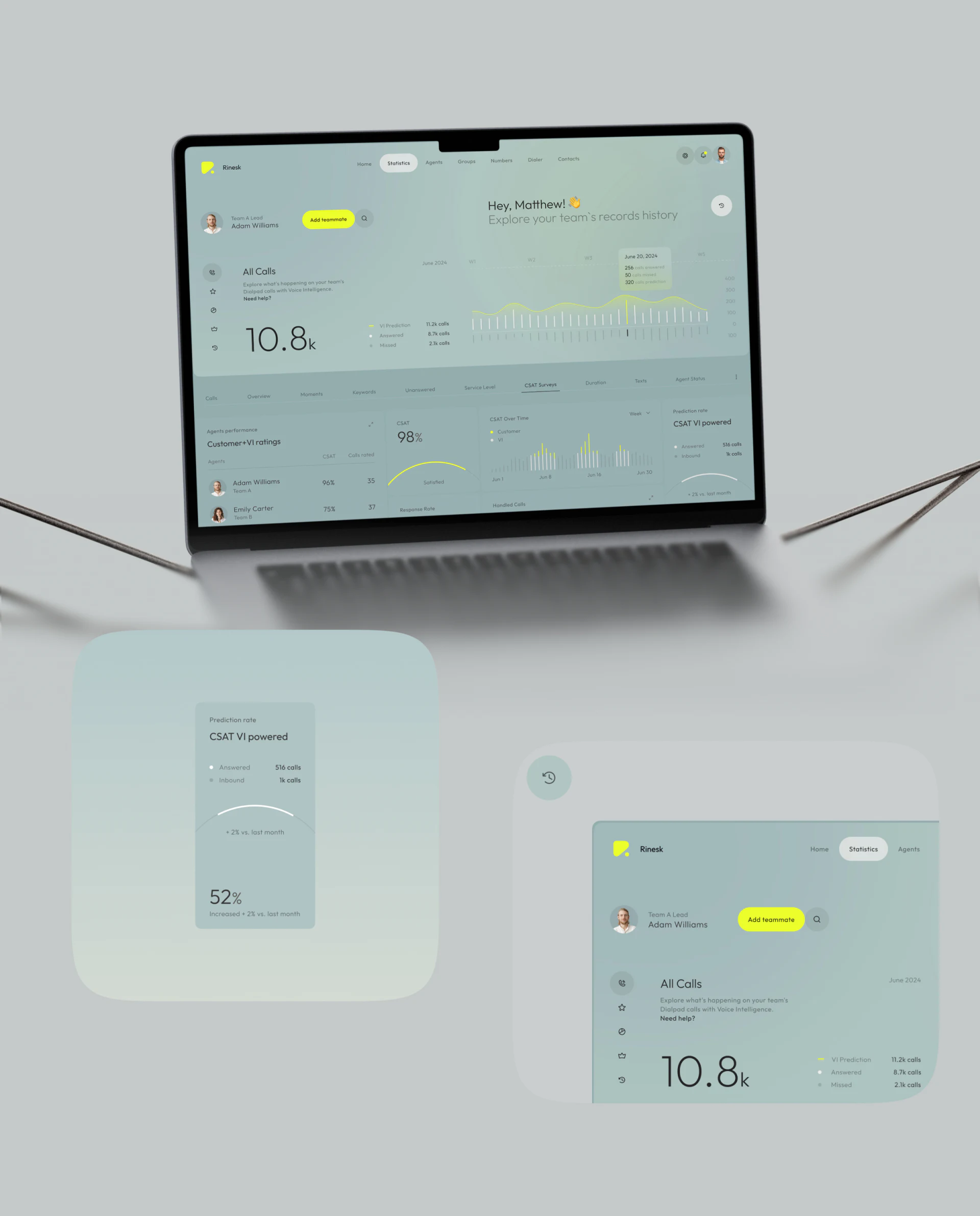
The desktop page marks Statistics with a white capsule. All Calls shows 10.8k below, followed by the VI Prediction, Answered and Missed legend to the right. All three labels are retained, with yellow, white and grey marks corresponding to the chart. Readers have somewhere to check which part of the graphic represents a prediction.
June 2024 sits above the chart, with W1, W2, W3 and further weeks across it. A June 20, 2024 tooltip brings 256 answered, 50 missed and 320 prediction together. These are example values in the artwork. The tooltip reconnects a date with several measures, so that moving from a total to one day does not require looking elsewhere for the explanation.
We would pay particular attention to the yellow. The curve is easy to notice first, which can make the prediction the chart’s visual lead. If managers mainly come to review calls that have already happened, actual values also deserve enough presence. Decide the reading task before choosing which line attracts the most attention.
The satisfaction card is simple, but rating counts matter
CSAT 98% uses a large number and a yellow arc, with Satisfied underneath. The card stays light by leaving some explanation elsewhere. CSAT Over Time beside it distinguishes Customer and VI, connecting a current figure with change over a period. Overview and trend have separate places instead of competing inside one card.
The agent area has Agents, CSAT and Calls rated columns. In the phone image, Adam Williams has 96% beside 35, while Emily Carter has 75% beside 37. That is a useful place to pause: alongside the score, there is at least a count of rated calls. Keep only the percentages and the two rows could easily look like a simple ranking.
At JVDS, we value information structures that allow the next question to follow. When a manager notices a change in an agent’s percentage, they may ask which week it covers, how many ratings there were and which calls are involved. Connecting the reporting period with a detail entry supports that next judgement. Colour can lead the eye, but those clues still need a place.
The phone changes the reading sequence rather than shrinking the desktop
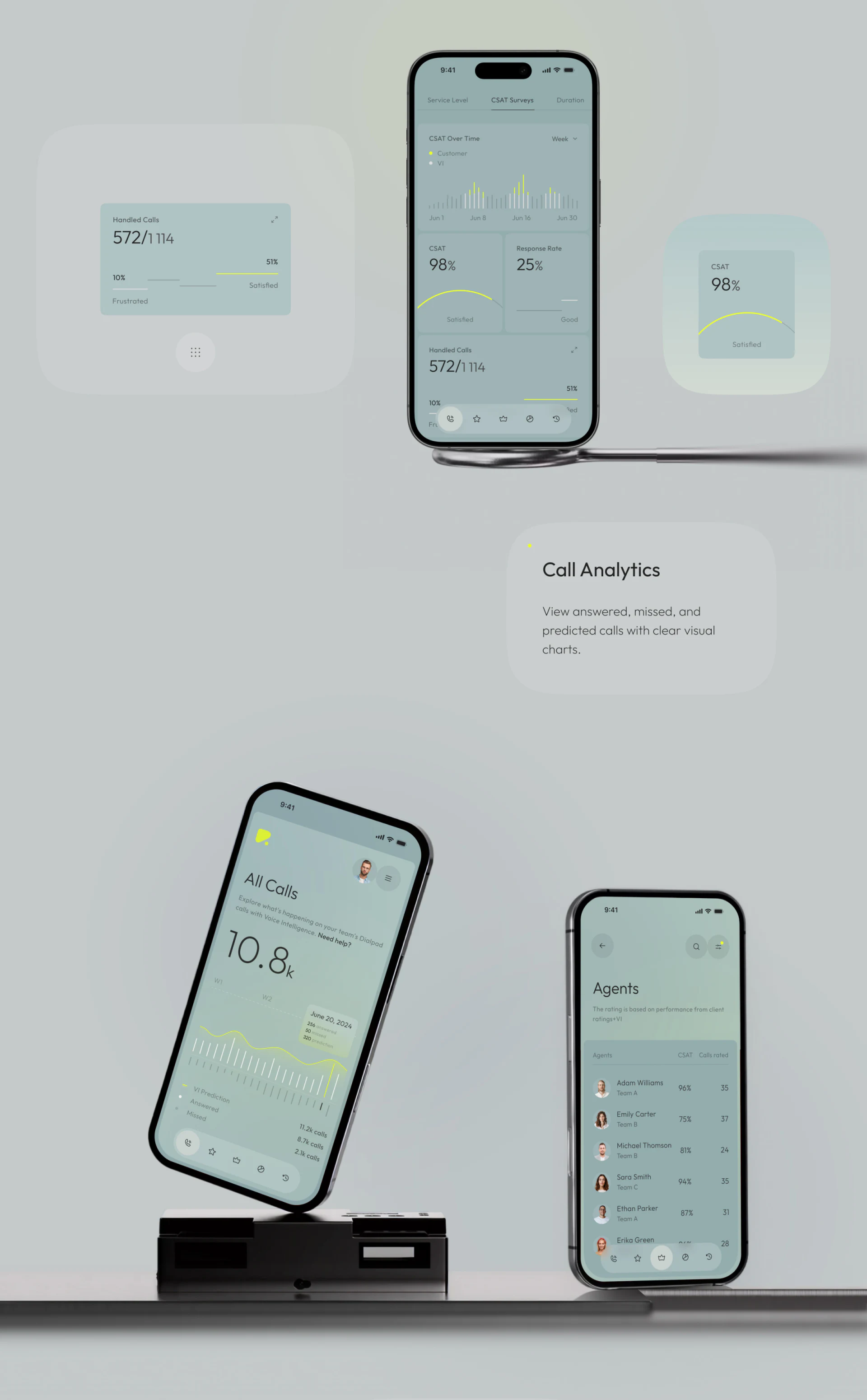
The phone begins with CSAT Over Time, places CSAT and Response Rate side by side below, then continues to Handled Calls. The trend, two percentages and call volume form a vertical sequence. For someone checking the phone briefly, this offers a more readable order than scaling the entire desktop dashboard into a small screen.
Handled Calls shows 572/1114, with 10% and 51% in different positions. The card has a visual rhythm, but it also needs to explain the relationship between numerator, denominator and percentages. If a user captures just one card to send to a colleague, surrounding context can disappear. We would retain essential reporting information within the card itself.
Another phone opens Agents separately, bringing avatar, name, team, percentage and rating count together in each row. That suits looking at specific people. The floating navigation is conspicuous at the bottom; its distance from the final row deserves attention when adapting the layout. A well-presented navigation bar should still leave the data being compared visible.
Frequently asked questions
Is a percentage enough for a customer satisfaction dashboard?
A percentage is useful for a quick overview, but readers should also be able to find the rating count and reporting period. The same proportion can come from different numbers of ratings, and that information supports further judgement.
Can predicted and actual calls share one chart?
Yes, provided that names, graphics and date ranges clearly distinguish them. Readers should not have to infer the difference from colour alone; tooltips or detail views should retain the separate measures.
Should a mobile dashboard keep the entire desktop layout?
The content can remain, while the order should follow tasks on the phone. Overviews, trends and agent details have different reading patterns; fitting them all into one screen can make comparison harder.
Design review checklist
- Check that predicted, answered and missed calls each have a clear name and legend.
- Find rating counts and reporting periods alongside satisfaction.
- Capture one metric card on its own and check that numerator, denominator and units remain understandable.
- Review the last row of the agent list on a phone to check that floating navigation does not obscure it.
Planning a support or enterprise management product?
If your system also includes team dashboards, agent ratings or operational statistics, bring the existing measures and pages to the discussion. We can work through which figures belong in an overview and which questions should lead to details.
JVDS Design Studio provides UI/UX design and corporate website design and development, helping organise management interfaces and the content used to introduce the product.

















