
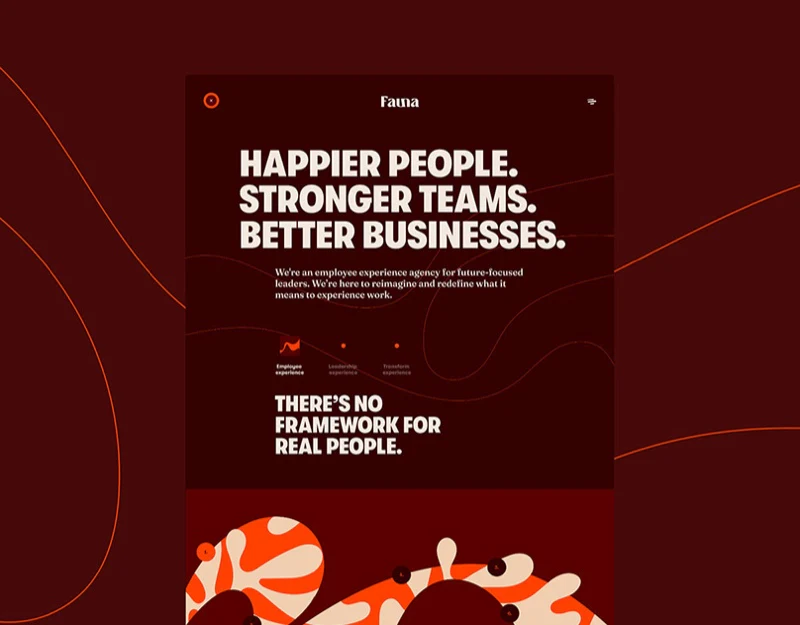
Fauna presents employee experience through deep red, orange curves, and large type. Services are broad while visitors often bring specific problems. A lifecycle organizes scope, with research and cases adding understanding.
The entry introduces a whole-career theme
EXPERIENCE occupies the largest central scale, with a small first-meeting-to-farewell proposition below. Cream-orange curves cross deep red, with central down arrows and lower Experience, Work, Ideas, and People navigation. Large type states theme and small copy explains span before detailed services.
Organic curves suggest connection without explaining consulting deliverables. The mood needs service names in the next layer. Visitors with known interests should find navigation or an in-page directory without following the whole narrative.

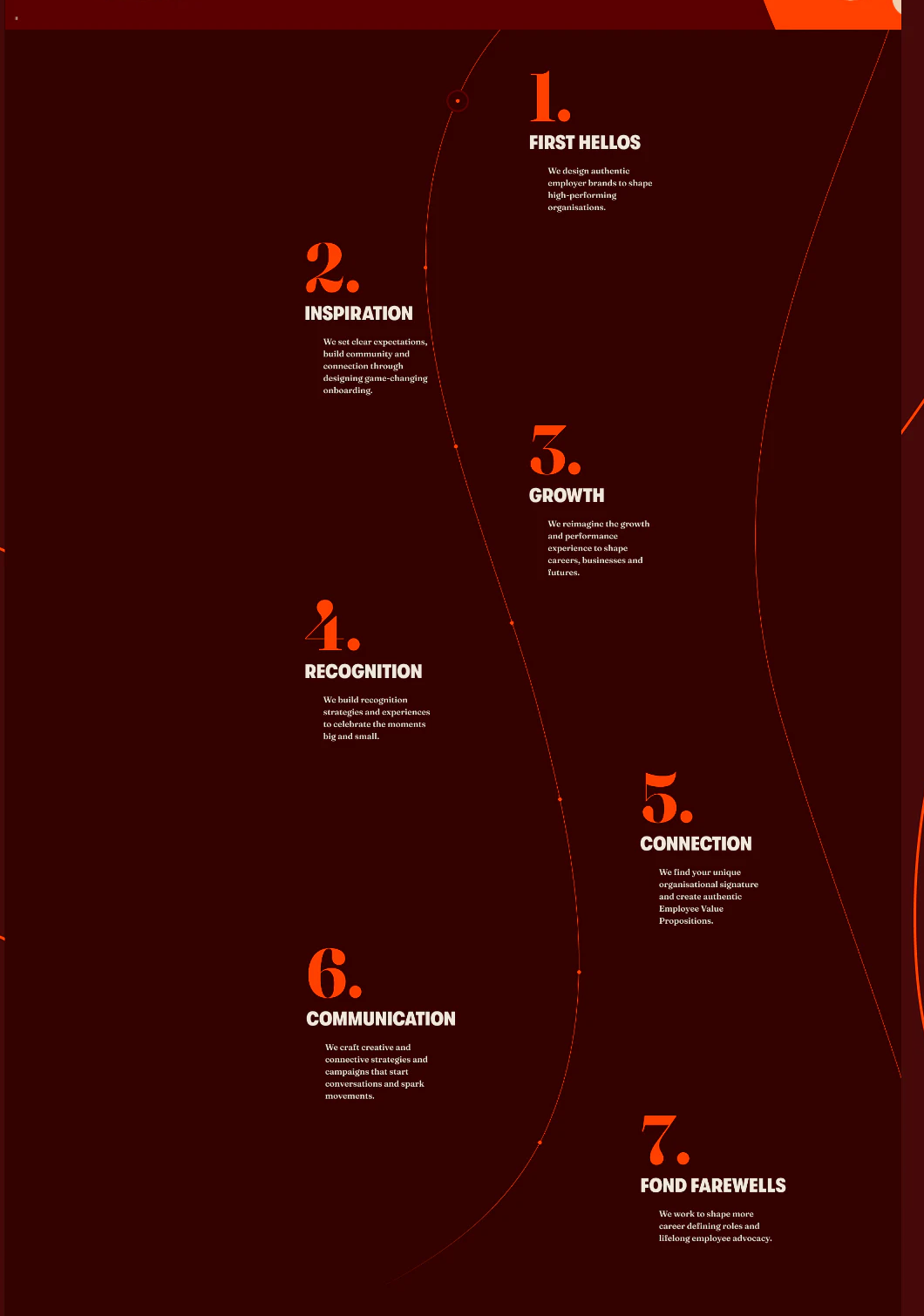
Seven stages make scope discussable
Seven numbers follow an orange curve with alternating titles and explanations. First Hellos concerns employer branding, Inspiration onboarding, and Growth development and performance, followed by recognition, connection, communication, and departure. Numbers stabilize progression and alternating layout varies the long page.
This describes scope rather than requiring every organization to complete seven consulting steps. Short explanations turn employee experience into topics. JVDS prefers direct access through stage headings, linked cases or deliverables, so visitors interested only in onboarding or communication can assess fit quickly.
The curve travels through whitespace, linking paragraphs that still need independent meaning. Key services in titles and opening sentences support scanning rather than making understanding depend on decorative direction.
Research and cases carry different trust tasks
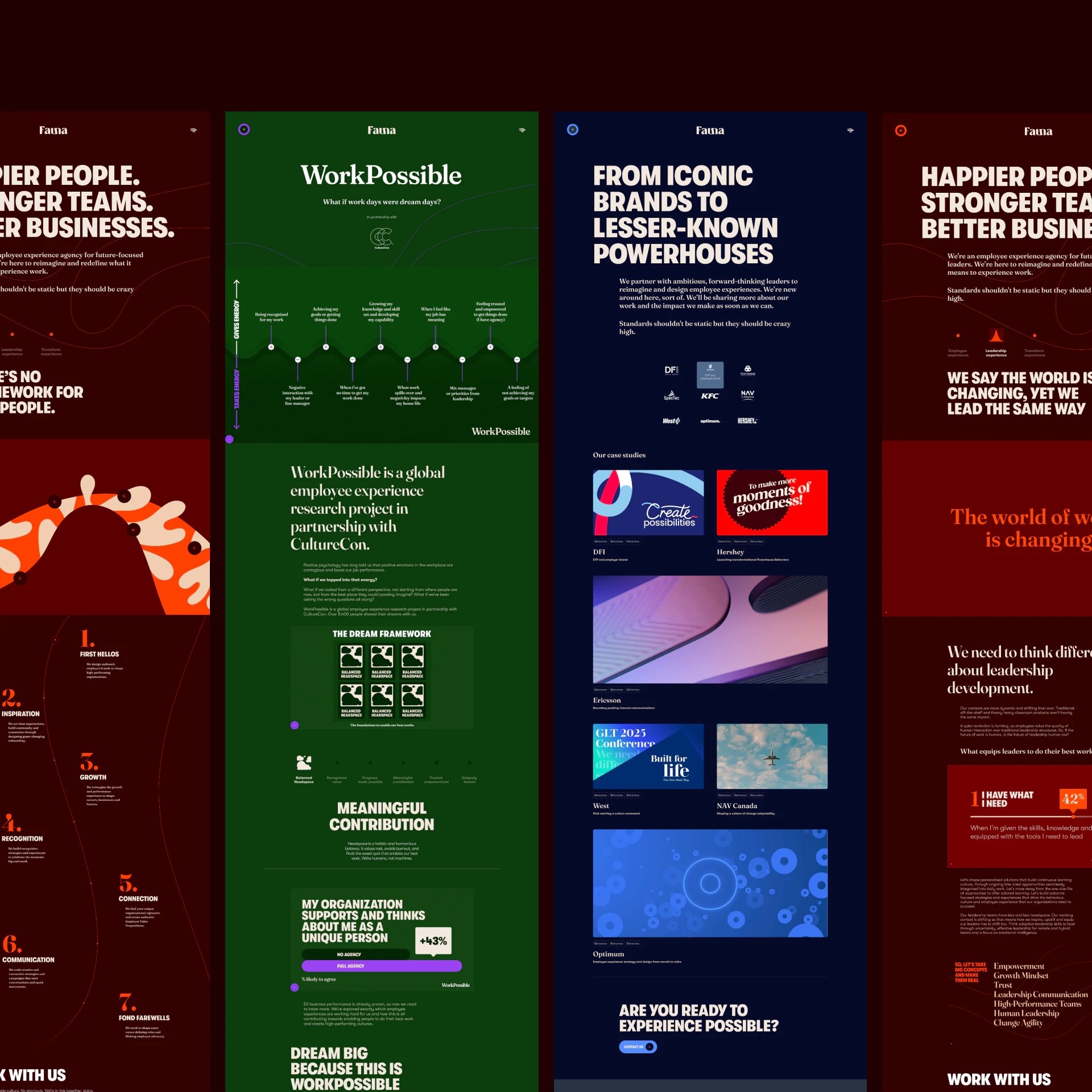
The green research page sketches energy relationships before frameworks; the blue work page starts with proposition and brand marks before cases. Color and sections distinguish explanations of views from project content.
Framework overview cards repeat titles while expanded sections use different themes, requiring alignment. Cases can summarize actual problems, scope, and evidence rather than letting brand names persuade alone. Research explains how consulting sees a problem; cases explain the context of use. Connected, they give visuals firmer content support.
Make consulting content easy to understand and match
If your consulting brand organizes principles, research, and cases into a website, define visitors’ starting problems and direct content paths for each.
JVDS Design Studio provides UI/UX design, website design, and development services for consulting structures, cases, and inquiry pages.

















