
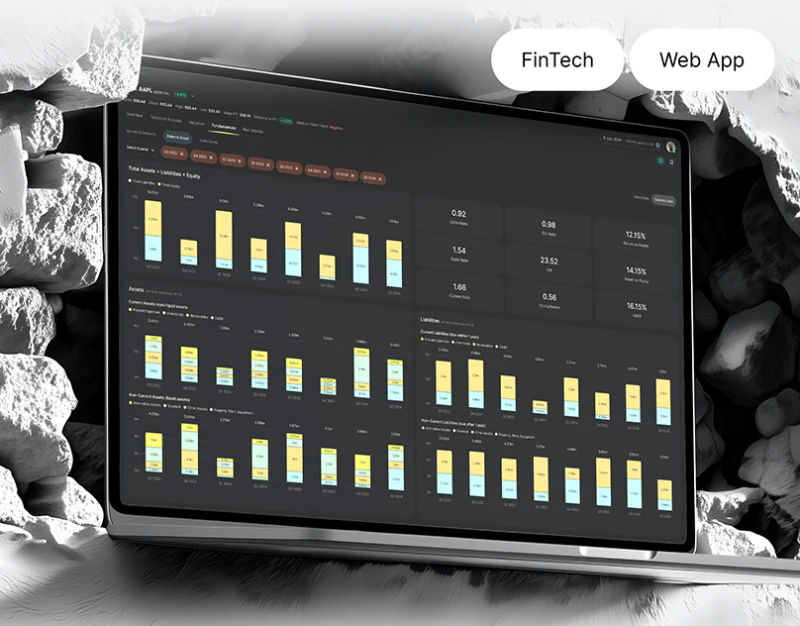
Sigma organizes filters, charts, and historical records in a dark workspace, with yellow current sections and main actions. Despite density, header conditions, object names, and action words provide references. Results in such a research interface need explicit conditions and time context.
Key takeaways
- Filter ranges near results make dense tables checkable.
- Charts, configuration, and history need shared object and time context.
Headers retain the basis for results
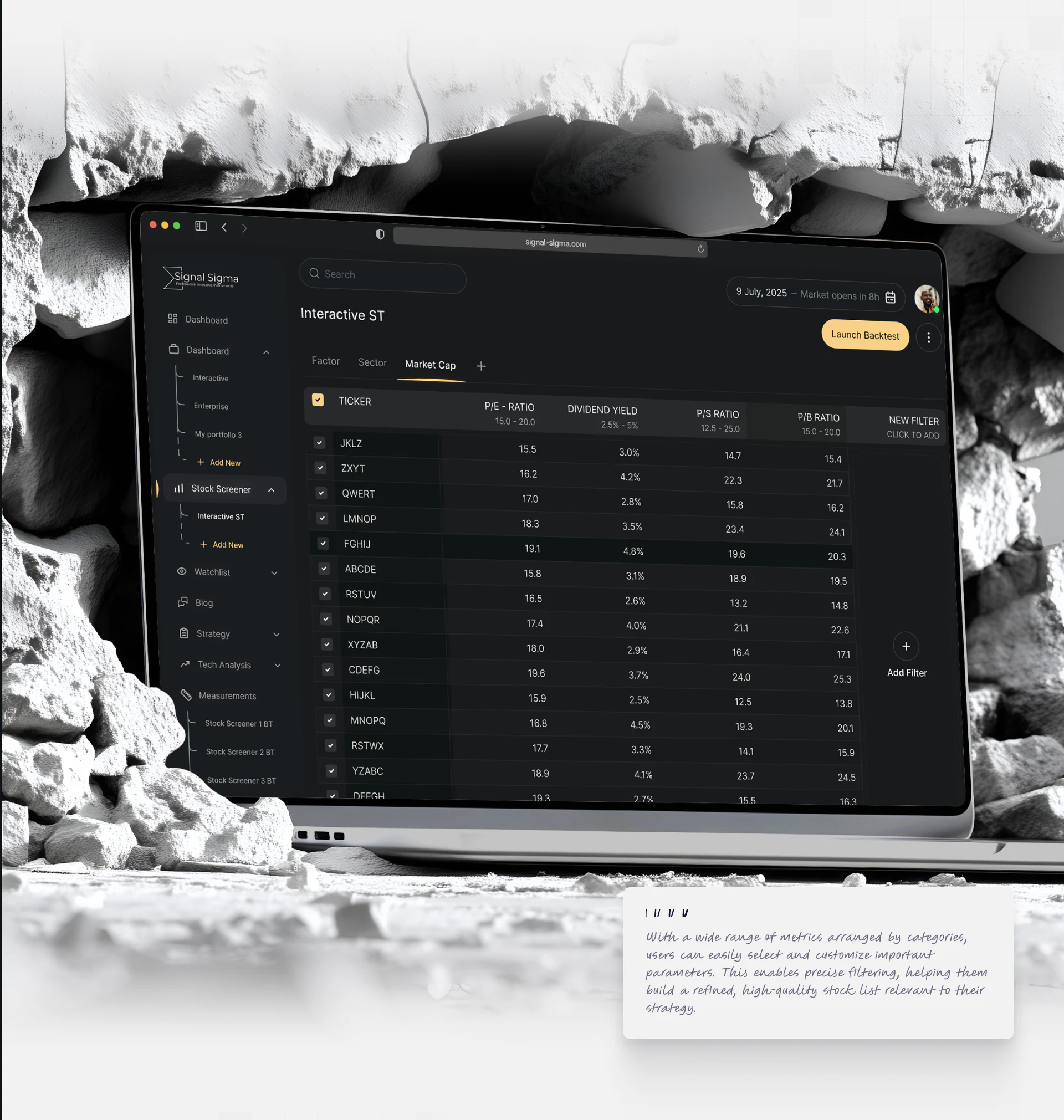
Stock Screener places ranges beneath P/E and Dividend Yield, aligns values in columns, and offers filtering additions right. Conditions and results share the screen for recurring checks without reopening settings.
Ranges are smaller than row values while yellow Launch Backtest stands out. JVDS prefers readable conditions before emphasis on execution, with summary, selected rows, and update time identifying scope.
Detailed editing can be centralized while effective summaries remain near dense tables. New filters need counts, empty feedback, and pending-update states; tidy rows alone do not establish that new conditions have been applied.
Objects and time controls stay consistent
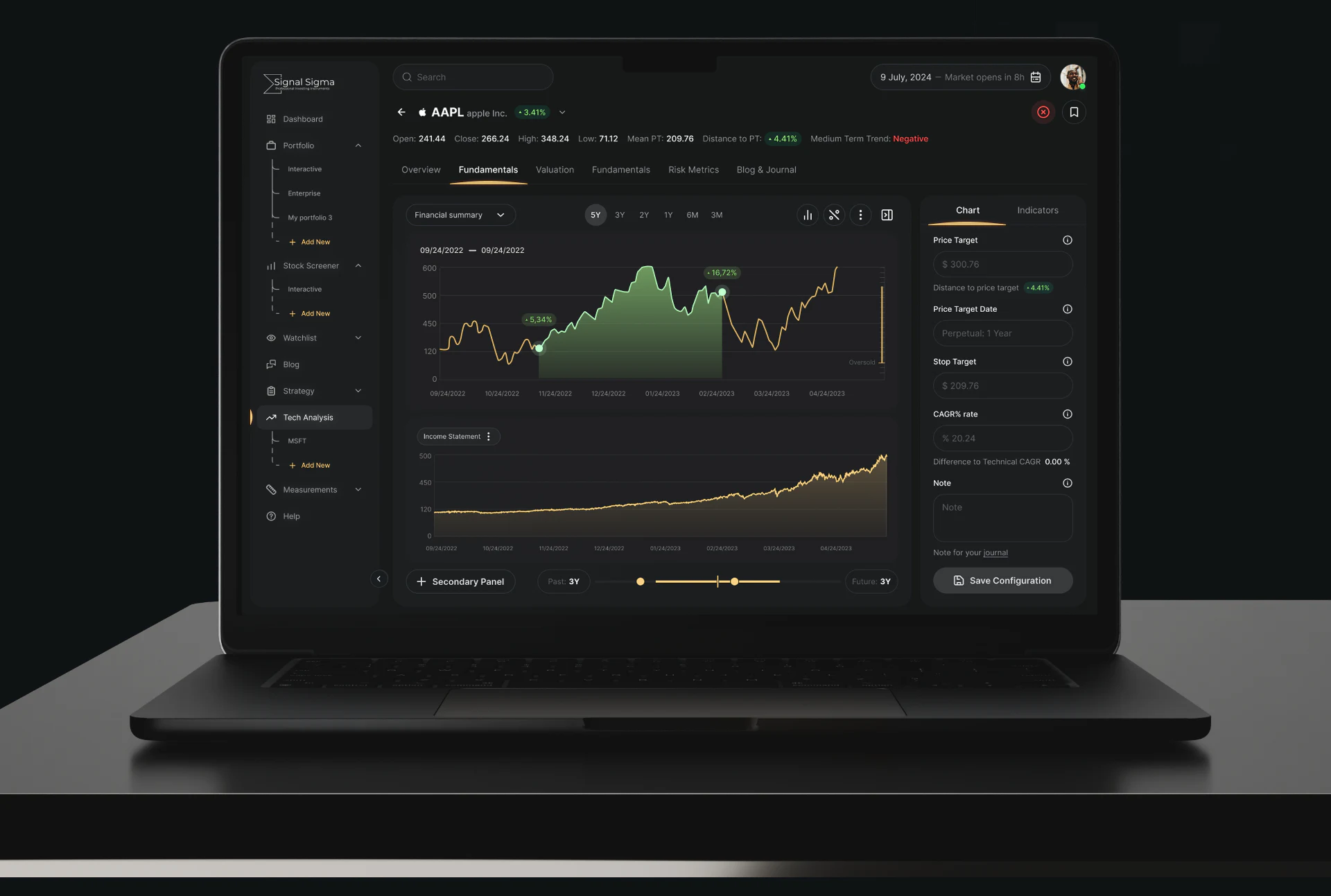
The chart workspace retains object name above, several curves centrally, parameters right, and time controls below. Stable areas support movement between objects, charts, and configuration.
Range controls should identify the chart they affect, with historical records separate from future estimates. Green fill, yellow lines, and control points establish hierarchy, while labels and legends explain meaning.
Repeated section names need more than yellow underlines to distinguish entries. Object, current sidebar item, and chart titles should agree. Saved configuration versions also identify whether a note refers to before or after a change.
Words make operations traceable
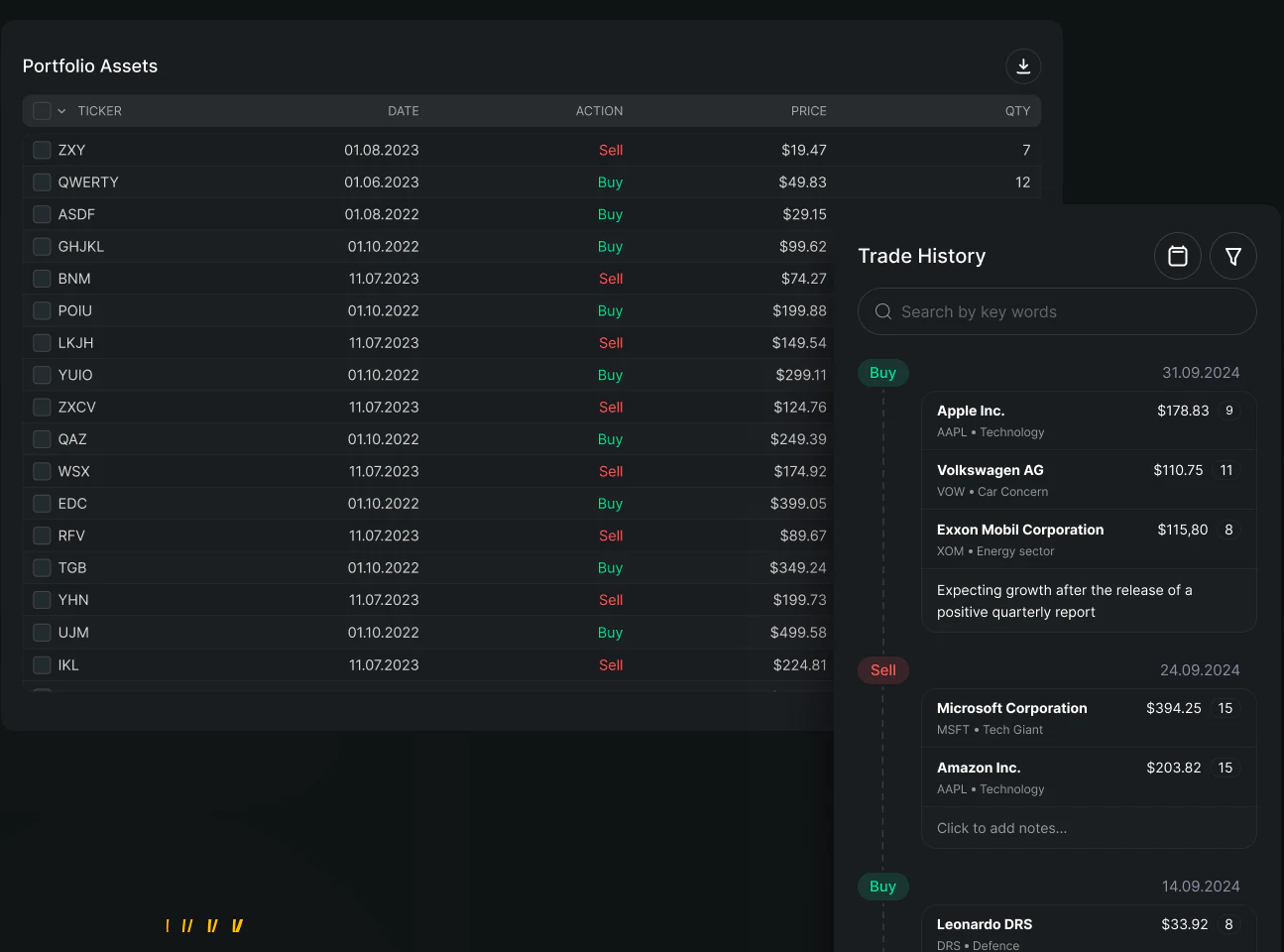
Portfolio Assets lists ticker, date, Action, price, and quantity; Trade History adds company names and notes. Buy and Sell use words with green/red, avoiding color-only record classification.
31.09.2024 appears in history, so even examples need basic validation. Notes could add author, update time, and record identifiers. Plans, orders, and completed records should have separate names when shown together.
Expected outcomes in notes are research context, not realized results dressed in color. Interfaces can reconnect conditions and records; returns or strategies cannot be judged from attractive curves and orderly tables.
Frequently asked questions
Should all filter conditions be hidden in an overlay?
Detailed editing can be centralized, but effective summaries should remain near results, especially for recurring checks in research tasks.
What identifies a research note?
The object, record or configuration version, author, and time. Expectations and completed operations need separate labels.
Design review checklist
- Make conditions, selected rows, and execution scope clear.
- Point objects and time controls to the same material.
- Use valid dates and attributed records for notes.
Make research information traceable
Research platforms can organize condition summaries, object headings, and record versions before adjusting table and chart density.
JVDS Design Studio provides UI/UX design, website design, and development services, helping organize page content, interface structure, and implementation needs.

















