
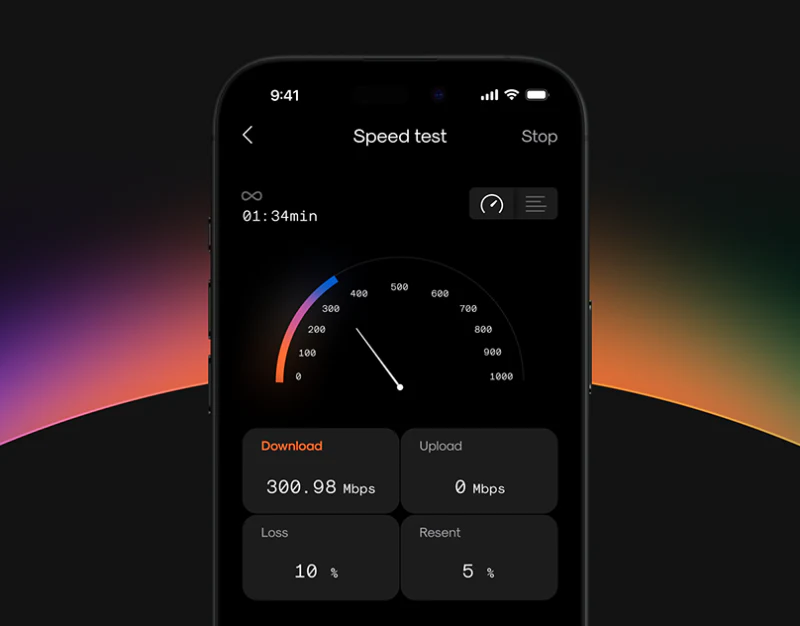
A speed test is often reduced to one number, but its usefulness depends on what the test is doing, its connection and measurement conditions. Netti places gauges, curves, logs and network information in different views. These let people ask about conditions beyond speed; similar cards must preserve rather than blur test states.
Key takeaways
- Gauges and logs answer different questions, while values still need explicit test phases.
- Servers, transmission mode and duration remain near results so related conditions are findable.
- Phone connection details and watch metric names and units need consistent result definitions.
Three views emphasize different aspects of speed testing
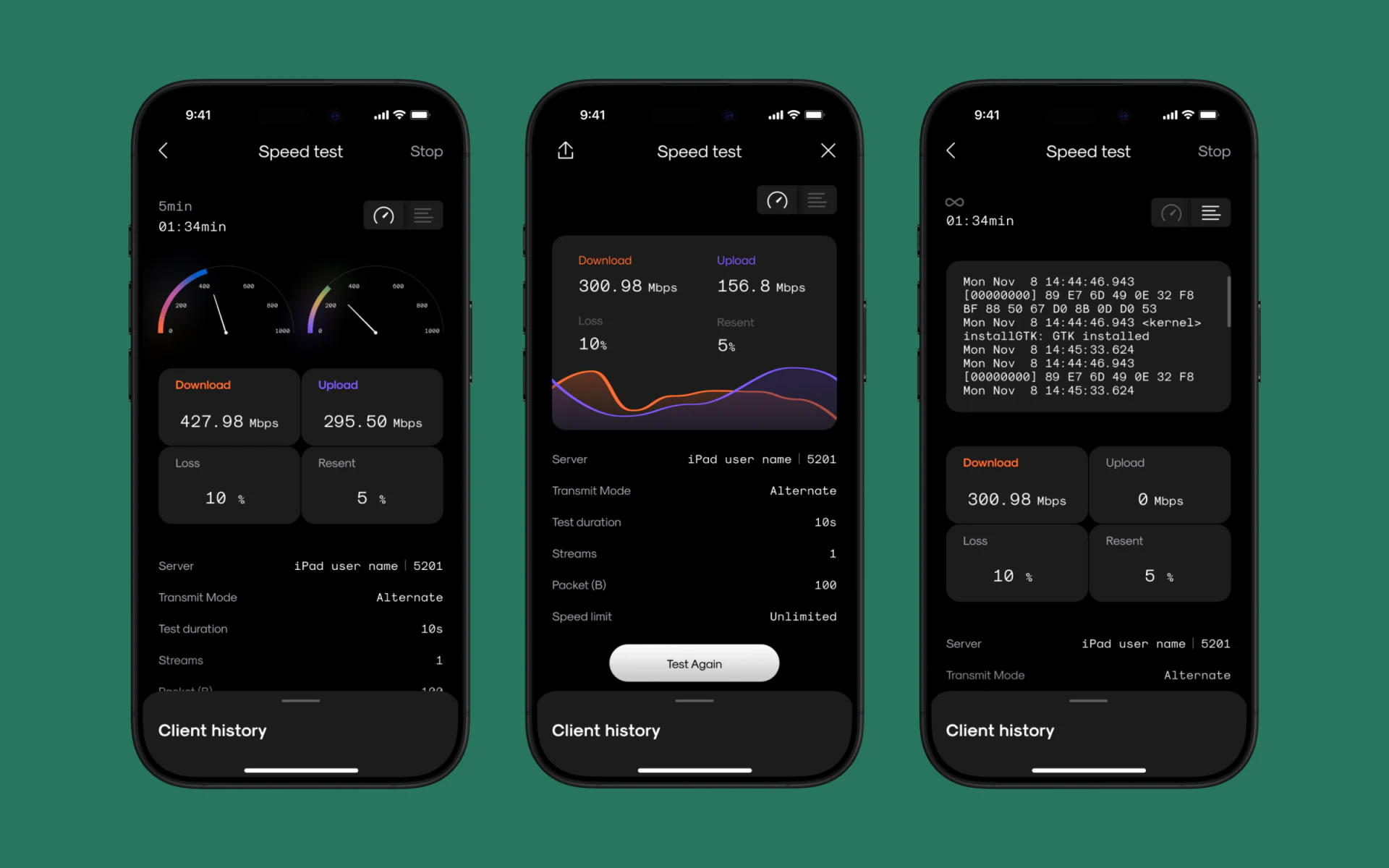
All three phones say Speed test. The left uses two gradient gauges for download and upload, the middle orange-purple curves, and the right real-time logs above. Gauges show magnitude, curves time variation and logs line-by-line evidence. View controls stay away from the result center, preserving readings as the visual entry.
Orange consistently means download and purple upload, with Mbps beside numbers and separate Loss and Resent. Yet upload on the right is gray 0 Mbps while Stop and elapsed time remain. Zero could mean not started, no current transmission or a measured zero speed; the number alone does not explain.
JVDS favors explicit states before values: not started, measuring, complete and failed each need expressions, with zero one actual reading within them. Test Again and sharing suggest result uses; Stop retains cancellation during work. Their wording should change with value states.
Parameters beneath results explain numbers
Server name, port, Transmit Mode, Test duration and Streams form paired labels and values below readings. They need not compete in size with speed but should be easy to find when comparing tests. Equal Mbps with different targets or conditions cannot become a conclusion by ranking values alone.
Elapsed time above and duration below need distinction between runtime, estimated duration and a setting rather than one word carrying three meanings. Client History can support lookup if records retain these conditions rather than only a speed card.
Connection information retains separate scopes
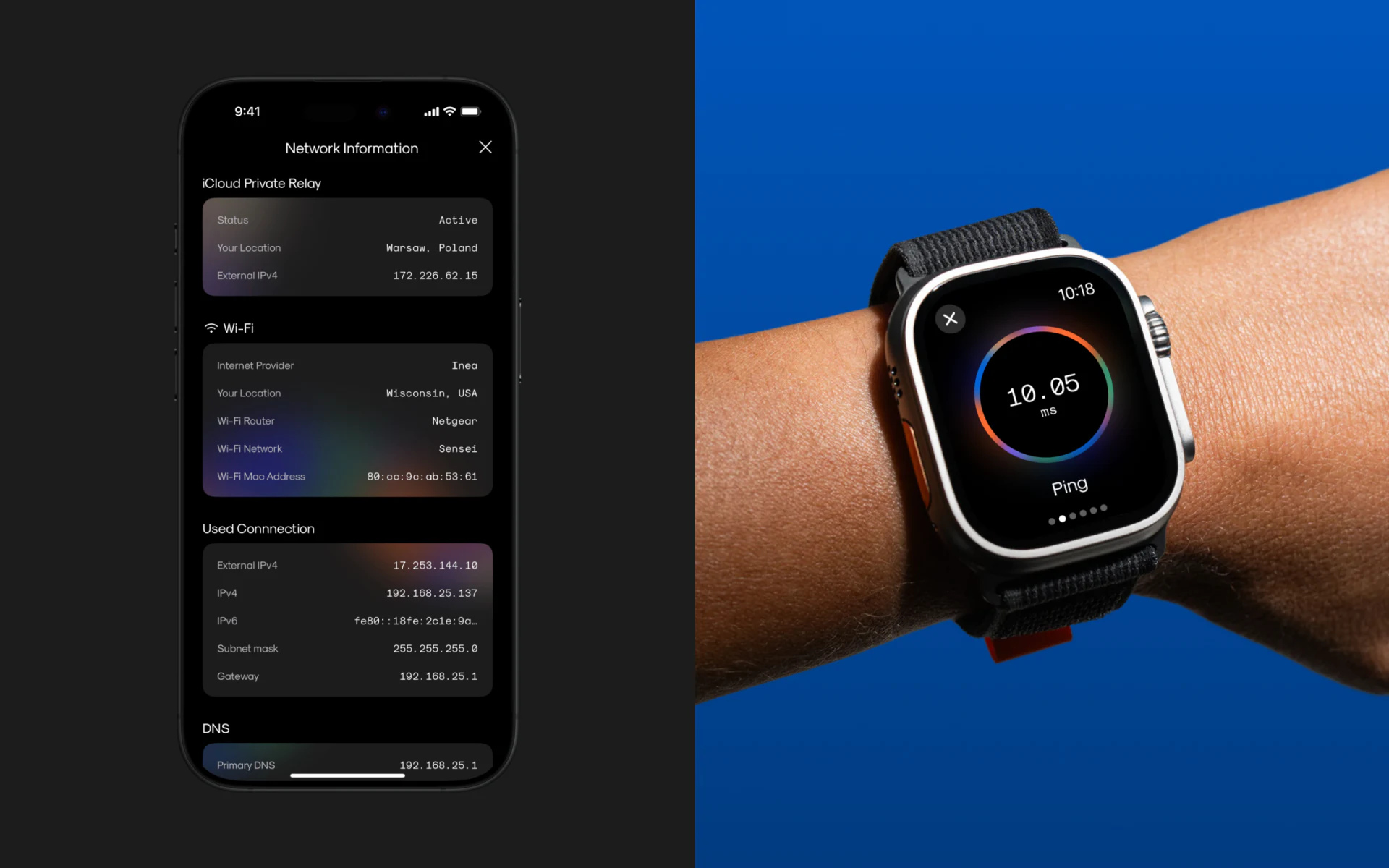
Network Information groups iCloud Private Relay, Wi-Fi and Used Connection. Status, location and external address precede provider, router, network name and internal parameters. Groups give related fields objects; different place words cannot be reduced to a generic current location.
The watch shows only Ping, 10.05 and ms with a colored ring. Name and unit are more understandable than a glowing number alone. Phone details and watch quick checks can differ in density, with metric, time and target retained when opening details.
Diagnostic material becomes retrievable records
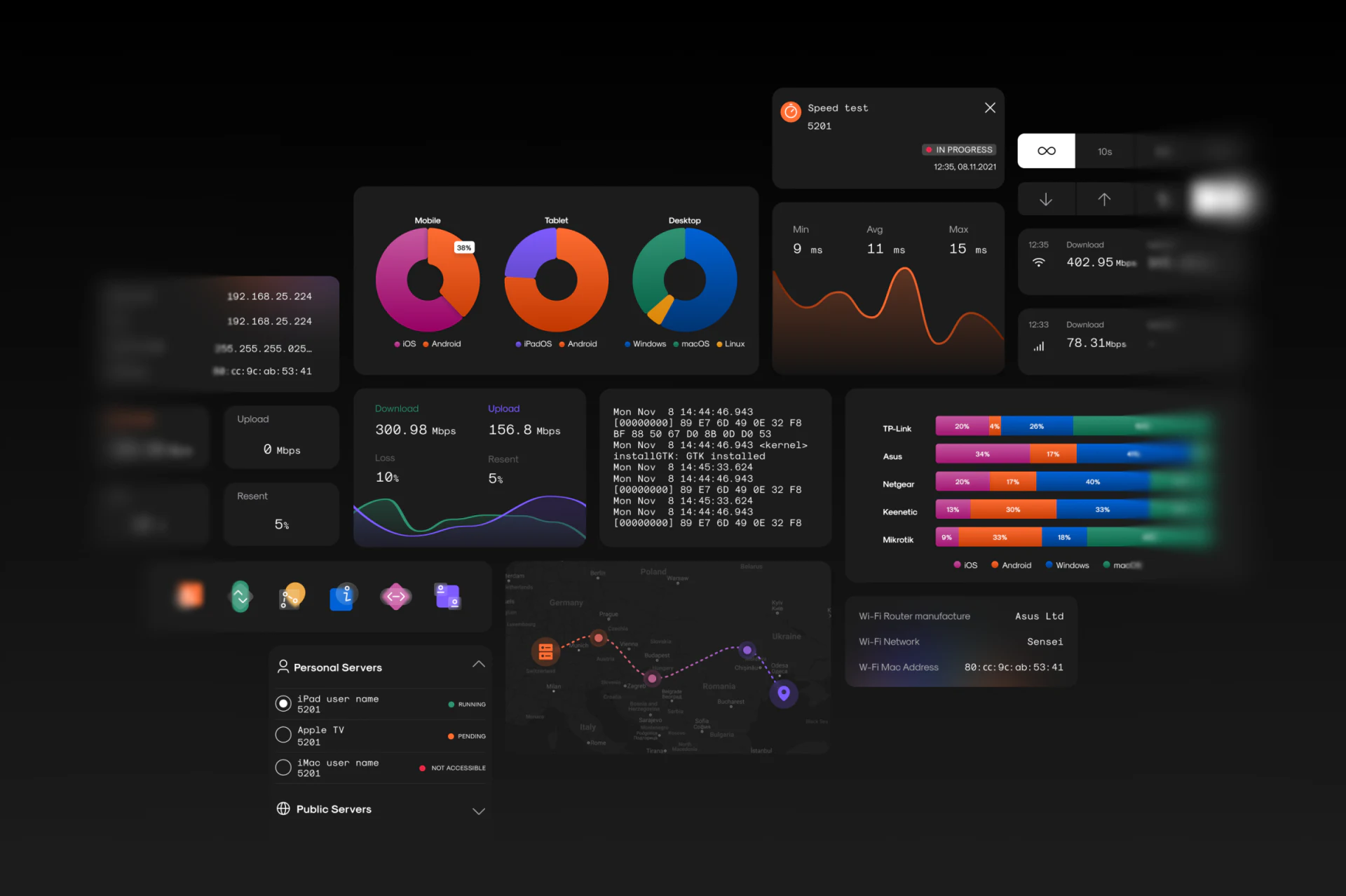
Components include Min, Avg and Max latency, curves, historical speeds and servers. Personal Servers uses green, orange and pink states, while Wi-Fi or mobile icons indicate connection types beside records. These directly inform available devices and current records more than a decorative node map.
Maps, device rings and system-distribution bars widen diagnosis without merging into one test result. Each needs title and statistical scope. Separating results, conditions and history gives the dark interface purposes beyond holding more colored numbers.
Frequently asked questions
Why should zero upload not automatically be treated as a result?
Zero can appear before a metric runs or while testing continues. State phase and completion beside values and retain conditions in records to establish whether the reading is comparable.
Design review checklist
- Keep download, upload and latency names, colors and units consistent across views.
- Distinguish zero, blank, running and failed states.
- Retain server, connection category and conditions in historical records.
Give speed results explanatory context
If your network tool combines testing, connection information and diagnosis history, JVDS can help organize states, parameters and charts through UI/UX and product website design and development.
Start with an actual test flow to identify when people read values, check conditions and need actions during exceptions.

















