
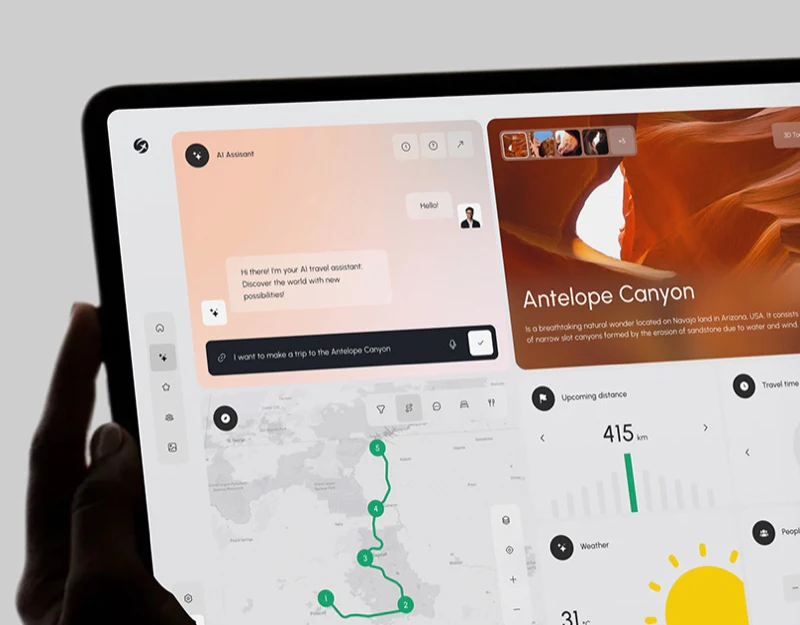
Geovea organises travel requests, maps and destination photographs into different views. AI travel route results design should make them part of one plan: chat retains the request, the map shows order, a summary explains the conditions and photographs introduce places. Clear relationships give users a basis for adjusting the itinerary.
Conversation starts expression, then fills in conditions
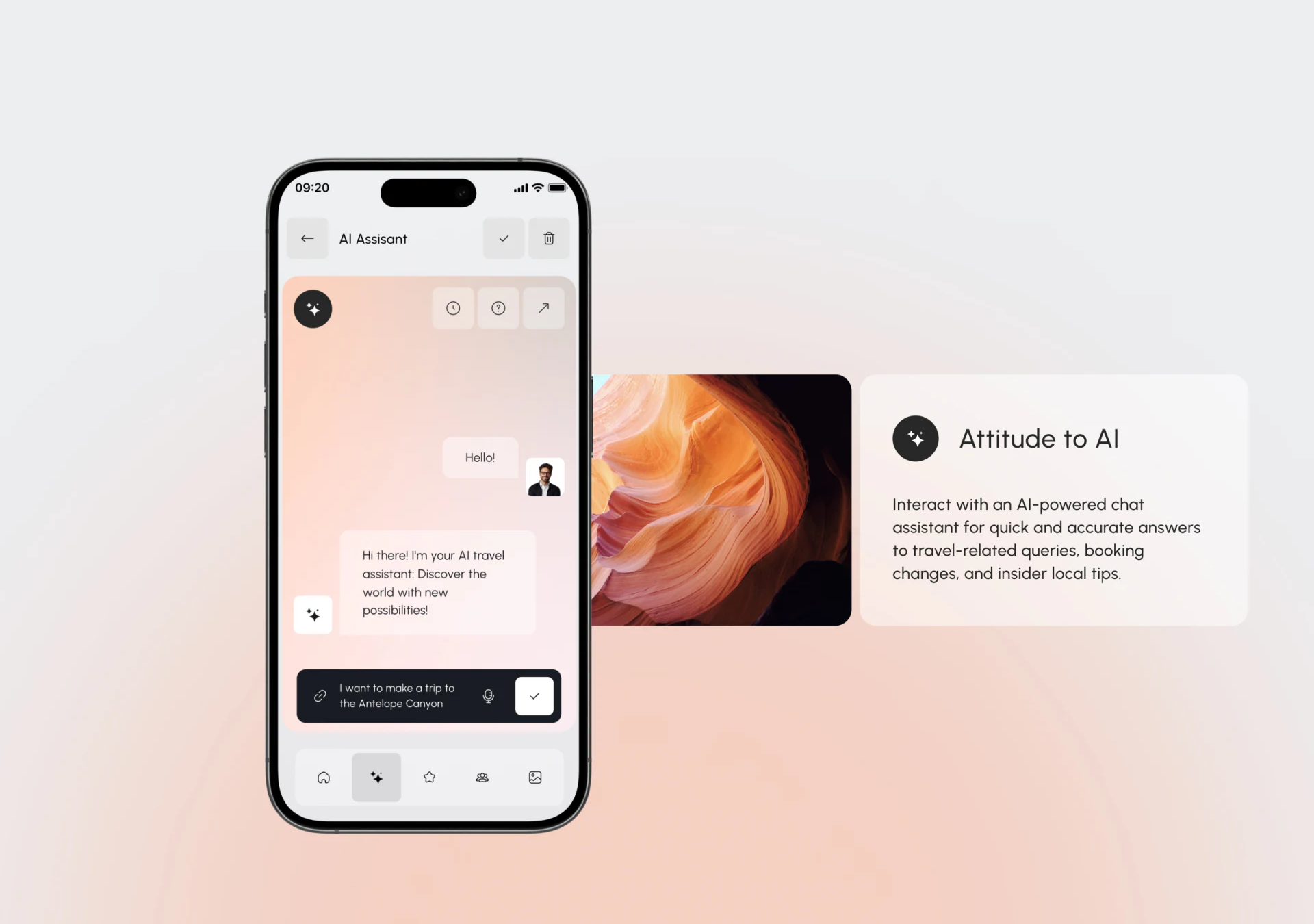
The chat page shows a greeting and assistant introduction within a warm gradient. A dark input bar below contains a request about Antelope Canyon, with link, microphone and submit icons. A short sentence starts the discussion, while a destination photograph nearby gives it a travel setting.
That sentence identifies a destination but does not yet specify an origin, date or transport preference. Brief follow-up questions or a reviewable conditions summary could fill the gaps. Voice entry could first show recognised text so that names and places can be checked. Retaining the request and conditions allows the basis of a result to remain available.
A numbered map gives stop order a shared reference
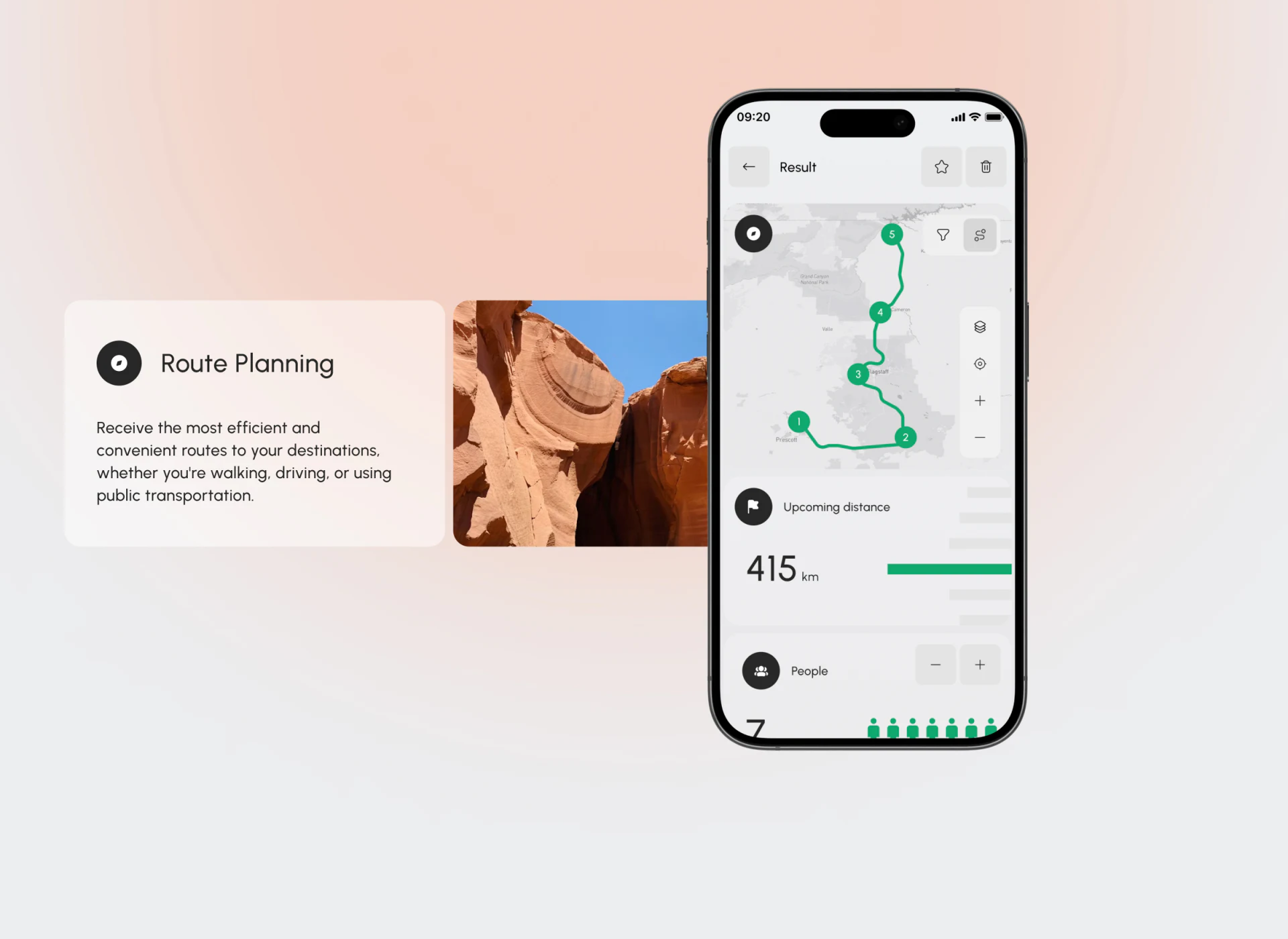
The result connects five numbered points with a green route. Layers, location and zoom sit on the right, followed by Upcoming distance and People cards below. Numbering links order and spatial relationships with a written itinerary, supporting quick review.
The distance card emphasises 415 km beside green and grey bars, while People has plus/minus controls and figures. The number is prominent, but its title could explain whether it covers the whole journey, next segment or selected route, along with transport mode. If bars represent stages or dates, readable labels should explain them.
JVDS prefers a shared selection across map, place list and conditions. Selecting a number would highlight the name and corresponding segment, with distance scope explained in the title. Changing people or transport should state what will be recalculated, so several views support the same adjustment.
Destination cards distinguish browsing from planning actions
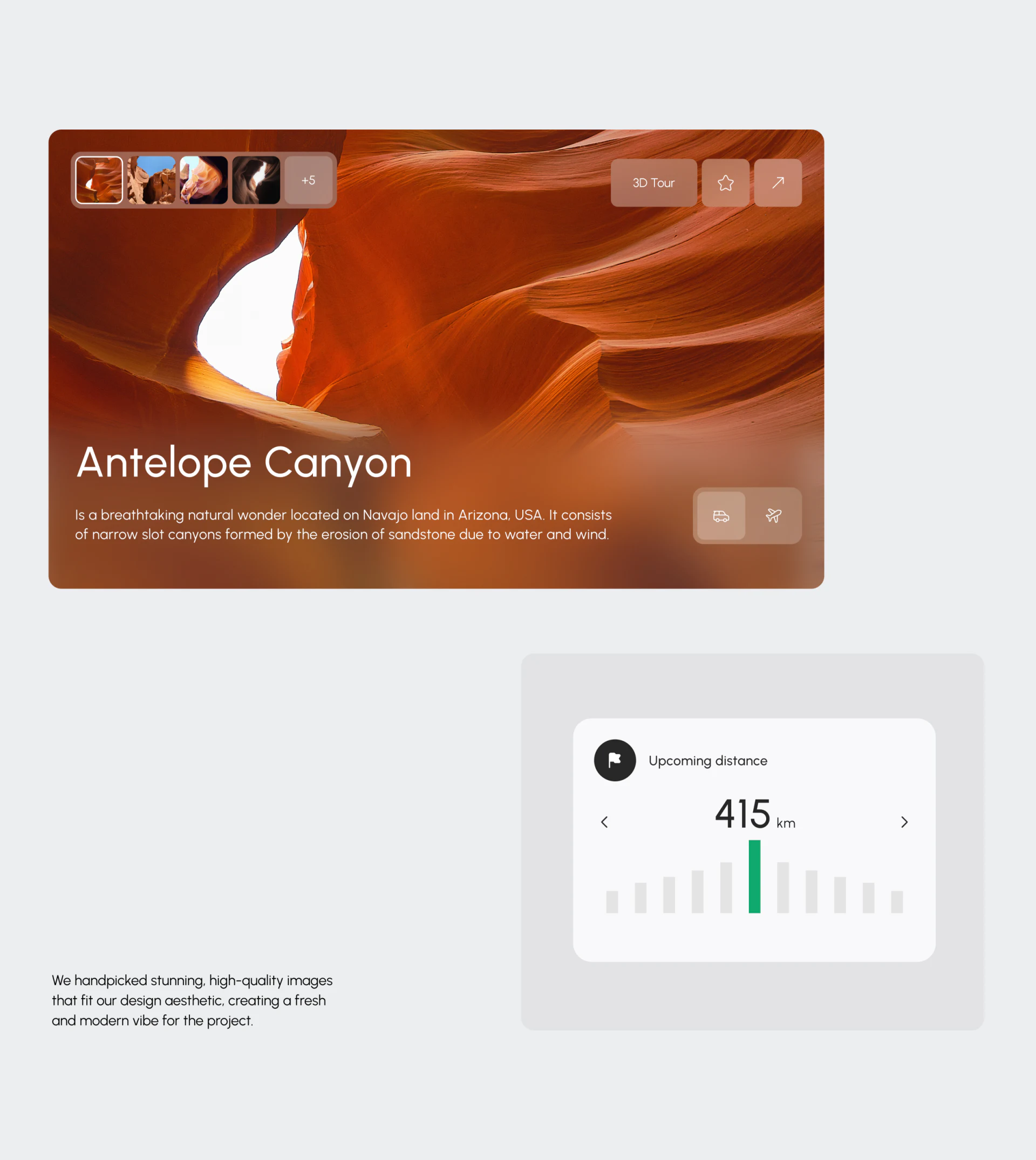
A large canyon photograph carries a title and introduction. Thumbnails sit at the top left; 3D Tour, a star and an outward arrow at the top right; car and plane icons at the bottom right. Different views help introduce the place, while icons offer further exploration or possible adjustments.
Each icon needs a meaning. A highlighted car can indicate selection, but wording should explain whether it chooses transport or opens travel information. Saving also needs a clear state. Another distance card below repeats 415 km using bars and left/right arrows; its distance definition should continue across the different presentations.
The useful relationship is the division of tasks among conversation, route and photography. Each view needs clear objects and conditions so that travel inspiration can develop into an editable plan.
Make travel results available to review and adjust
If your travel product combines AI conversation, maps, destination content and itinerary editing, establish the plan and conditions before designing connections between views.
JVDS Design Studio provides UI/UX design, website design and development, helping plan travel assistants, route results and itinerary management interfaces.

















