
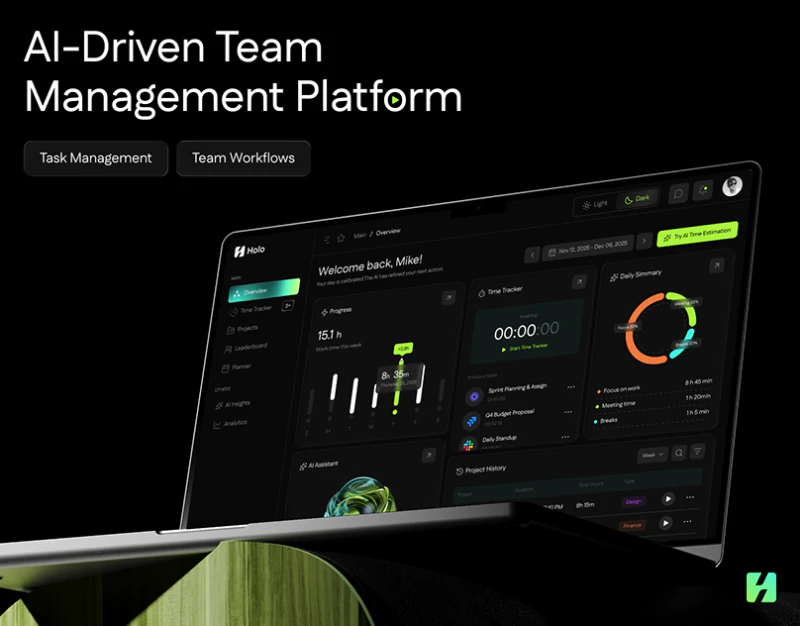
Holo’s time management workspace design places weekly progress, a timer, daily summary and task history on black. Cyan and yellow-green make planned blocks conspicuous. The content concerns time without becoming one overall score. Its useful distinction is giving records, arrangements and suggestions their own places.
Key takeaways
- Weekly summaries, timing and daily breakdowns serve different tasks; estimates retain a separate identity.
- Planned blocks and AI suggestions concern specific tasks, with dates and change scope reviewed before saving.
Three overview modules answer different questions
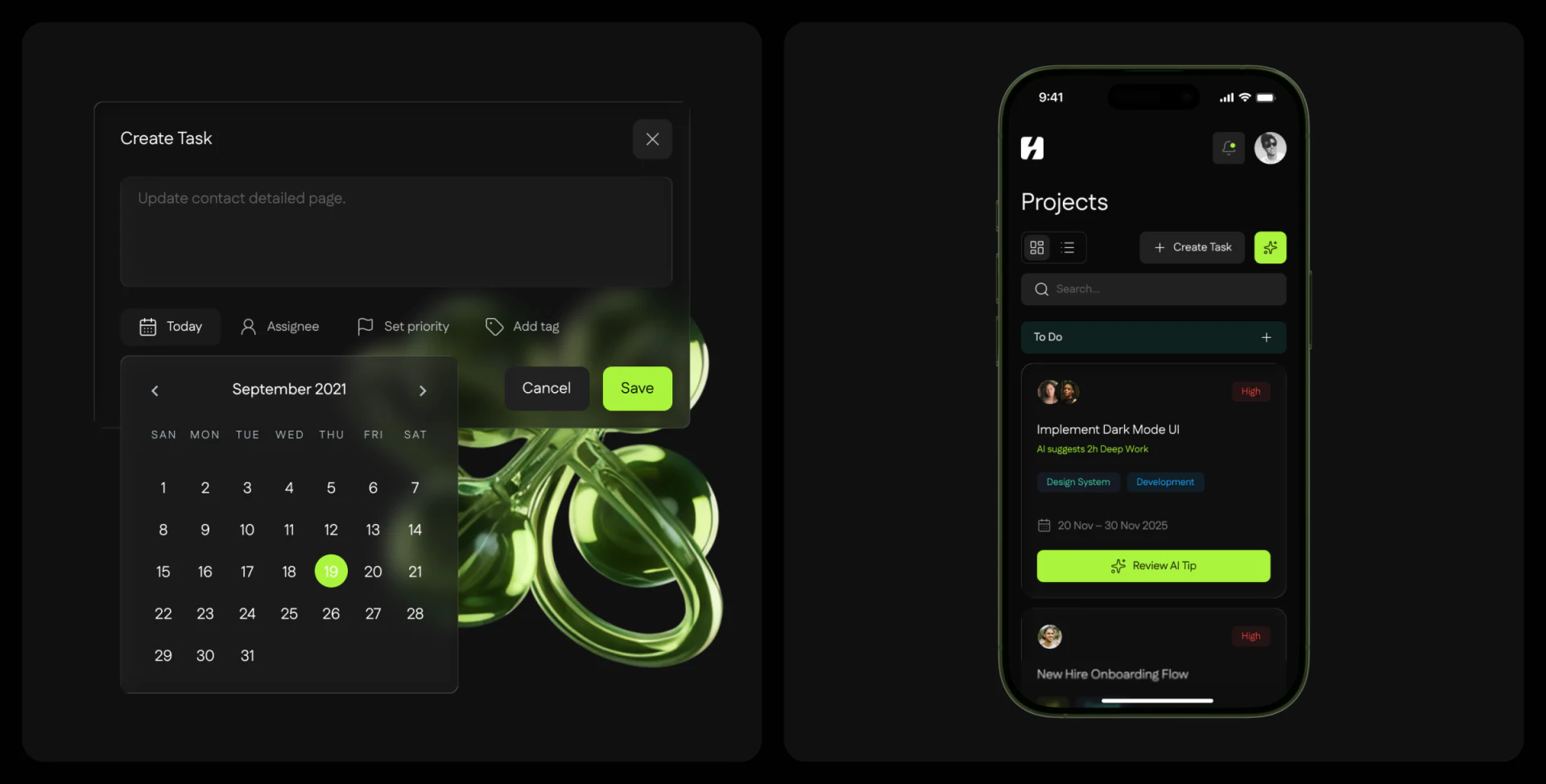
Progress shows duration and bars for a period. Time Tracker is awaiting activity with a zero timer, while Daily Summary groups time with a coloured ring. Project History lists tasks below; the AI area is labelled Estimated Task Savings.
This productivity interface supports separate questions about records, current execution and categories. Module names matter: a plus sign beside an estimate does not make it time already saved. Reporting dates should remain near each summary.
JVDS pays particular attention to task association: which task starts the timer, which period contains a history record and which items contribute to the daily summary? Black focuses the main modules, but small grey text also needs to be readable at actual size.
A weekly block opens with its task context intact
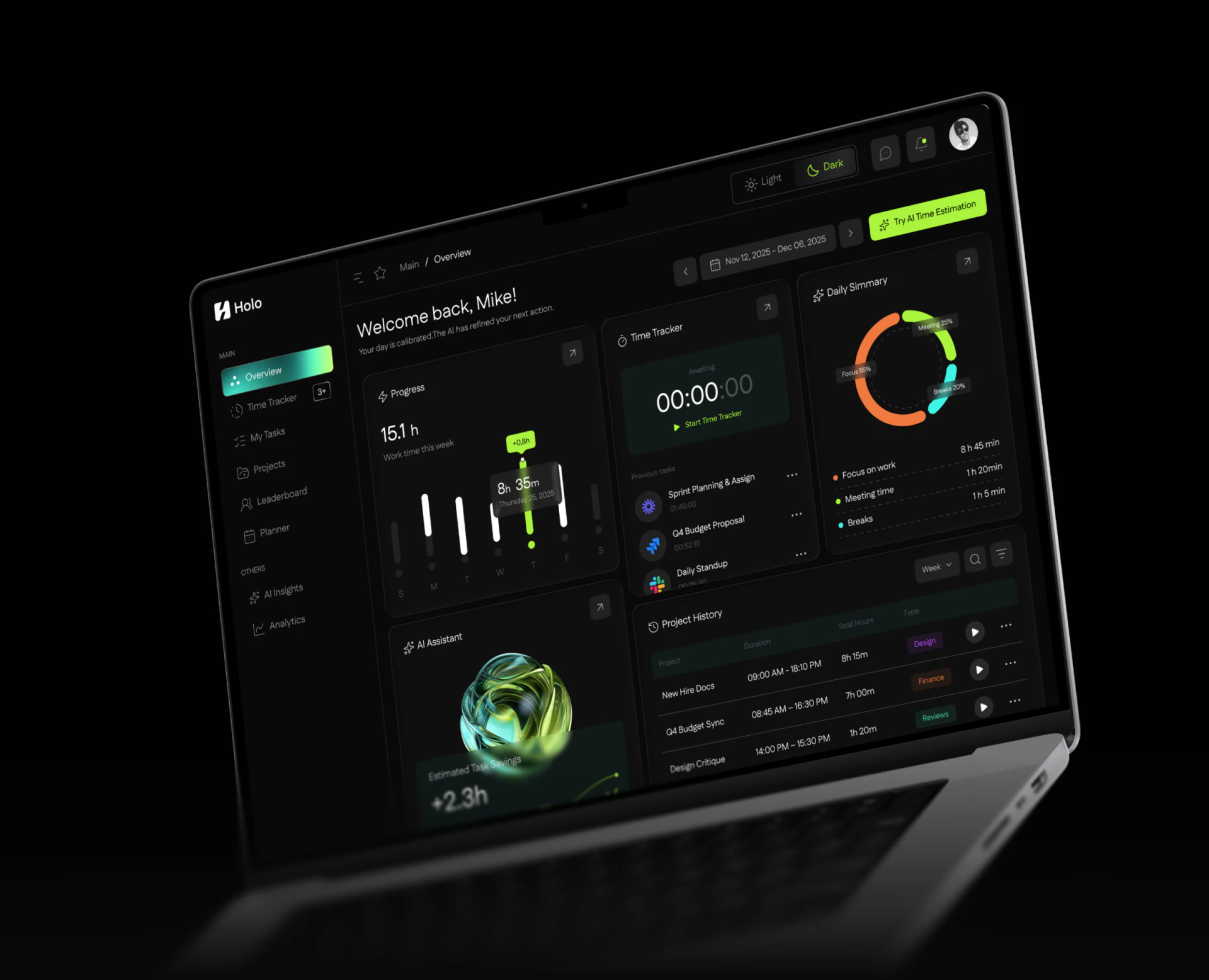
Planner arranges cyan and yellow-green tasks by weekday and hour, including names, durations and avatars. A panel on the right adds date, tags, participants and comments. Details remain over the original plan, which can be reviewed again after closing.
Blocks describe a place in time; the panel explains the task. If colour represents a category, it should not also ambiguously represent completion. Avatars need distinct owner and participant meanings. Several planned hours do not establish several completed hours.
JVDS would check the original slot after closing details, then connect tracked time to the same task. Plans and actual time can be compared without immediately becoming an efficiency judgement. Start by establishing where each value comes from.
Task creation and AI tips leave room to check before saving
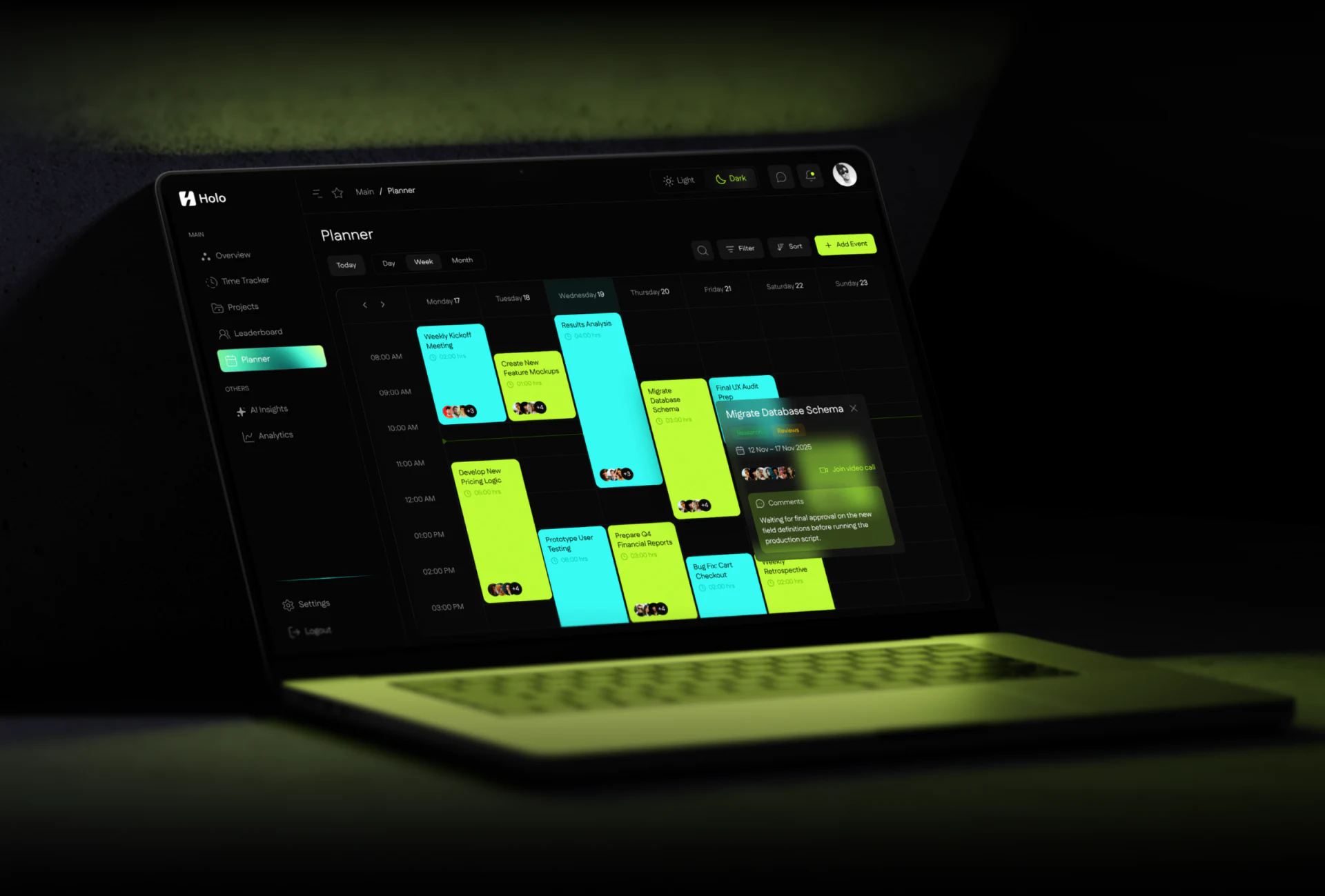
The creation panel begins with a name, followed by date, Assignee, priority and tags, with Save highlighted in yellow-green. Its calendar says September 2021 but includes 31. Basic date content deserves validation; a calendar is a working input rather than arbitrary decoration.
The mobile card places an AI suggestion below a specific task, making Review AI Tip conspicuous. That proximity is useful, while adoption should explain whether it changes estimated duration, adds a time block or creates a note.
JVDS would give suggestions, plans and tracked time separate feedback. Existing assignments and schedules should not be overwritten without clarity, and a saved summary should repeat the task date. The visual style can continue while state names stay equally precise.
Frequently asked questions
Can an AI duration suggestion be treated as actual time spent?
No. It represents an estimate or arrangement, while tracked time needs an independent record. Connect them through the same task.
Design review checklist
- Validate calendar month/day content and the actual saved selection.
- Explain which field adopting an AI tip changes.
Connect task planning with time records
If your project or time management product needs clearer plans, tracking and AI suggestions, bring its task states and time fields to the discussion.
JVDS Design Studio provides UI/UX design, website design and development, helping organise page content, interface structure and implementation requirements.

















