

Key Takeaway (TL;DR)
The Gestalt law of similarity reveals a powerful grouping instinct that can transcend physical distance. When dispersed elements share visual attributes—such as color, size, geometry, or outline—the brain automatically connects them and perceives them as one functional category or logical level. JVDS emphasizes that visual features in digital interfaces and design systems are not arbitrary decoration. They form an invisible grammar of operation. Actions with different destructive consequences must never wear the same visual appearance merely for stylistic variety or consistency, creating dangerous misjudgments.
1. Resonance Across Space: The Perceptual Neuroscience of Gestalt Similarity
When the visual field contains complex, heterogeneous information, the primary visual cortex automatically integrates features along four grouping dimensions:
- Color similarity—the greatest weight and strongest preattentive capture: Color has high priority in feature processing. A shared hue can instantly link isolated positions.
- Size similarity—establishing hierarchy and click targets: Similar visual volumes belong to the same level, while large contrasts immediately establish a dominant-subordinate relationship.
- Shape similarity—suggesting interactivity and semantic distinctions: When color and size are constant, outline geometry takes over finer functional classification.
- Functional alignment—a code-level rule of matching features and logic: Identical visual traits must correspond to identical business consequences. Dangerous and ordinary actions must not share one skin.
- The classic alternating-shape matrix: Imagine an evenly spaced grid whose first row consists of squares, second row of circles, and third row of squares. Although vertical and horizontal spacing are identical, no typical observer reads it as columns. People universally follow the repeated shapes and immediately perceive horizontal groups. Shared form connects otherwise isolated points with an invisible sense of belonging.
- The hierarchy of three visual cues:
- Color—dominant preattentive capture: Color similarity receives high processing priority. Even widely separated, differently shaped objects are instinctively grouped if they all share Klein blue.
- Size—an absolute hierarchy marker: Similar-sized elements are treated as peers, while a sharp contrast between large and small establishes a primary-secondary relationship.
- Shape—fine semantic differentiation: With color and size held constant, circles, capsules, and polygons distinguish more specific functional categories.
- A survival lesson from the mimic octopus: Indonesia's mimic octopus can rapidly change its striped coloring and arm posture to resemble venomous flatfish or sea snakes. Driven by similarity, predators interpret its black-and-white appearance as a deadly threat and retreat. This teaches an important lesson: similarity creates a perceptual prediction. Identical-looking buttons that behave differently amount to a betrayal of the user's understanding.
2. Pseudo-Similarity Disasters in Digital Consoles
Misused similarity in enterprise administration software, industrial controls, and consumer hardware can produce serious consequences:
2.1 The Remote-Control Maze of Mechanical Uniformity
Early low-quality appliance remotes turned fifty buttons into identical black plastic squares, arranged in ten rows of five. Designers considered the result orderly and symmetrical, but users were frustrated. Power, mute, volume, and number keys had no useful grouping by shape, size, or color. In a dim living room, users had to bring the remote close to their faces and read tiny English labels for every action.
2.2 Giving Dangerous and Ordinary Actions the Same Skin
In poorly built administration systems, ordinary actions such as Edit and View Details may share exactly the same gray rounded-outline button style as “Permanently delete the database.” Only the small Chinese label differs. Under fatigue or rapid repeated clicking, operators overlook the wording and treat the familiar outline and size as an ordinary edit action, potentially destroying core customer data.

3. A Four-Dimensional Similarity Matrix for Design Systems
To help teams establish rigorous similarity rules in component libraries and business layouts, we use the following matrix:
| Evaluation dimension | Frequently used core functions/assets | Infrequent but necessary functions/assets | Redundant distractions, false functionality, or empty formalities |
|---|---|---|---|
| Consistent color semantics | Give each color a single operational meaning across the site, such as blue for links/primary actions and green for safe success | Map surface-lightness levels consistently in dark mode while preserving the same depth hierarchy | Use green for success, pending work, and purely decorative advertising on the same page |
| Button sizes and priority levels | Give primary CTAs a large size and solid highlighted fill in a consistently repeated format | Use a shared ghost-button style for secondary actions and text links for tertiary actions | Set arbitrary heights on every page, such as 36 px today and 42 px tomorrow |
| Component shapes and mental prototypes | Use consistent capsules or rounded rectangles for buttons and small square-cornered badges for read-only states | Strongly distinguish destructive actions with an independent red outline and exclamation-mark form | Give static decorative blocks the same highlights and shadows as buttons, encouraging futile clicking |
| Multidimensional status feedback | Combine matching error or warning cues across color, shape, and text: red, an exclamation mark, and an explanation | Provide high-contrast black-and-white textures as secondary cues for color-deficient users, including 8% of men | Distinguish states only through red and green, ignoring users who cannot tell them apart |
4. JVDS's Engineering Practice of Semantic Isomorphism
In reliable industrial-IoT controls, international corporate websites, and modern UI/UX design, JVDS treats similarity as a foundation of system safety:
- Global consistency through design tokens: Our technical approach eliminates arbitrary frontend styling. We connect Figma Tokens and the code repository through an automated CI/CD synchronization pipeline, locking down a rigorous semantic-color system. Buttons, inputs, and links share the same size increments, radius modules, and alignment rules. New contractors or interns cannot submit components that violate this similarity framework.
- Hard visual separation for destructive actions: In every high-risk workflow, JVDS deliberately isolates destructive actions through dissimilarity. Buttons for irreversible charges or account termination cannot use routine brand colors. Their shape, micro-icons, and feedback depart from ordinary controls and use a distinctive double-confirmation warning structure. Visual and tactile differences alert operators in the first millisecond of contact. Visit our design portfolio to experience the control offered by robust design systems.
- The Grayscale and Defont Test: Before final approval, JVDS replaces all text with random characters and converts the page to grayscale. Untrained frontline staff identify which elements are clickable, which data belongs together, and which actions are dangerous. A design is approved for production only when participants can correctly distinguish 100% of the system's logic through shape, size, and tonal similarity alone.
5. Frequently Asked Questions (FAQ)
Q1: How can similarity reduce mistakes on complex remotes or industrial physical-button panels?
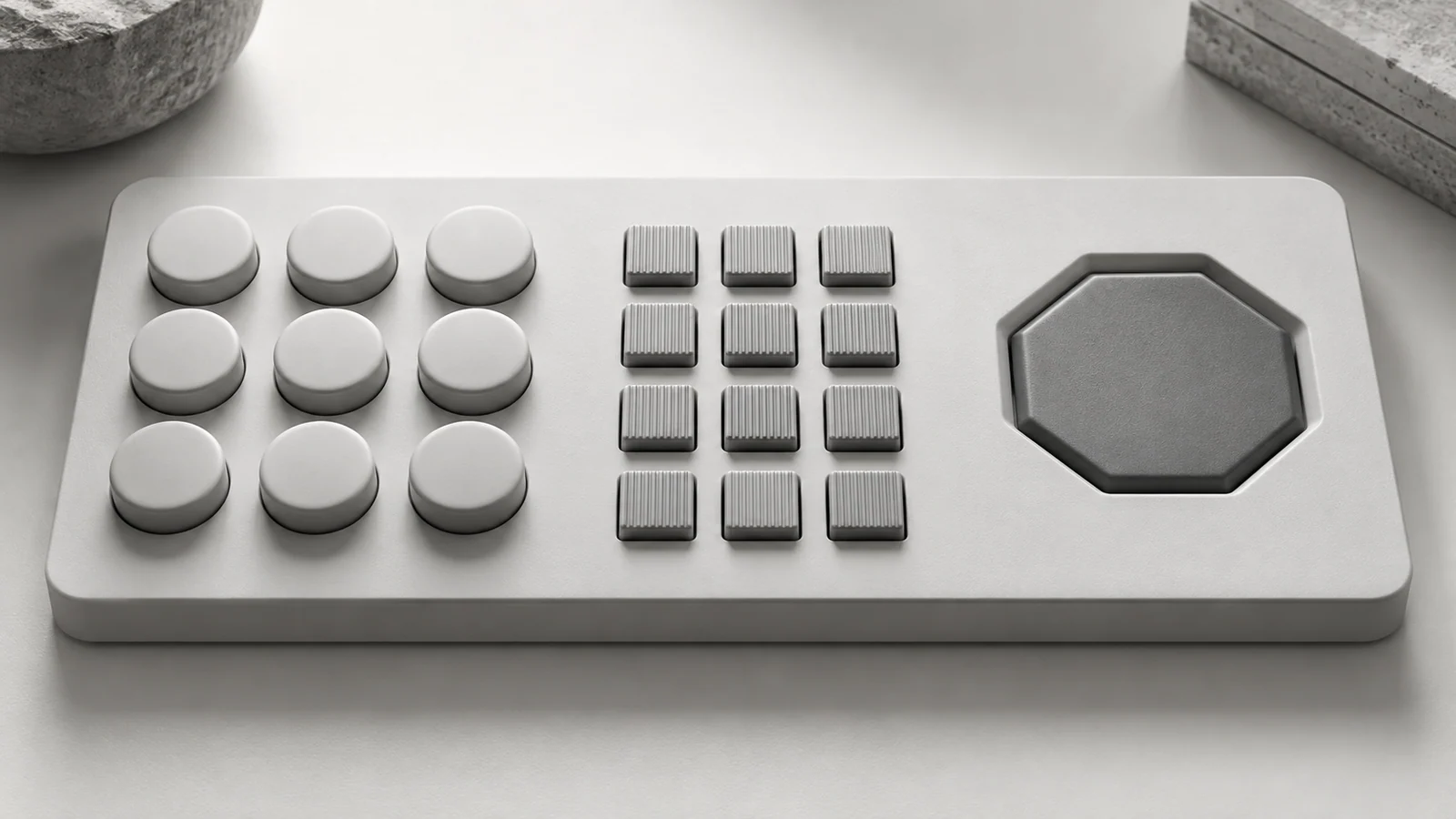
Geometric zoning by function is a classic industrial solution. Never make every key the same size in a uniform matrix. Give related controls similar geometry: (1) directional navigation uses a complete concentric circular four-way pad; (2) volume and channel use elongated vertical two-way rockers; (3) numeric entry uses a compact 3 × 4 grid of small squares; and (4) power and emergency stop use isolated, large, raised red circles at the top. Operators can then recognize groups by touch and operate without looking in the dark.
Q2: When similarity and proximity conflict spatially, which is stronger?
At ordinary distances, proximity often outweighs similarity. Gestalt experiments show that among three blue circles and three red squares, a blue circle placed just 2 px from a red square, with other objects 100 px away, is perceived together with that square despite their different shapes and colors. Therefore, use physical spacing to establish real boundaries first, then reinforce groups with shape and color. Do not expect one shared color to join two buttons that are extremely far apart.
Q3: Why did early flat design create serious usability problems?
Because its most extreme forms removed affordances and the shared visual shape of buttons. Some early systems stripped controls with clear raised or recessed outlines down to plain text. A clickable Save action and a nearby static copyright notice became identical in size, weight, color, and shape—a dangerous similarity. Hundreds of millions of users were left guessing where to click, ultimately pushing the industry toward modern semi-flat design with subtle shadows and visible boundaries.

















