
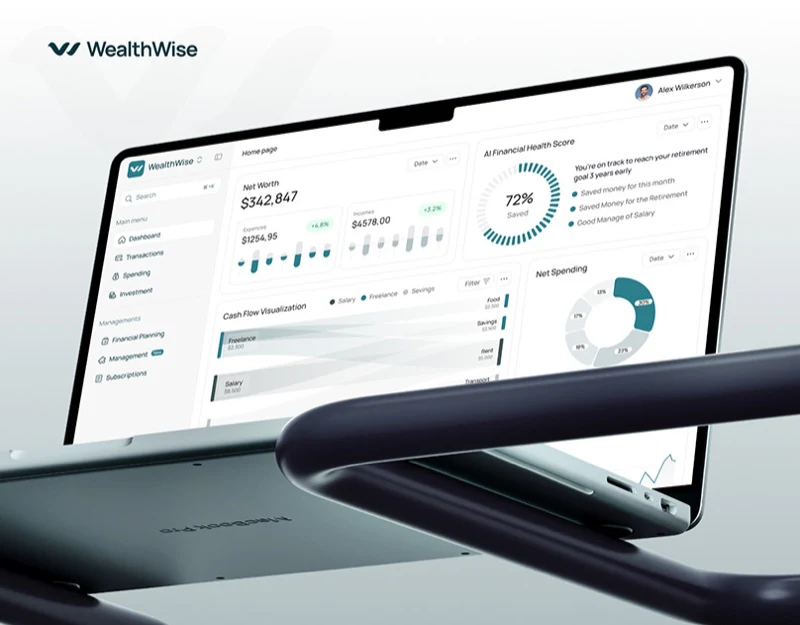
Personal asset-management apps such as WealthWise, as well as our financial product design work on projects such as the NEXIVA enterprise financial collaboration platform, often need the opening Dashboard to show four or five groups of key figures at once: total net worth, available budget for the month, cash outflows over the past 30 days, upcoming recurring subscriptions, and a credit or financial-health score.
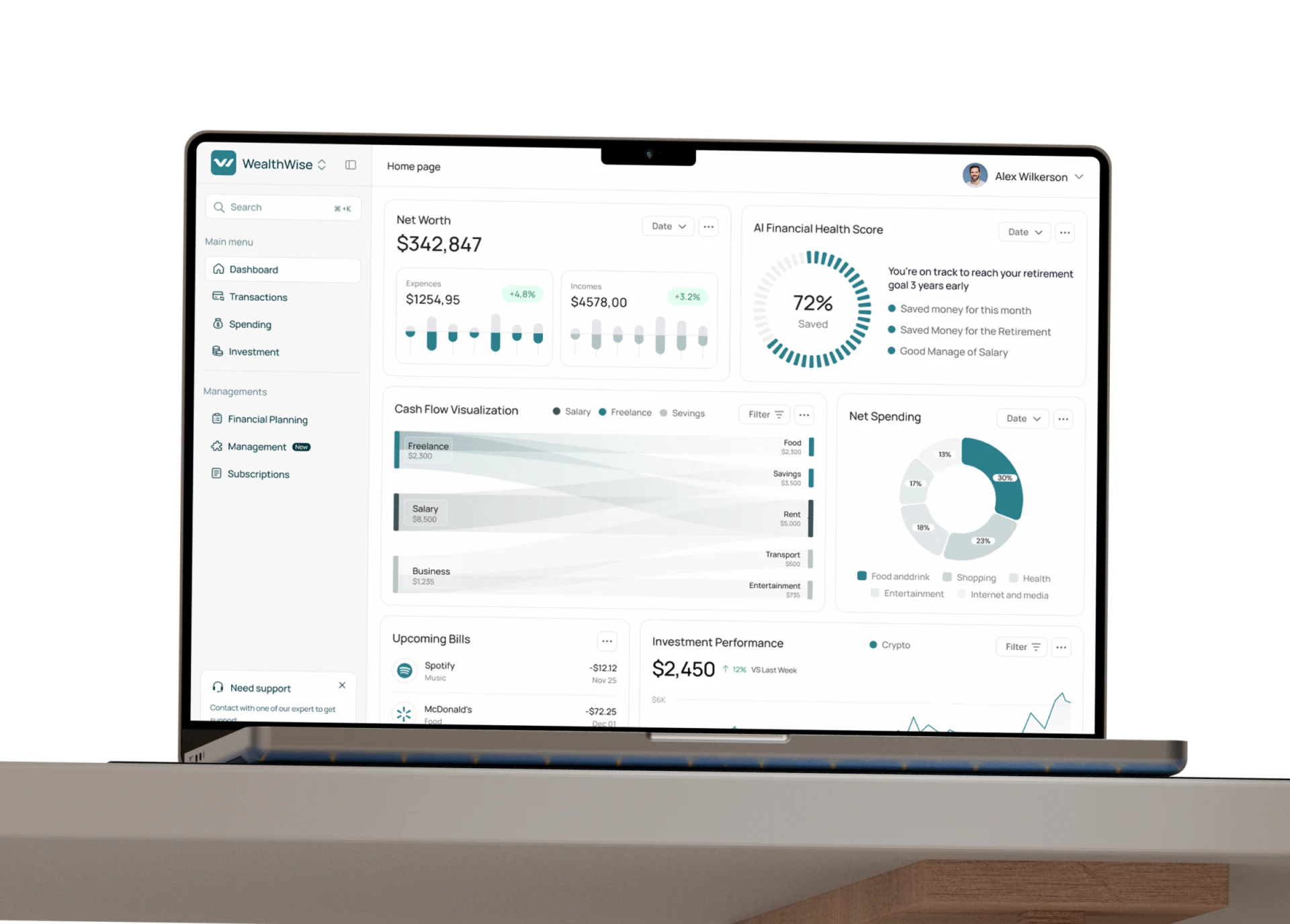
To keep the interface tidy, many financial dashboards give every card the same white-gray background, large teal numbers, and circular chart. The result looks consistent but can be confusing to read: “Does this $4,280 mean what is left in my account now—a point-in-time stock—or what I have already spent this month—a flow over a period?”
1. Visual rules for distinguishing four types of financial data
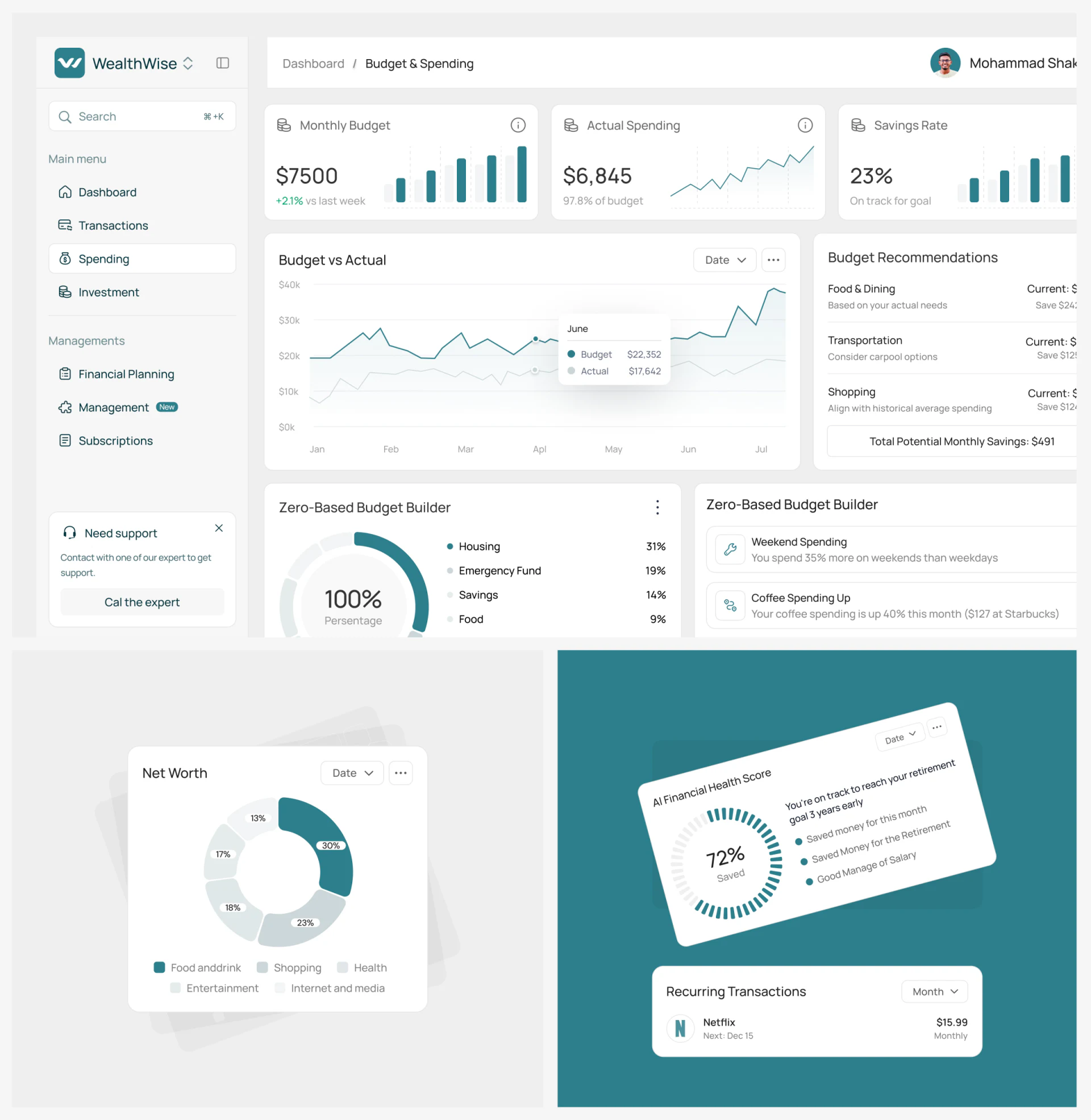
| Data type | Typical business metrics | Required contextual labels | Recommended charts and components |
|---|---|---|---|
| Point-in-time balance (Stock) | Total account balance and current net worth | An update timestamp accurate to the minute, such as As of 14:30 today, and a period-over-period change badge |
A large primary number + a stacked horizontal bar by asset category, showing the proportions of cash, investments, and liabilities |
| Activity over a period (Flow) | Month-to-date income and total spending over the past 30 days | An explicit period selector, such as October 2026 / Past 30 days, with comparison against the same period last month |
Paired comparison bars or an area/line trend chart, with inflows and outflows distinguished by hue or positive/negative signs |
| Progress against a limit (Quota) | Monthly budget utilization and departmental reimbursement allowances | Amount used / total limit, such as ¥6,400 / ¥10,000, with a reminder of days remaining |
A linear progress bar with a warning threshold: teal while within budget, orange above 85%, and red when over budget |
| Recurring commitments (Recurring) | Upcoming subscription payments and fixed installment bills | The next payment date, such as Automatic payment in 3 days, and billing frequency (monthly or annually) |
A calendar timeline with brand icons or a compact list ordered by due date |
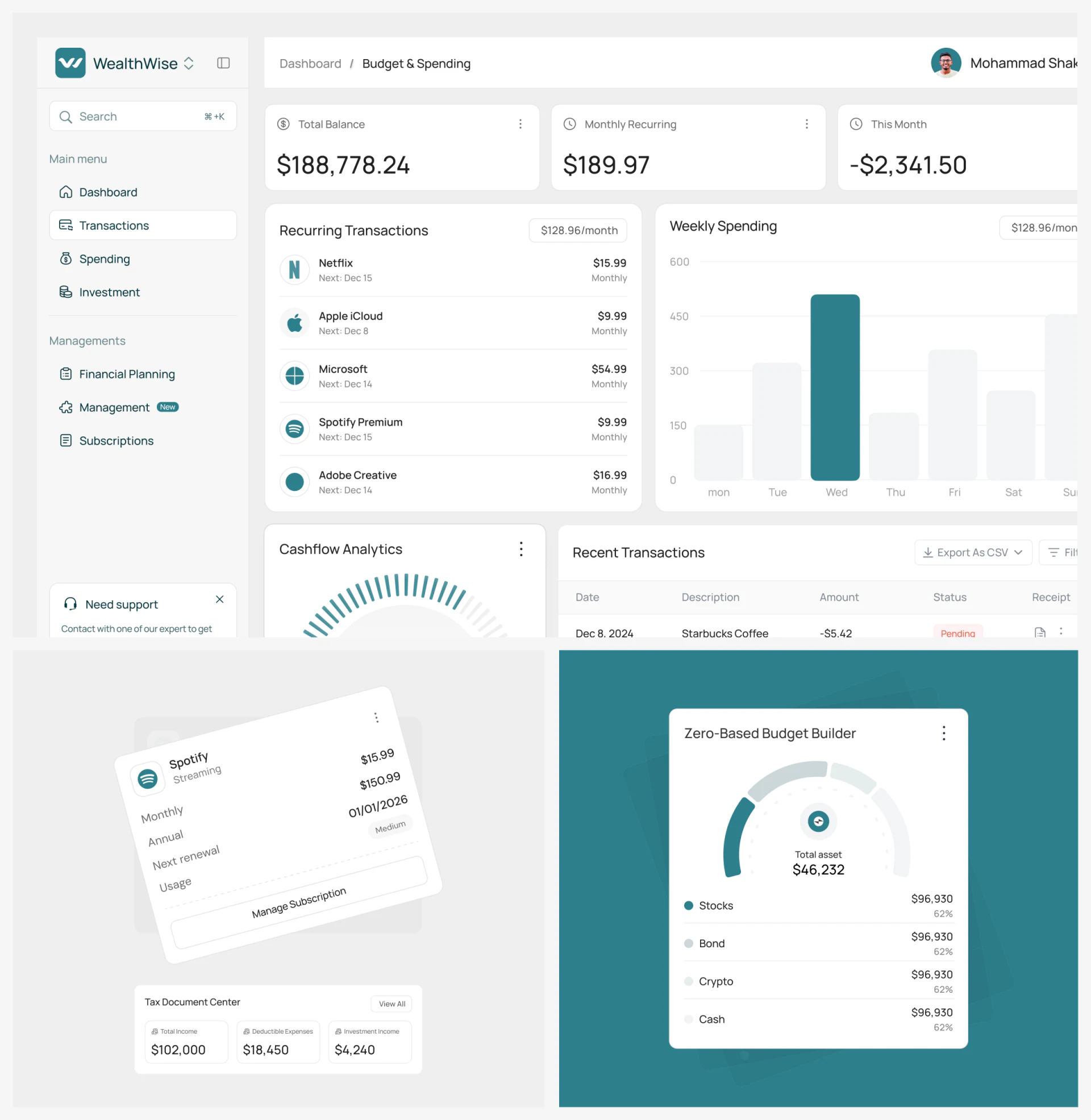
2. Avoid overusing circular charts
On the same dashboard, do not use identical rings to represent asset allocation proportions totaling 100%, a financial-health score of 85, and budget consumption. Use stacked bars for composition, horizontal progress bars for progress, and line charts for trends. This lets users understand the financial meaning behind each number at a glance.

















