
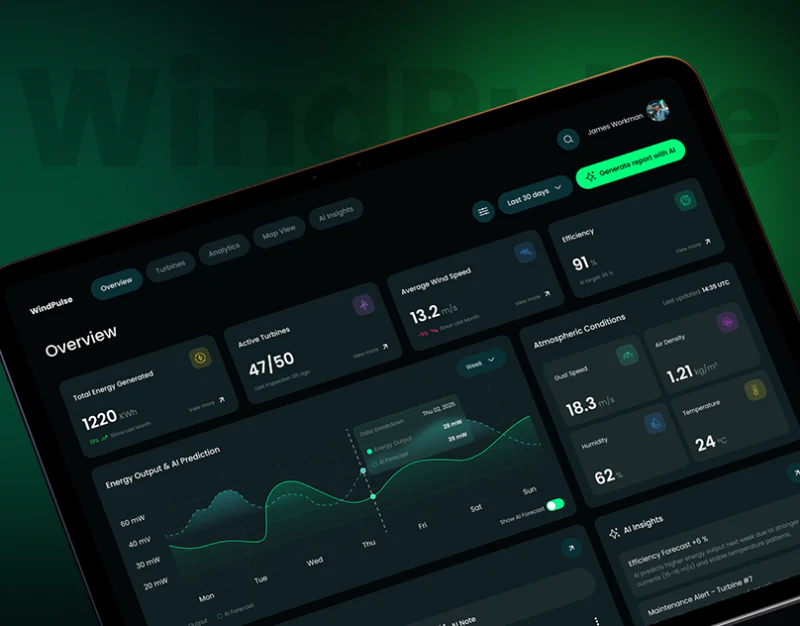
WindPulse puts energy overview, forecasts and devices in a dark interface. Wind power dashboard design handles relationships between measured conditions, future estimates and specific equipment problems rather than one number. Line styles and table columns provide different entries into these roles.
Forecasts share a scale while retaining their identity
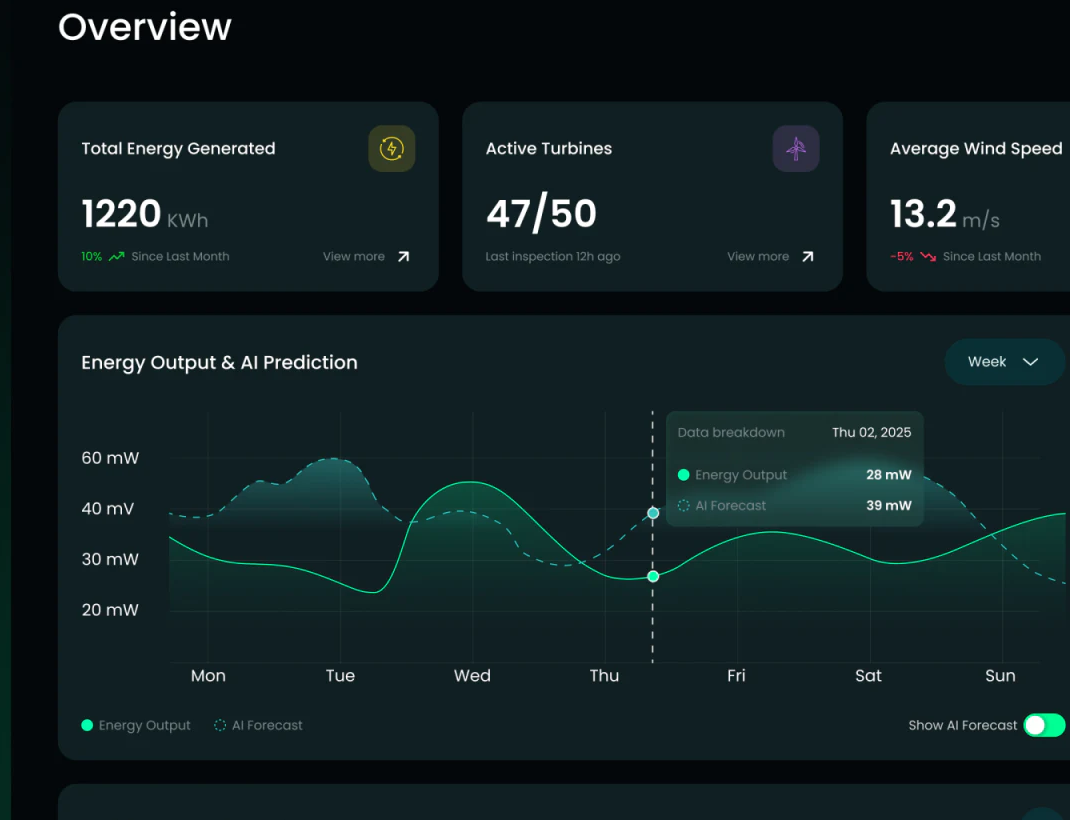
Three top cards show total energy, active turbines and average wind speed with changes or latest checks. Below, a green solid output curve shares coordinates with cyan dashed AI forecasts and a pale band, repeated in legend and prediction toggle. Shared scale supports comparison, while line styles make identity independent of color.
A tooltip pairs that day’s output and forecast. Weekly scope and horizontal dates need agreement to establish the period. The vertical axis mixes mW and mV and a card says KWh; check units by metric meaning rather than only capitalization, avoiding confusion between power, energy and other quantities.
The forecast toggle simplifies the chart when needed. If the band means uncertainty, define it in legend or explanation. JVDS favors forecast identity, time and units recognizable within the chart, keeping judgment grounds beside data.
Tables separate status and problem causes
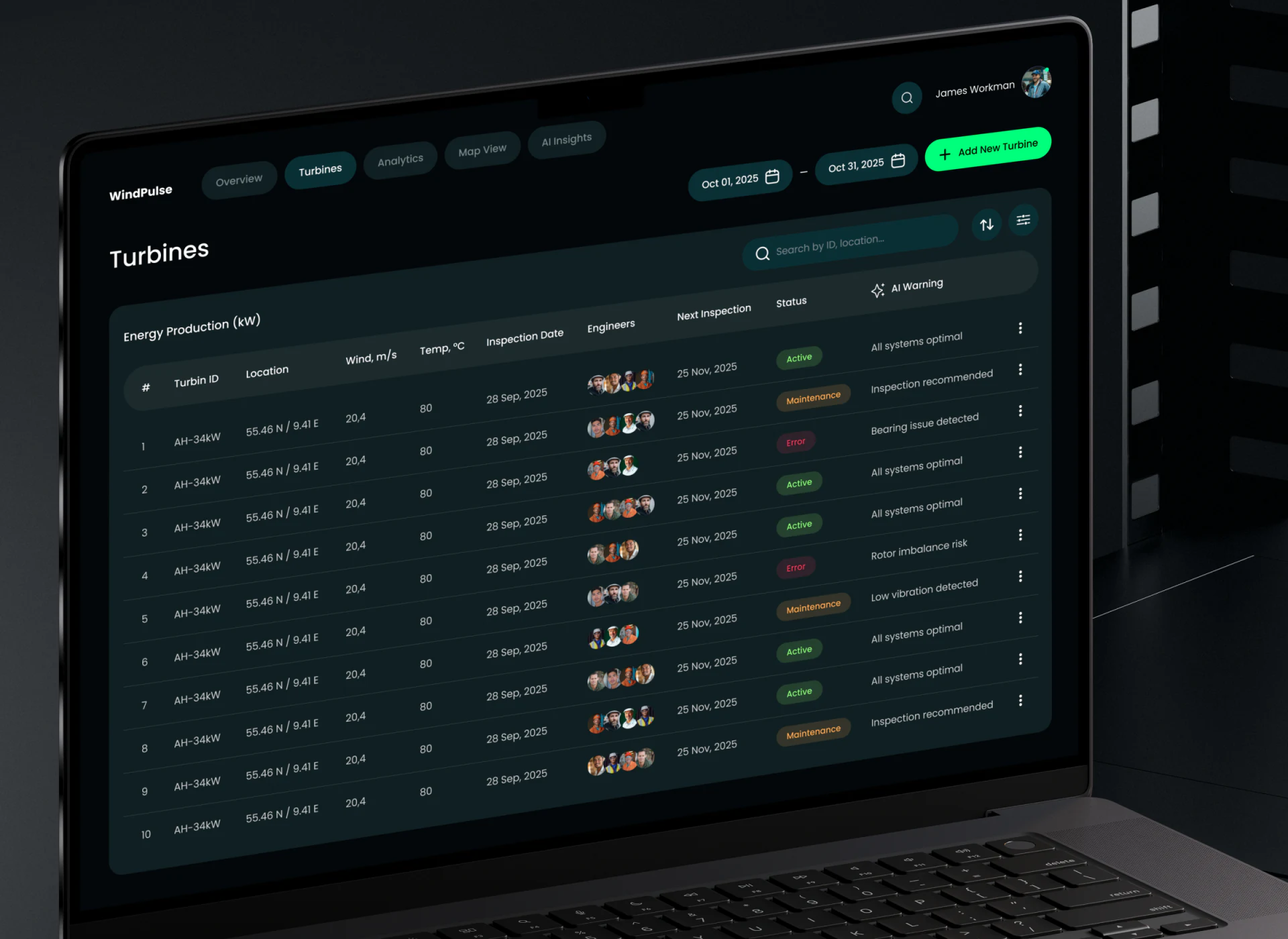
The turbine page offers date range, search and new equipment, with identifiers, place, wind speed, temperature, checks, engineer, next inspection, state and AI warning. Active, Maintenance and Error have colors; warnings describe checks or components. Separate state and cause columns retain useful roles.
Energy Production above does not fully match equipment-management fields and could name the list more clearly. Repeated sample identifiers need unique traceability in production, with inspection and problem details following that identity. Row menus suit infrequent actions, while primary exception viewing should remain easy to discover.
Bright green needs stable conventions
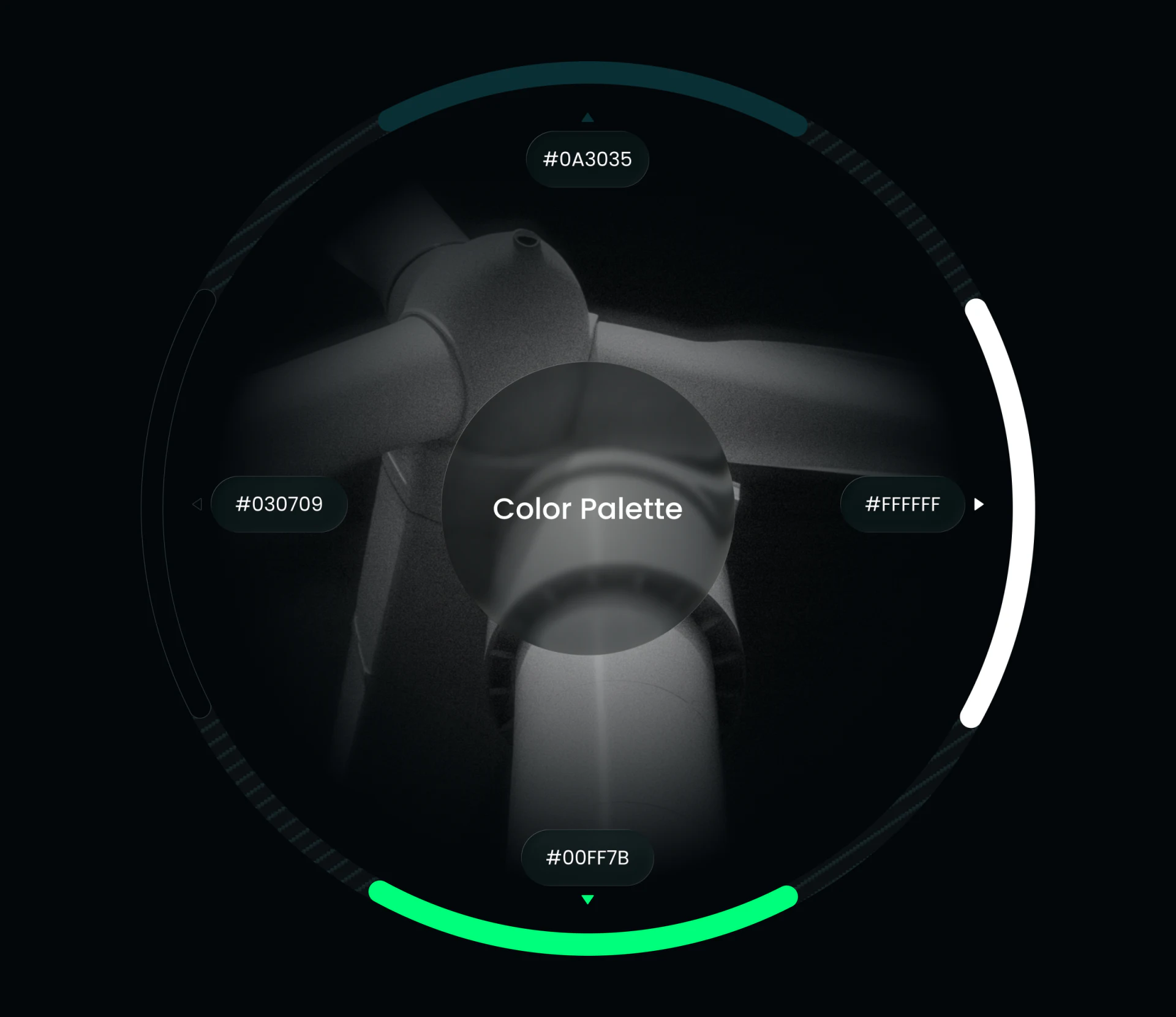
Deep teal, near-black, white and vivid green form a color ring around mechanical turbine texture. Green also connects primary buttons, normal states and output curves in the interface. Dark makes it strong, while location, words and shapes distinguish uses.
Normal states need Active, predictions their own legends and new equipment an action name. Several bright elements then avoid implying identical meanings. Monitoring consistency should ultimately support data roles and equipment identity.
Connect monitoring data to equipment tasks
If your monitoring product combines measurements, forecasts and maintenance, organize definitions, equipment identity and exception paths before connecting dashboards and lists.
JVDS provides UI/UX design and website design and development, helping plan data dashboards, equipment tables and alert details.

















